8
Go to Table of Contents
Setup and Connections: Xbox One Consoles
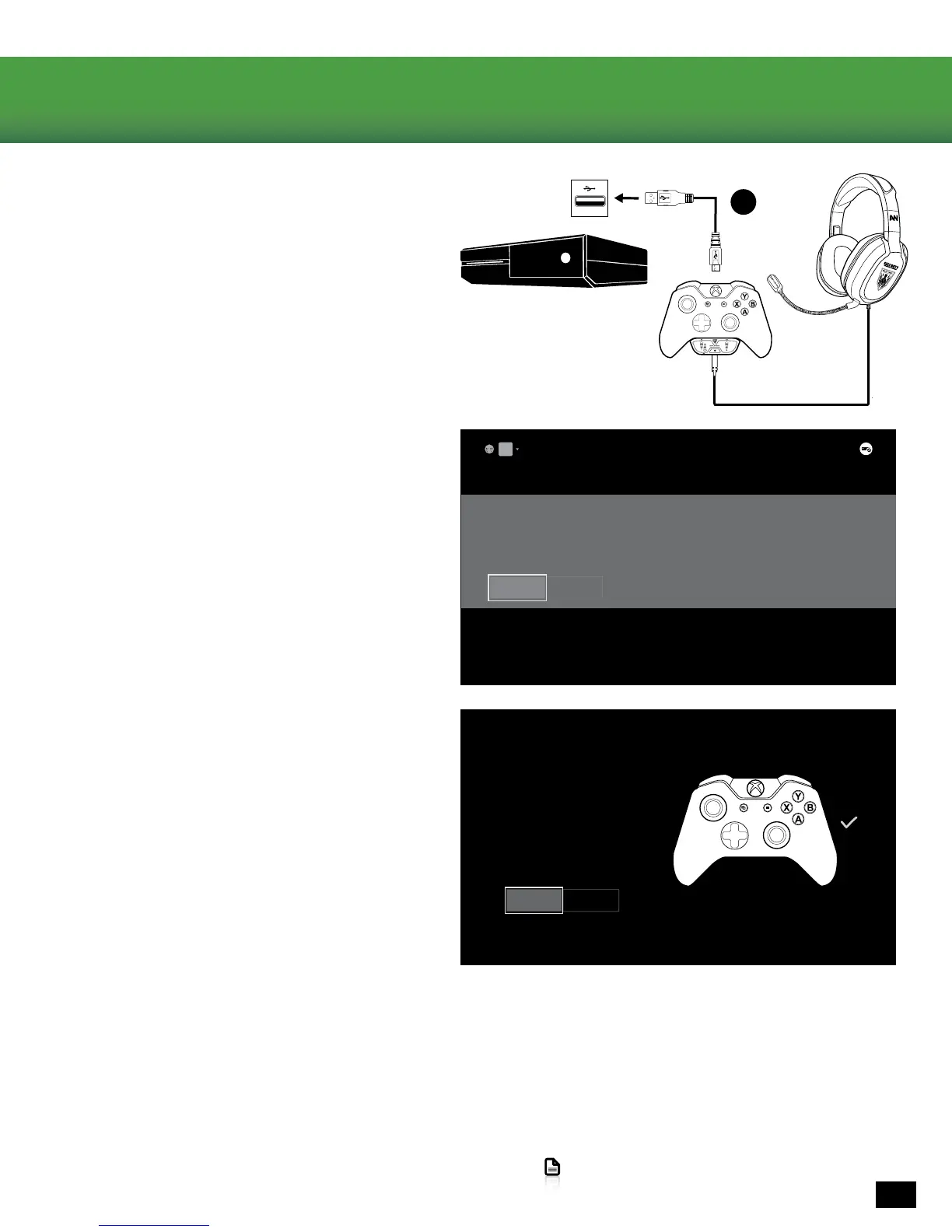
4. Connect the Xbox One Controller to the Xbox
One Console using the Micro USB Update Cable
5. Follow the on-screen prompts to update your
controller.
6. Take this time to update additional controllers if
necessary.
If your adapter is not functioning correctly after these steps, try updating your controller again. To do this go to
Settings >> System >> Update Controller. This will repeat the original process.
Your controller needs an update
Home
FEATURED
An update is available for a recently connected Xbox One controller. Would you like to update it?
Update controller Cancel
Controller updated
The connected controller has been updated.
Do you want to update another controller?
Update another Exit
C



 To Next Page