Pre-use settings
Working environment
1. Stay away from oil, chemical or other organic liquid articles. Note: liquid intake
can lead to a short circuit.
2. Stay away from 2.4G frequency items such as microwave ovens, routers and so
on. Note: it will interfere with Bluetooth.
3. Prevent sunlight exposure and high temperature.
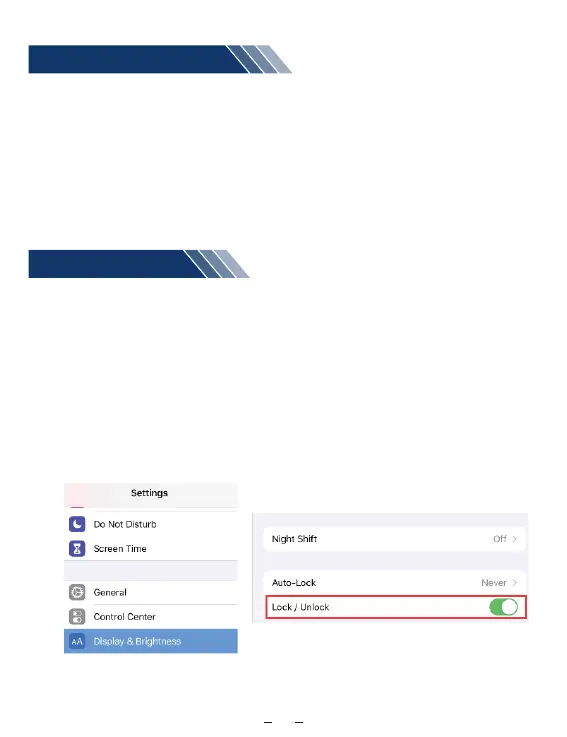
1. Turn on the lock / unlock function
After your iPad is connected the bluetooth with our keyboard , please go to iPad
settings - display and brightness - locking / unlocking function - turn it on.
Remarks: If the locking / unlocking function is not turned on, you can’t wake up the
bluetooth function nor wake up the iPad by pressing any key on the keyboard
after the iPad is in a dormant state.
08
( 1 ) ( 2 )


 To Next Page