28
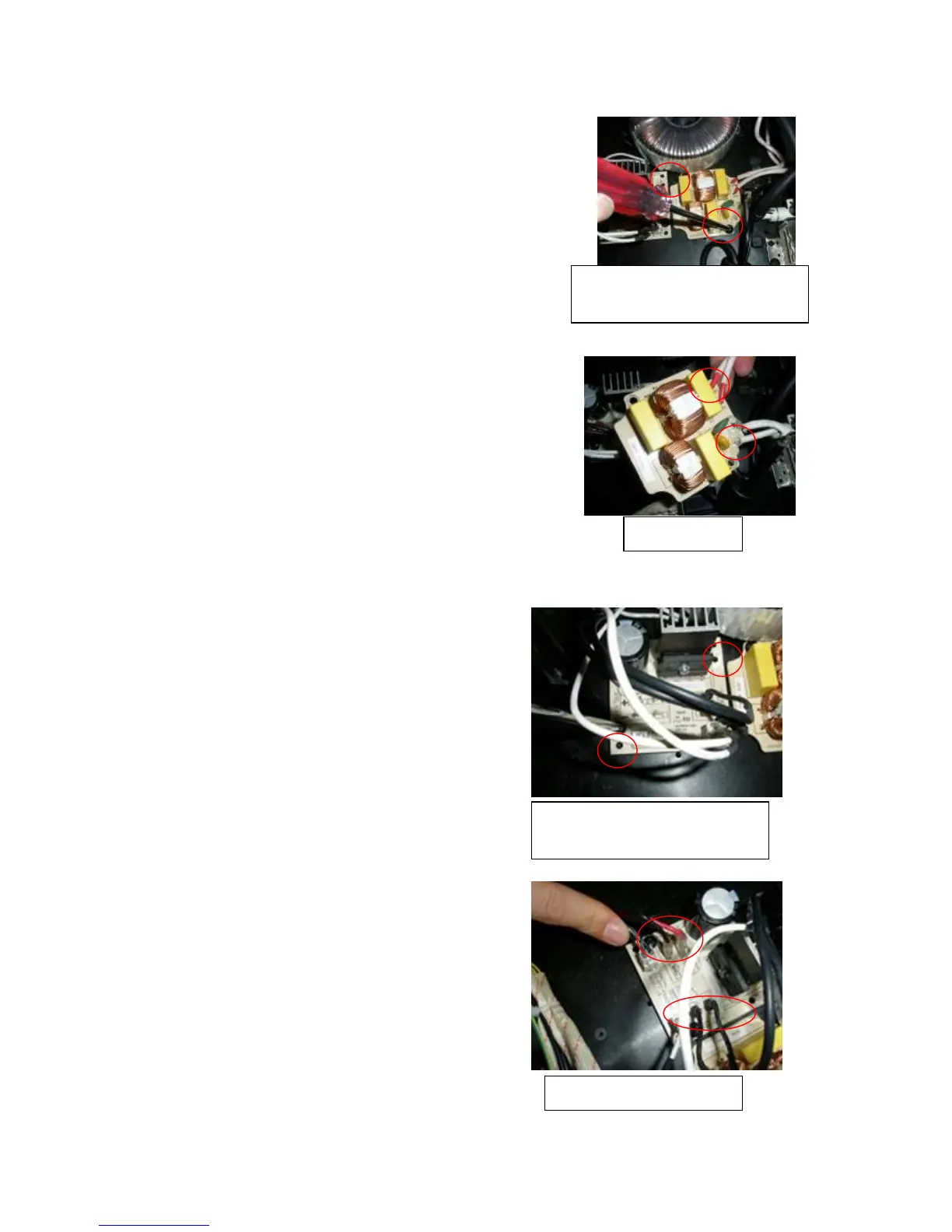
4. Replacement of the wave filter
① After taking off the cover, slacken and remove
the screws fixing the wave filter PCB on the
base plate with a plus screwdriver.
② After disconnecting a wire of the failed PCB,
connect it to the new one immediately with a electric iron.
Until all the wire are transplanted to the new one.
③ At last, tighten the screws.
5. Replacement of the pinboard
① After taking off the cover, slacken and remove
the screws fixing pinboard on the
base plate with a plus screwdriver.
② Pull out the teminals on the PCB, bear in mind
the connection of the teminals to avoid confusion.
You can connect one teminal to a new PCB just
when it’s disconneted from the failed one.
③ At late, don’t forget to tighten the screws.
Screws fixing the wave filter PCB
ST4.2*10 2PCS
In-out wires
Screws fixing the pinboard
ST4.2*10 2PCS
Terminals on the pinboard



 To Next Page