27
VIII. Maintenance of the seat part
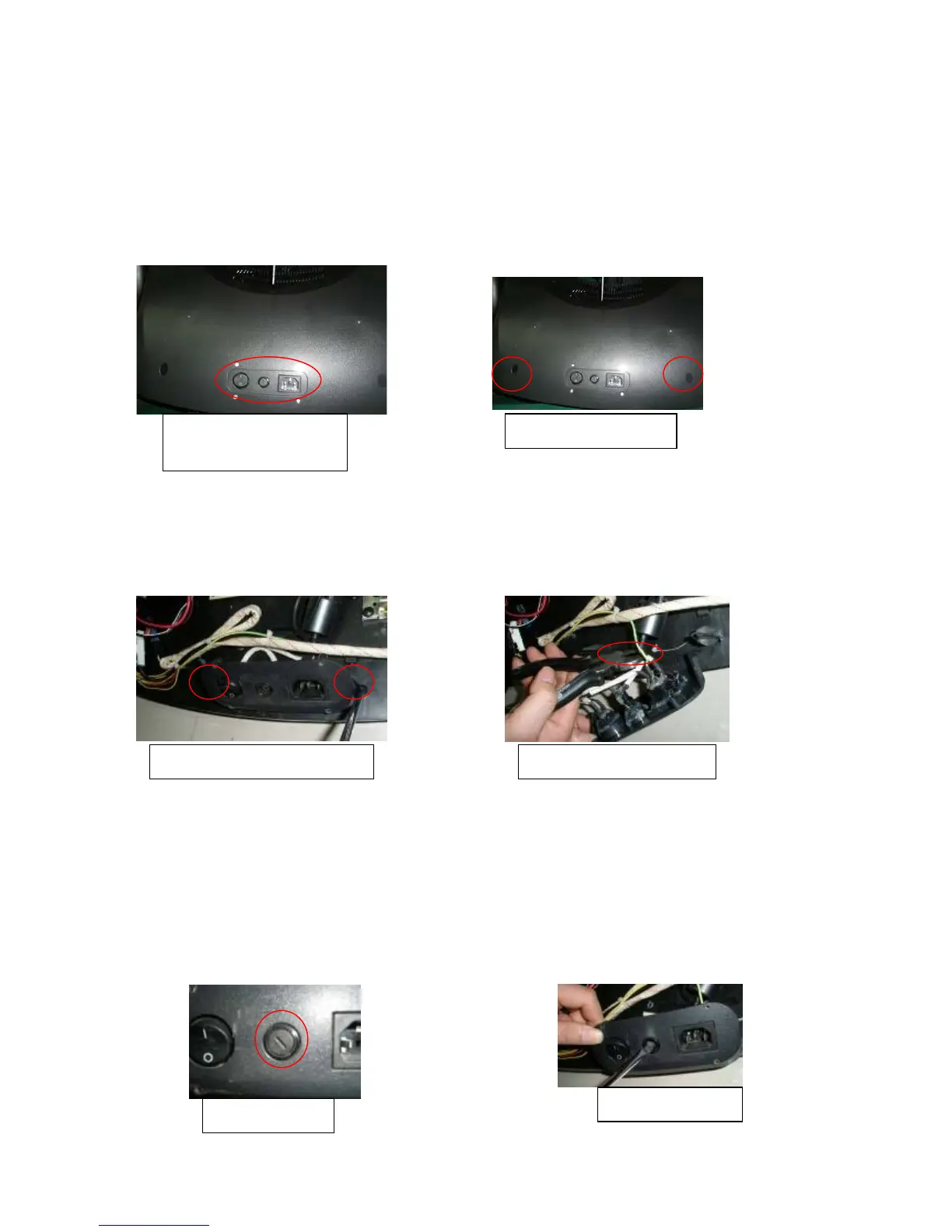
1.Disassembly of the cover under the seat
① Pull out the power cord, release the stopper at the bottom of back rest, turn down the back rest forward.
② Slacken and remove the screws, 4 pieces, fastening panel switch and the cover with a plus screwdriver.
③ You can find 2 holes on the cover, slacken and remove the screws inside, then the cover can be removed.
④ Proceed in the reverse order of disassembly when assembly.
2. Disassembly and replacement of the panel switch
① After removing the cover, you can find the panel switch is fixing on the base plate with two screws. Slacken
and remove them.
② Cut the outlet of the panel switch with wire cutters if the panel switch needs replacement.
③ Take a new one, connect the wires, and cover them with close-end wire connector. At last, tighten the screws.
3. Replacement of power supply fuse
①Turn OFF the power supply and remove the power cord plug.
②Turn the fuse holder in the counterclockwise direction with a finger nail or a minus screwdriver.
③Take out the fuse from the fuse holder and replace with a new one.
④Put in the holder and turn the fuse holder in the clockwise direction, then it will be fixed.
Attention:①Make sure to use a glass tube fuse(the same type).
②Make sure to turn “OFF” the power supply and remove the power cord plug of the main unit from
the receptacle.
Screws fastening panel
switch and the cover
Screws fixing the cover
Cut the wires of the switch Screws fixing the panel switch
The fuse holder
Take out the holder


 To Next Page
 Loading...