Need help?
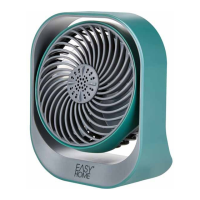
Do you have a question about the Easy@Home EA-2926 and is the answer not in the manual?
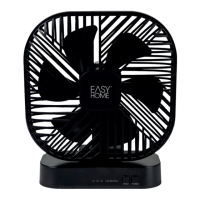
Specifies the port for connecting the power source.
Details the USB connector used for powering the fan.
Identifies the specific connector on the fan for power.
Describes the lights indicating the fan's timer status.
Explains the lights that show the current fan speed.
Details the button used to set and adjust timer functions.
Explains the button for turning the fan on/off and changing speed.
Locates and identifies the area for battery installation.
Outlines regulatory compliance according to FCC Part 15 rules.
Guidance on handling and retaining the user manual for future reference.
Specifies the fan's intended indoor, personal use and warns against misuse.
Clarifies the meaning of warning, caution, and notice symbols used in the manual.
Covers essential safety rules for electrical appliances, water, supervision, and misuse.
Details risks of explosions and chemical burns from improper battery handling.
Instructions for verifying fan and package completeness and checking for damage.
Steps for opening the compartment, inserting batteries, and securing the cover.
Explains usage via USB cable or batteries and their interaction.
How to adjust fan speed (LOW, MID, HIGH) and set timer durations (4H, 2H, 1H).
Guidelines for storing the fan in a dry location to prevent damage.
Information on environmentally friendly disposal of packaging and the product, including batteries.

 To Next Page
 General