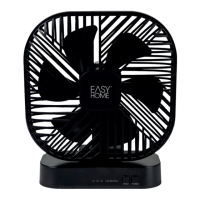
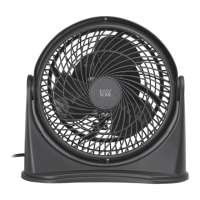
This document is a user manual for the Easy Home Tower Fan, model ST-01M, item #1994-14, manufactured in May 2014. It provides essential information for assembly, operation, maintenance, and warranty.
Function Description:
The Easy Home Tower Fan is designed to provide cooling airflow in household environments. It features a control knob for adjusting fan speed and activating an oscillation mode. The fan is thermally protected, meaning it will automatically shut off if the motor overheats, preventing damage and ensuring safety.
Important Technical Specifications:
- Model Number: ST-01M
- Rating Voltage: 120V
- Frequency: 60Hz
- Rated Wattage: 35W
- Warranty: 2 years
Usage Features:
- Assembly: The fan requires minor assembly, which involves attaching the rear and front base pieces, aligning them, and securing them with four screws using a screwdriver. The power cord needs to be placed in the cord groove during base assembly.
- Placement: Once assembled, the Tower Fan must be placed on a firm, level surface to prevent overturning.
- Operation:
- Plug the power cord into an electrical outlet.
- The control panel features a single knob.
- To use the fan only (without oscillation), turn the control knob to the left to select LO (low), MED (medium), or HI (high) speed settings.
- To use the fan with oscillation, turn the control knob to the right to select LO, MED, or HI settings with the oscillation symbol.
- To turn the fan off, turn the control knob to the OFF position.
- Safety Features:
- Polarized Plug: The appliance has a polarized plug (one pin wider than the other) to reduce the risk of electrical shock. It is designed to fit into a polarized outlet only one way. If it doesn't fit, the user should try reversing the plug and, if it still doesn't fit, contact a qualified electrician. Users are warned not to alter, dismantle, or find another way around this safety feature.
- Fuse Replacement: The plug contains a replaceable 2.5amp, 125-volt fuse. Instructions are provided for safely replacing the fuse using a small flat blade screwdriver.
- Thermal Protection: The fan is equipped with thermal protection. If the motor overheats, the unit will automatically shut off. In such an event, the user should turn the control knob to OFF, unplug the fan, and allow it to return to room temperature before attempting to restart it. If the unit does not turn on again, customer service should be contacted.
- Short Power Supply Cord: A short power supply cord is provided to minimize the risk of personal injury from entanglement or tripping.
- Dedicated Circuit: If the electrical circuit is overloaded with other appliances, the Tower Fan may not operate properly. It is recommended to operate the fan on a separate electrical circuit.
Maintenance Features:
- Cleaning:
- Always switch off and unplug the fan before cleaning.
- Wipe off excess dust with a lint-free cloth.
- A vacuum cleaner brush attachment can be used to clean the fan guards to remove lint and dirt from inside the fan. Users are explicitly warned NOT to attempt to take the fan apart for cleaning.
- If the fan housing becomes soiled, it can be cleaned with a damp cloth using warm (not hot) soapy water and a mild detergent solution, then wiped dry.
- Do not submerge the fan in water or any other liquids, and prevent any liquid from entering the fan or motor.
- Avoid staining plastic parts with oil and using the fan in places where oil might spill on it, as oil can cause damage or deterioration to the housing.
- Storage: Store the Tower Fan in a dry location. Avoid placing heavy items on top of the fan during storage to prevent damage.
General Safety Instructions (Highlights):
- Always turn off and unplug the fan before cleaning, maintenance, or when leaving it unattended for an extended period.
- Do not place the fan in water or other liquids, or allow it to become wet or damp.
- Do not store the fan where it can fall into water or other liquids.
- Use the fan only for its intended purpose as described in the instructions.
- Do not operate the fan if its cord or plug is damaged, if it has malfunctioned, or if it has been dropped or damaged.
- Place the fan on a flat, level surface.
- Avoid contact with moving parts.
- Never drop or insert any object into any opening, especially into the area protected by the front and rear guards.
- Do not obstruct the airflow.
- Do not operate the fan without the front and rear guards.
- Close supervision is necessary when operating near children.
- Do not use this fan with any solid-state speed control device.
- Do not place the fan near a heat source.
- Do not unplug by pulling on the power supply cord.
After Sales Support:
For technical support, missing parts, or warranty claims, contact Wachsmuth & Krogmann, Inc.
- Helpline: 1-888-367-7373
- Email: customer-service@wk-usa.com
- Business Hours: Monday-Friday, 9:00 AM - 4:00 PM CST.
- Warranty Claims: Faulty product claims within the 2-year warranty period will be repaired or replaced free of charge with satisfactory proof of purchase (receipt). The warranty becomes null and void if the product is deliberately damaged, misused, or disassembled.
- Environmental Protection: If the fan no longer works, dispose of it in an environmentally friendly way.

 Need help?

 To Next Page
 General