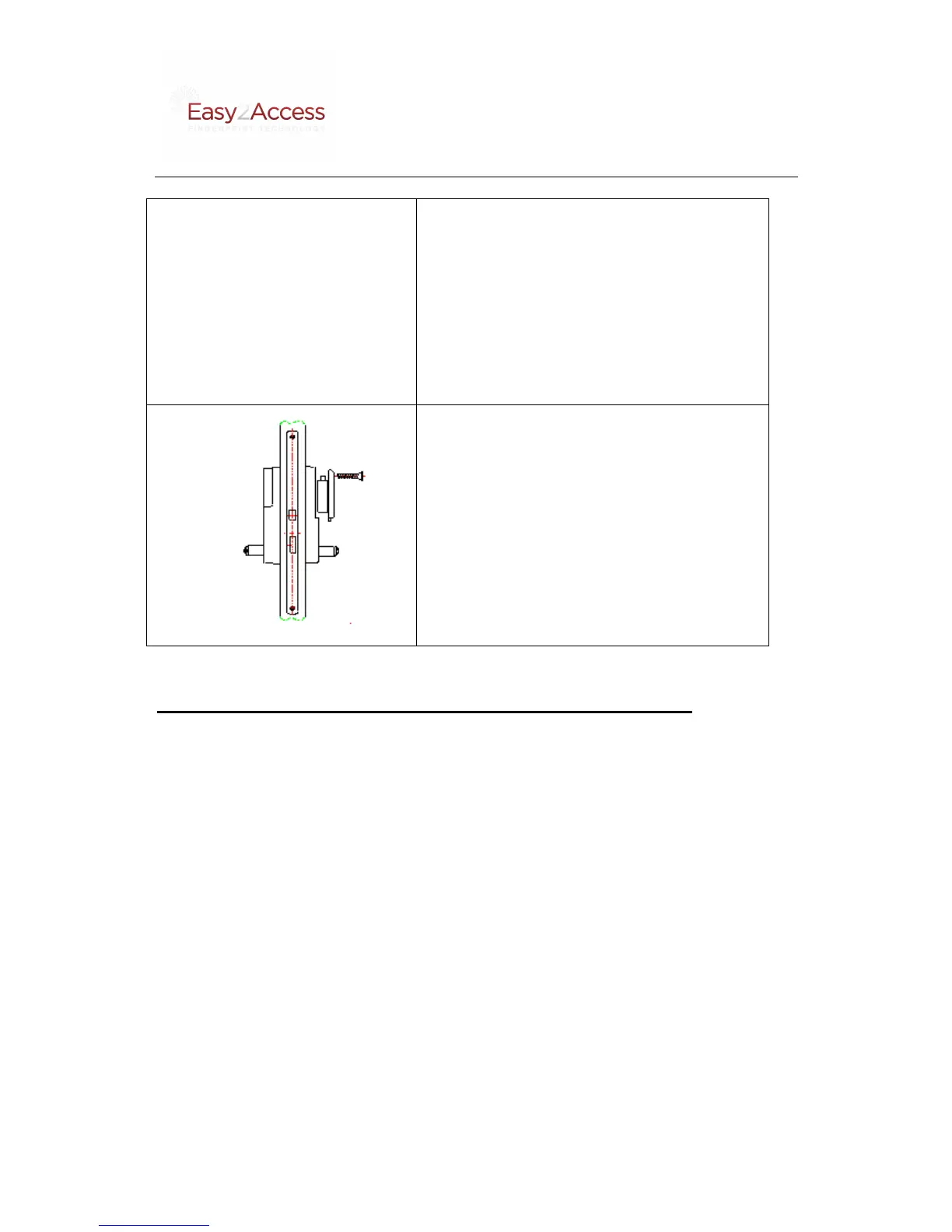
length screws into the screw holes
inside the battery house and through
the two upper fixing posts.
8.
hole below the inside handle and
through the bottom fixing post.
9. Insert 3 high-quality AA batteries -
screw.
C. Final inspection/adjustment prior to setup and use.
Note: After installation and prior to using the unit, make sure you read
and follow the steps below:
1. Insert 3 new high-quality AA batteries in the battery housing.
2. If the door lock beeps try to change to a new set of batteries as the quality of
batteries can be of differing quality and provide too low voltage for the lock.
3. Turn the handles down and up. They should turn freely. If and when the
inside and outside locks are attached securely. Ifthe handlesdonot turn freely,
see the trouble shooting table below for possible solutions. If the handles
turn freely, continue with the next step.
4. Make sure you selectedthe appropriate rubber gasket for the outside unit.
5. Close the door and fully lift up the sliding cover of the outside unit and enter
the factory-set PIN code to check if the motor moves smoothly or not. If yes,
turn down the outside handle to see if it can unlock the door or not. If not,
view the trouble shooting part of the manual below to find the possible
solution.


 To Next Page