EasyManua.ls Logo

EasyDrive MINI-S-2S0007M - User Manual

Default Icon
161 pages
Print Icon
To Next Page IconTo Next Page
Loading...
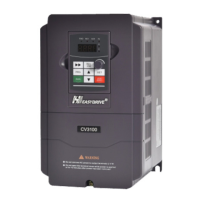
CV3100 series and MINI series high performance general purpose inverter instruction manual
Preface
Thanks for your purchase of CV3100 series and MINI series inverter
manufactured by us.CV3100 series and MINI series inverter is of sensor-less vector
control frequency inverter with high torque, high accuracy and wide range of speed
regulation, designed with the brand-new idea. Based on improving stability, it is
provided with many run and control functions such as motor parameters auto-tune,
simple PLC control, practical PID adjustment, flexible input/output terminal control,
parameter online amendment, pulse frequency setting, power-off and stopping
parameter storage, wobbling control , RS485 communication, constant pressure water
supply control and so on. This inverter provides equipment manufacturer and terminal
user with integrated solution of high integration level; helps to reduce the system
purchase and operation cost, and improves the reliability of system.
Before using CV3100 series inverter, please read this manual carefully, so as to
install and operate inverter correctly and enable it produce the best performance.
It is to be noted that this manual is subject to change without notice, and please
refer to new edition.
Reader range
This manual is suitable for following persons:
Installer of inverter, engineering technician (electric engineer, electric operating
worker), designer
Please make sure that this manual is delivered to the end user.
Stipulation of this manual
Stipulation of symbol
Warning
Conditions that cause medium injury or light injury due to operation not
accord to requirements
Danger
Conditions that cause death or serious injury due to operation not accord to
requirements

Table of Contents

Question and Answer IconNeed help?

Do you have a question about the EasyDrive MINI-S-2S0007M and is the answer not in the manual?

Summary

Chapter 1 General

Safety and Usage Precautions

Critical safety guidelines, installation warnings, and usage considerations.

Chapter 2 Product Specification and Order Notification

Inverter Series Model and Specifications

Details on available inverter models and their technical specifications.

Chapter 3 Installation and Wiring

Installation Environment Requirements

Specifies environmental conditions and spacing for inverter installation.

Wiring Precautions and Guidelines

Essential safety warnings and best practices for wiring the inverter.

Main Circuit and Control Circuit Wiring

Details on wiring main circuit terminals, options, and control circuits.

Chapter 4 Running and Operating

Chapter 5 Function Parameter Table

Basic Parameter Specifications

Detailed specifications for basic inverter parameters (P0.00-P0.23).

Motor and Vector Control Parameters

Parameters essential for motor identification and vector control settings.

Process PID Control Parameters

Parameters for setting up and tuning the PID control loop.

Protection Parameters

Parameters for inverter protection functions like overcurrent and overvoltage.

Chapter 6 Specification of Function

Basic Parameter Configuration

Details on control modes, frequency input selection, and V/F curve settings.

Motor and Vector Control Configuration

Parameters for motor identification, auto-tuning, and vector control.

Process PID Control Configuration

Parameters for configuring PID control loops, gains, and feedback channels.

Protection Parameter Configuration

Settings for overcurrent, overvoltage, and undervoltage protection.

Chapter 7 Troubleshooting

Failure Identification and Countermeasures

General information on identifying failures and taking corrective actions.

Fault Codes and Solutions

Detailed table of fault codes, possible causes, and corresponding solutions.

Chapter 8 Maintenance

EasyDrive MINI-S-2S0007M Specifications

General IconGeneral
BrandEasyDrive
ModelMINI-S-2S0007M
CategoryInverter
LanguageEnglish

Related product manuals