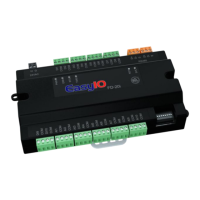
EasyIOeu SH-SystemView7 Configuration
11
Power on and go to SystemView Settings->Advanced, Set “Prevent keyboard form submission” OFF.
SystemView!2.0a!Settings!
Screensaver and Auto-refresh
SystemView app has an Auto-refresh and Screensaver option enabled by default, this means after 5
minutes the SystemView app will open the screensaver (black image) and it will keep refreshing the
web page on background every 5 minutes.
General
Idle Page Timeout
Enables page timeout, causes reload of SystemView URL and displays screensaver if enabled.
(Default = ON)
Timeout
Specified in minutes, the time that SystemView is considered to be idle.
(Default = 5 minutes)
Features
Screensaver
Display screensaver when the idle timeout limit has been reached.
(Default = ON)
Zoom on web page
The zooming is enabled by default so the zoom in/out can be done on the web page. When
SystemView loads/reloads the web page it will show in Overview mode by default, it can also
loads/reloads the page based on a Initial Zoom Level.
General
Page Zooming
Enables pinch zooming/double tap – note changes may require restart.
(Default = ON)
Overview Mode
Loads page in overview i.e. zoomed out – may require restart.
(Default = ON)
Initial Zoom Level
Zoom when page first loads, setting to zero disables. Overrides overview mode if enabled.
(Default = 0)
! !


 To Next Page