EasyManua.ls Logo

EasyIO SystemView10 - User Manual

EasyIO SystemView10
12 pages
Print Icon
To Next Page IconTo Next Page
Loading...
EasyIOeu SH-SystemView10 Configuration
1
!
!
!
EasyIOeu!SH-SystemView10!Configuration!v2.0!
!
! ! ! !
! !
Question and Answer IconNeed help?

Do you have a question about the EasyIO SystemView10 and is the answer not in the manual?

Summary

Document Change Log

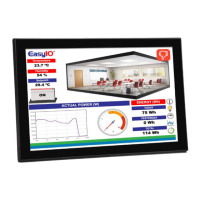
Introduction to SystemView10

Network Configuration: Date and IP Address

Essential network settings like IP address and Date/Time are crucial for proper device operation.

SystemView10 Specifications

Hardware and Software Specifications

Details on CPU, RAM, storage, display, OS, video/audio features, and network interfaces.

Device Dimensions

Hardware Installation Guide

Ethernet and Date;Time Configuration

Network and Time Settings

Instructions for setting up Ethernet connection and ensuring accurate date and time.

SystemView 2.0 a Application

Managing the SystemView 2.0 a App

Guidance on exiting the app, changing IP, exiting settings, and updating the application.

SystemView 2.0 a Settings Configuration

Screensaver and Auto-Refresh Settings

Configuration options for automatic screen refresh and screensaver activation.

Web Page Zooming and Display Modes

Settings for controlling web page zoom and display modes like Overview.

Default Device Configurations

System and Developer Settings

Details on display, location, language, date/time, and developer options for optimal performance.

Technical Support Information

Summary

Document Change Log

Introduction to SystemView10

Network Configuration: Date and IP Address

Essential network settings like IP address and Date/Time are crucial for proper device operation.

SystemView10 Specifications

Hardware and Software Specifications

Details on CPU, RAM, storage, display, OS, video/audio features, and network interfaces.

Device Dimensions

Hardware Installation Guide

Ethernet and Date;Time Configuration

Network and Time Settings

Instructions for setting up Ethernet connection and ensuring accurate date and time.

SystemView 2.0 a Application

Managing the SystemView 2.0 a App

Guidance on exiting the app, changing IP, exiting settings, and updating the application.

SystemView 2.0 a Settings Configuration

Screensaver and Auto-Refresh Settings

Configuration options for automatic screen refresh and screensaver activation.

Web Page Zooming and Display Modes

Settings for controlling web page zoom and display modes like Overview.

Default Device Configurations

System and Developer Settings

Details on display, location, language, date/time, and developer options for optimal performance.

Technical Support Information

EasyIO SystemView10 Specifications

General IconGeneral
Weight1.2 kg
Display Size10.1 inches
Resolution1280 x 800
Touch TechnologyProjected Capacitive Touch
ConnectivityEthernet
Power Supply24VDC
USB1 x USB Host
Serial Port1 x RS485
EnclosurePlastic
PortsEthernet, USB, Serial