EasyIOeu SH-SystemView10 Configuration
8
Ethernet/Date!&!time!
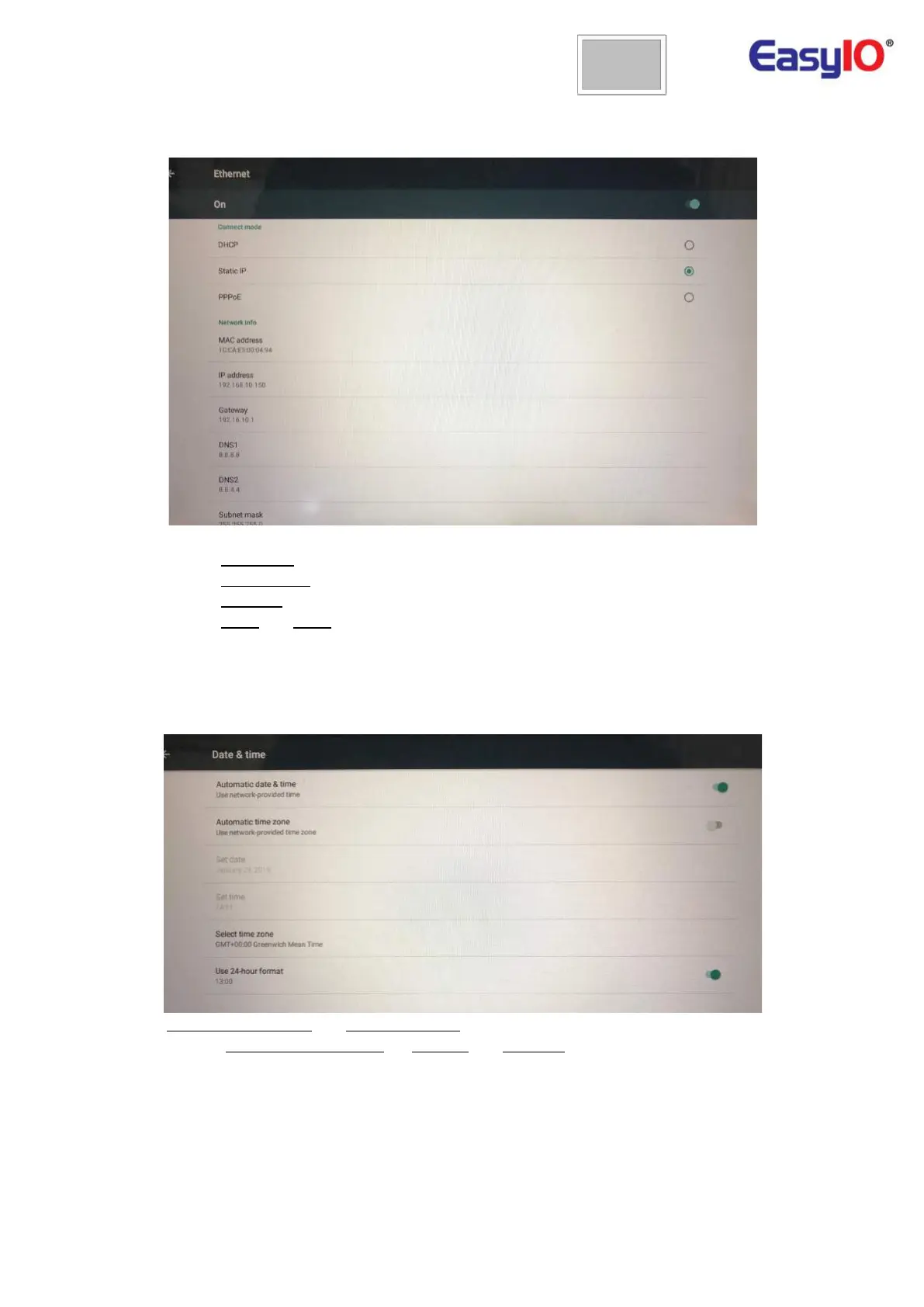
To connect the tablet to some device by Ethernet you need to configure the Ethernet network.
Go to Settings->Ethernet, enable Ethernet and if you want to use Static IP address click on Static IP
• Set the IP Address of your SystemView10;
• Set the Subnet mask of your network (usually 255.255.255.0);
• Set the Gateway.
• Set the DNS1 and DNS2. (8.8.8.8 and 8.8.4.4 for Google DNS or set the IP of the router as
your DNS)
Don’t use/enable both networks at same time, Ethernet and Wi-Fi.
To have your tablet showing the graphics in the right time you need to make sure you have the date
and time updated.
Disable Automatic time zone and Select time zone of your country. If the tablet is not connected to
internet disable Automatic date & time, so Set date and Set time.


 To Next Page