Setting up and using your camera
To ensure optimum performance from your camera,
please follow the steps below when using the camera:
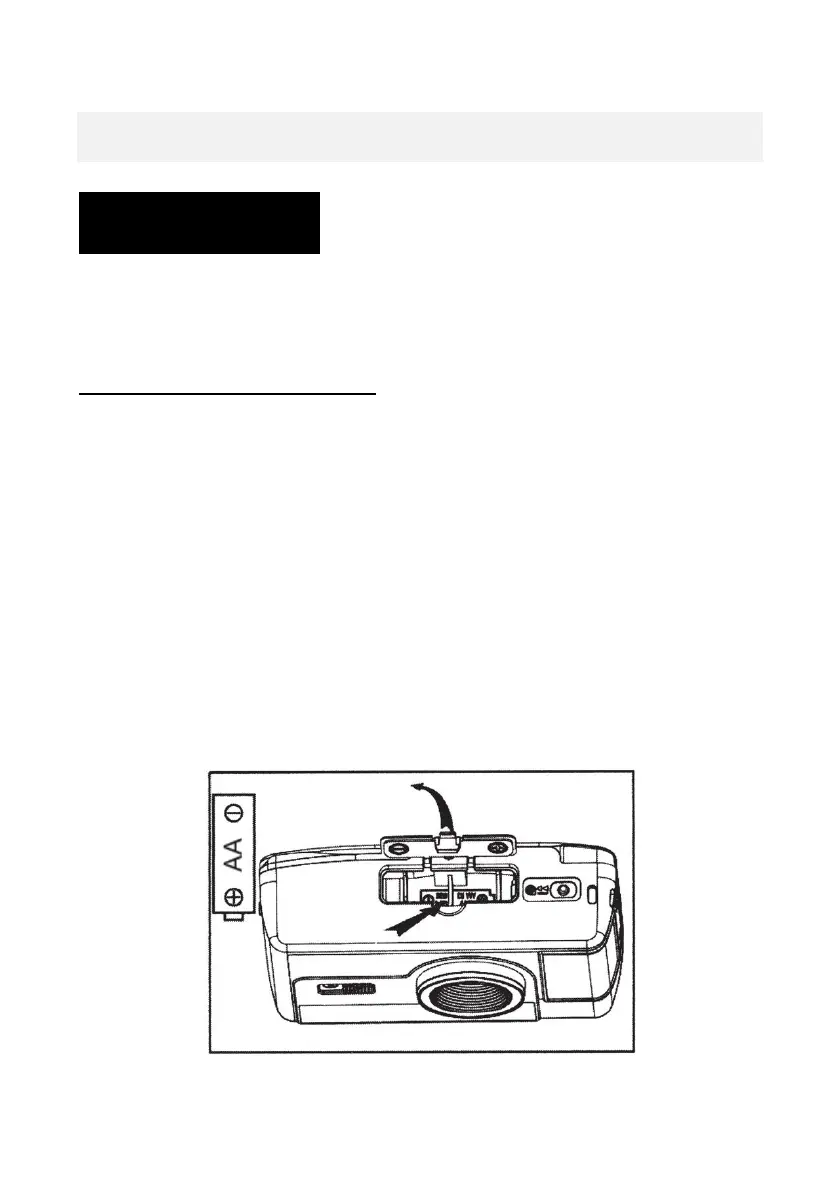
Step 1: Insert the battery
• Open the battery compartment cover in the direction
indicated by the arrow.
• Insert 1 x AA battery into the battery compartment
• Ensure that the battery is inserted observing the
correct polarity.
• The correct polarity (the “+” and “-“ ends of the
battery) is indicated on the inside of the battery
compartment.














 To Next Page