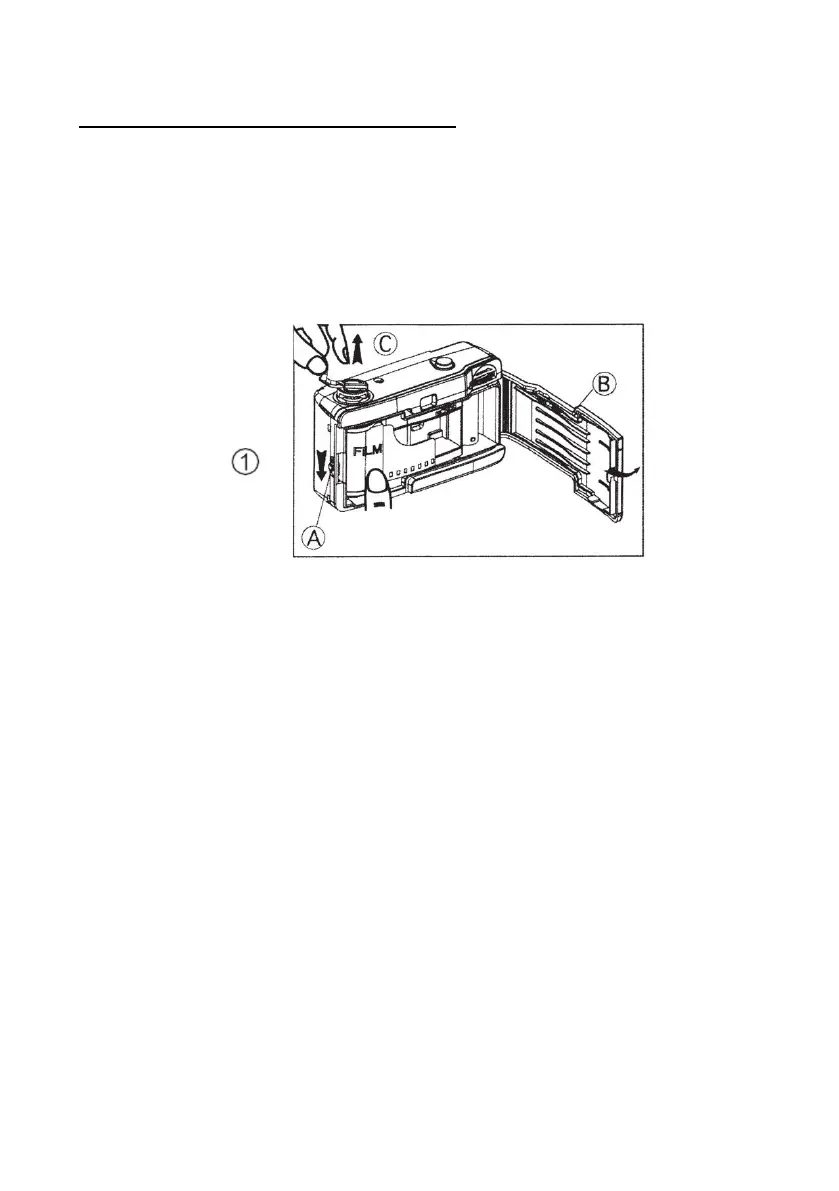
Step 2: Inserting the 35mm film
• Press latch (A) in the direction of the arrow to open
the film compartment door (B) as shown in Fig.1
• Lift up the film rewind handle (C) and place a new roll
of film into the film compartment.
• With the film now inserted, push the rewind handle
(C) back into place as shown in Fig 2.
• Pull out the film from the film cartridge and position
the second hole of the film strip onto the film take-
up spool (D).
• Slightly advance the film by turning the film advance
wheel (E)














 To Next Page