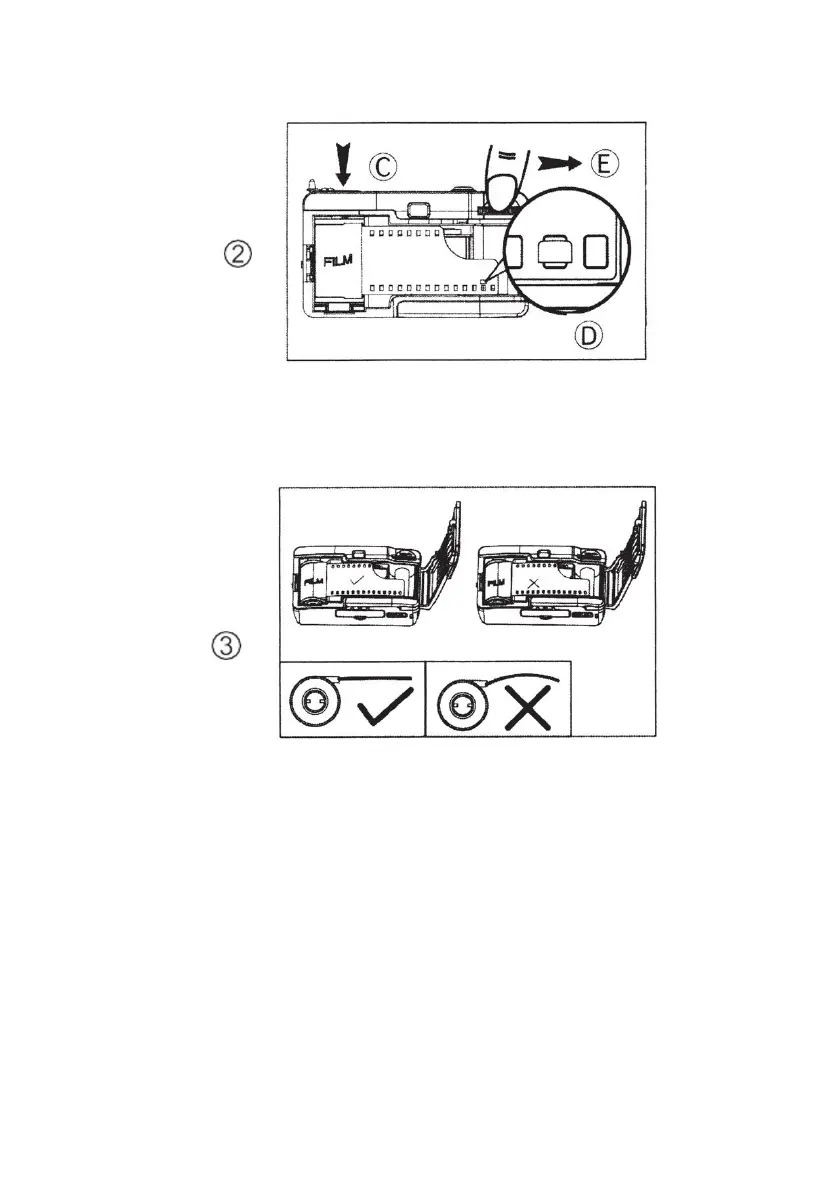
• Ensure that the film lays flat against the centre of the
film compartment as shown in Fig 3 and close the
cameras back door.
• After closing the cameras back door, continue to
advance the film by turning the film advance wheel
(E) until it stops as shown in Fig 4.
• Press the shutter button
• Repeat this procedure one more time (film advance
and shutter press)
• The film counter (F) will show the number “1”














 To Next Page