5. Connecting the Digital Image Copier
1. Plug the USB cable of Image Copier into your
computer’s USB 2.0 port. Once connected the Power
LED light will turn on.
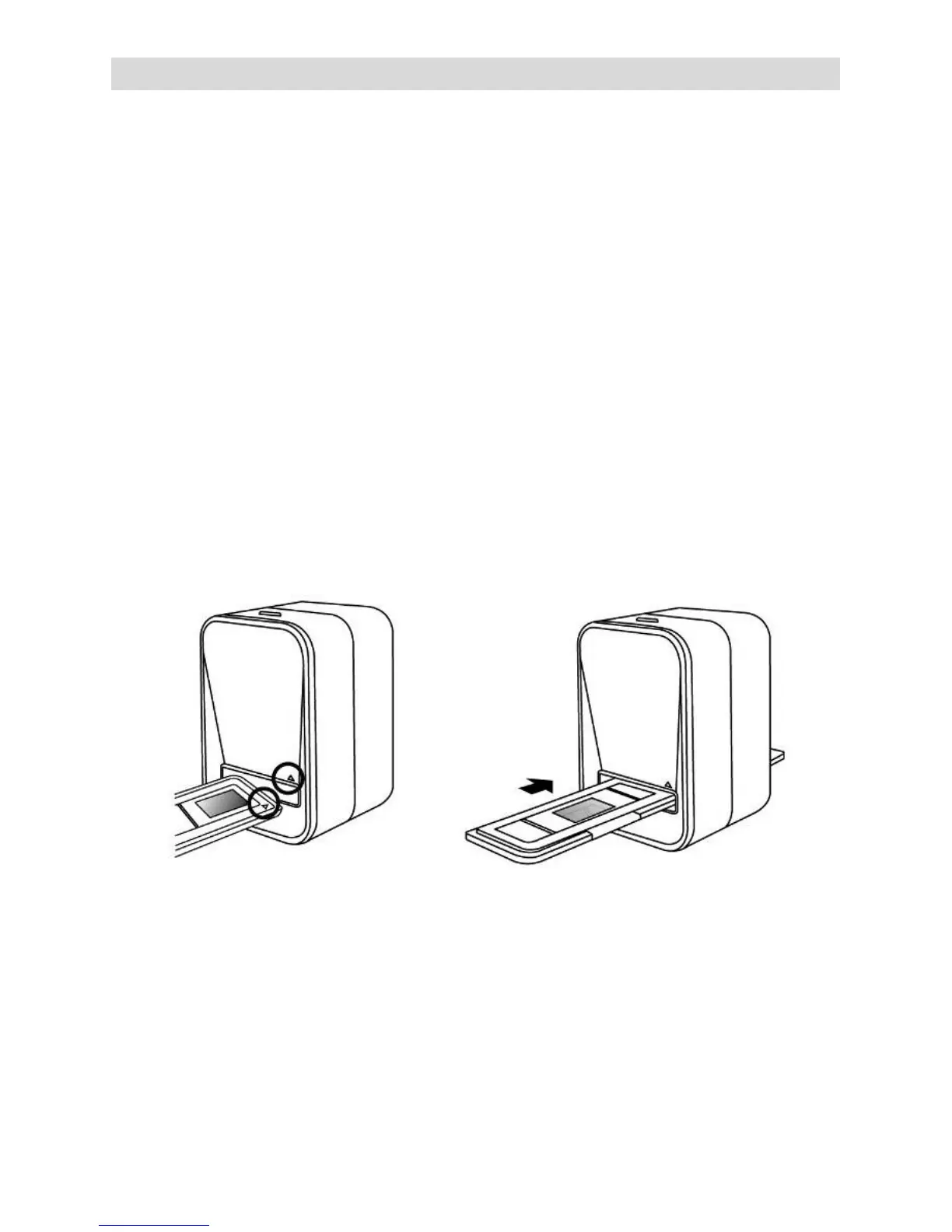
2. Insert the loaded film/ slide holder properly into the
slot according to the triangular signs as shown.
IMPORTANT: INSERTING HOLDERS INCORRECTLY
MAY DAMAGE YOUR IMAGE COPIER
(Insert through front entrance)


 To Next Page