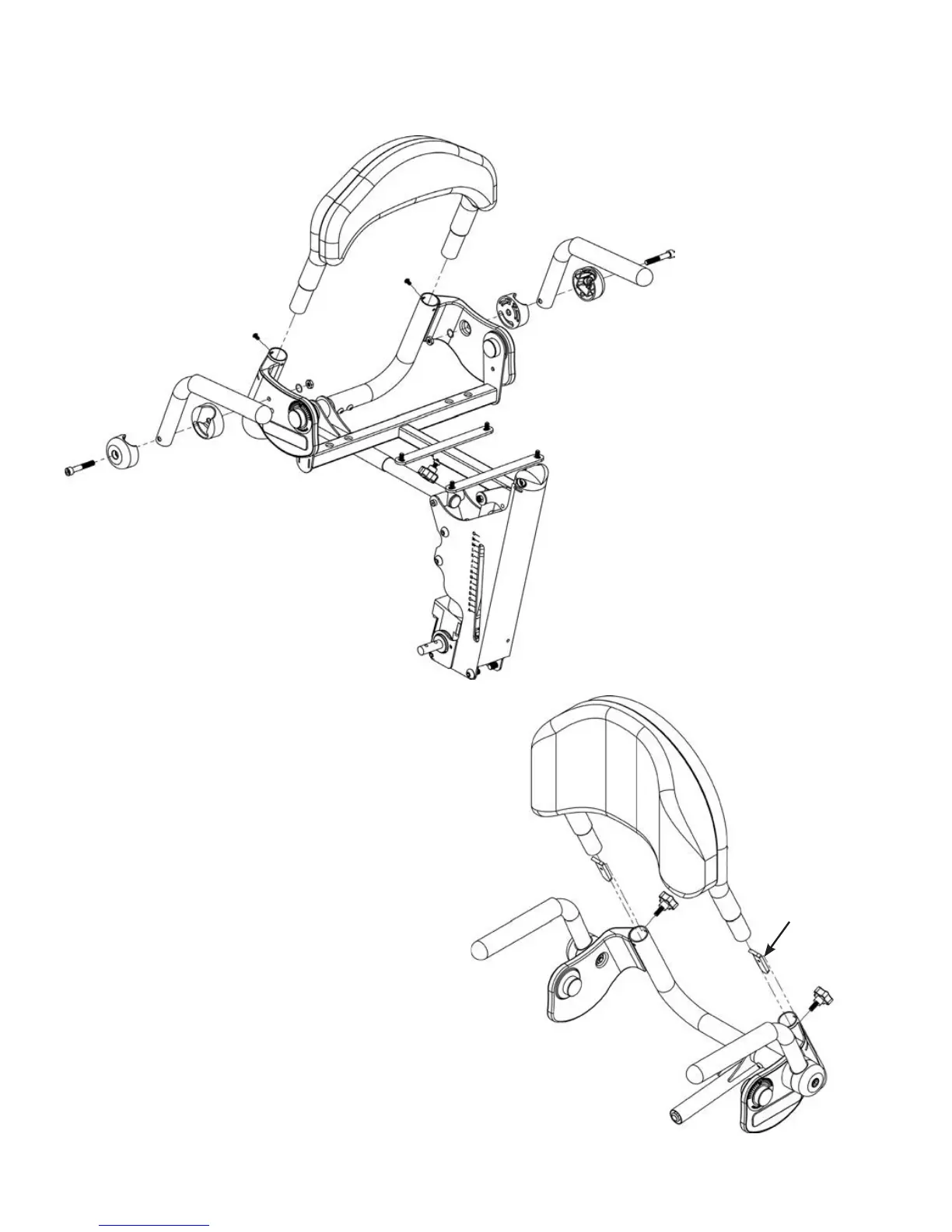
Removable Back Option
PNG50171, PNG50172,
PNG50173, PNG50174
To attach the Removable Back to the
unit, slide the back assembly into the
seat assembly as shown. Insert
hardware into back tubes with tabs
facing upward and toward the back.
Tighten securely with knobs provided.
NOTE: Make sure
hardware is placed
into back as shown.
Back Option
PNG50062, PNG50066,
PNG50067, PNG50068
To assemble your back option, slide
the back assembly into the seat
assembly as shown. Tighten secure-
ly with bolts provided, then add the
swing-away arms. Remove the nut
from the arm. Place the arm onto
the unit keeping the arm assembly
together. Place nut onto bolt on the
inside of the unit. Tighten securely.
Option Assembly
Page 5 - Option Assembly



 To Next Page