EasyManua.ls Logo

Eat Smart CalPal User Manual

Eat Smart CalPal
6 pages
To Next Page IconTo Next Page
Page #1 background imageLoading...
Page #1 background image
CPESBS52 06.15
WC
12
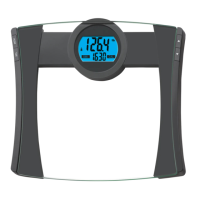
CalPal™
Digital Bathroom Scale
Model ESBS-52
EatSmart Products
Oak Brook, IL 60523
Connect with EatSmart
EatSmart Products
EatSmartScales
EatSmart Products
EatSmartScales
www.eatsmartproducts.com

Questions and Answers:

Eat Smart CalPal Specifications

Display IconDisplay
display type2” dual line LCD
low battery indicator“Lo”
initialization or instability indicator“Err”
Measurement IconMeasurement
measurement unitsPounds / Kilograms
graduation0.1lb / 0.1kg
overload indicator“Err1”
Power IconPower
power source3 AAA batteries (included)
Weight and Dimensions IconWeight and Dimensions
capacity440 lbs / 200 kgs
unit dimensionsApproximately 12.5” x 13.25” x 1.00”
unit weightApproximately 4.6 lbs

Summary

Operation

Battery Installation and First Time Setup

Instructions for inserting batteries and initial scale calibration.

How to Enter Personal Data into Memory

How to Enter Personal Data into Memory

Guide to programming gender, height, age, and activity level into memory.

How to Take a Weight/CalPal™ Reading with Automatic User Identification

How to Take a Weight/CalPal™ Reading by Selecting a User Number Manually

How to Delete a User Profile

Troubleshooting

Warranty

Related product manuals