EasyManua.ls Logo

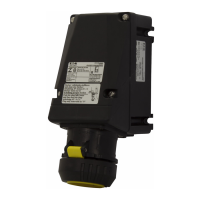
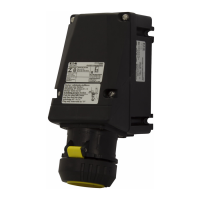
Eaton GHG 981 Series - User Manual

Eaton GHG 981 Series
32 pages
Go to English
Print Icon
To Next Page IconTo Next Page
Loading...
Schalter Industriebaureihe GHG 981
bis 250 A, 3-, 6-polig
Switches, industrial design GHG 981
up to 250 A, 3-, 6-pole
Interrupteurs de sécurité, Type industriel GHG 981
jusquà 250 A, 3- et 6les
GHG 980 7002 P0001 D/GB/ F (i)
CROUSE-HINDS
SERI ES
Betriebsanleitung
Operating instructions
Mode d’emploi
EN/IEC 62626-1
CZ: "Tento návod k použití si m žete vyžádat
ve
svém mate ském jazyce u p íslušného
zastoupení spole nosti Cooper Crouse-
Hinds/CEAG ve vaší zemi."
DK: "Montagevejledningen kan oversættes til
andre EU-sprog og rekvireres hos Deres
Cooper Crouse-Hinds/CEAG leverandør"
E: "En caso necesario podrá solicitar de su
representante Cooper Crouse-Hinds/CEAG
estas instrucciones de servicio en otro idioma
de la Union Europea"
EST: "Seda kasutusjuhendit oma riigikeeles
võite küsida oma riigis asuvast asjaomasest
Cooper Crouse-Hindsi/CEAG esindusest."
FIN: "Tarvittaessa tämän käyttöohjeen käännös
on saatavissa toisella EU:n kielellä Teidän
Cooper
Crouse-Hinds/CEAG - edustajaltanne"
GR:
Cooper Crouse-
Hinds/CEAG"
H: "A kezelési útmutatót az adott ország
nyelvén a Cooper Crouse-Hinds/CEAG cég
helyi képviseletén igényelheti meg."
I: "Se desiderate la traduzione del manuale
operativo in un´altra lingua della Comunit à
Europea potete richiederla al vostro
rappresentante Cooper Crouse-Hinds/CEAG"
LT: Šios naudojimo instrukcijos, išverstos
J su
gimt
j kalb , galite pareikalauti atsakingoje
"Cooper Crouse-Hinds/CEAG" atstovyb
je savo
šalyje.
LV: "Šo ekspluat
cijas instrukciju valsts valod
varat piepras t j su valsts atbild gaj Cooper
Crouse-Hinds/CEAG p
rst vniec b ."
M: Jistg
u jitolbu dan il-manwal fil-lingwa
nazzjonali tag
hom ming and ir-rappre entant
ta' Cooper Crouse Hinds/CEAG f'pajji
hom.
NL: "Indien noodzakelijk kan de vertaling van
deze gebruiksinstructie in een andere EU-taal
worden opgevraagd bij Uw Cooper Crouse-
Hinds/CEAG - vertegenwoordiging"
P: "Se for necessária a tradução destas
instruções de operação para outro idioma da
União Europeia, pode solicita-la junto do seu
representante Cooper Crouse-Hinds/CEAG"
PL: Niniejsz
instrukcj obs ugi w odpowiedniej
wersji j
zykowej mo na zamówi
w
przedstawicielstwie firmy Cooper-Crouse-
Hinds/CEAG na dany kraj.
S: "En översättning av denna montage- och
skötselinstruktion till annat EU - språk kan vid
behov beställas från Er Cooper Crouse-
Hinds/CEAG- representant"
SK: "Tento návod na obsluhu Vám vo Vašom
rodnom jazyku poskytne zastúpenie spolo
nosti
Cooper Crouse-Hinds/CEAG vo Vašej krajine."
SLO: "Navodila za uporabo v Vašem jeziku
lahko zahtevate pri pristojnem zastopništvu
podjetja Cooper Crouse-Hinds/CEAG v Vaši
državi."
RUS:
"
При необходимости, вы можете запрашивать
перевод данного руководства на другом языке
ЕС или на русском от вашего
Cooper Crouse-Хиндс / CEAG - представителей."

Questions and Answers

  • J
    John FreemanAug 20, 2025
    What to do if the Power LED is not lit on my Eaton Industrial Electrical?
    • J
      Jennifer AlexanderAug 20, 2025
      If the Power LED is not lit on your Eaton Industrial Electrical, you should first check the polarity and integrity of the trunk cable connections to the enclosure. Also, verify that the d.c. supply powering the incoming trunk is operating correctly.
  • L
    lesliewilliamsAug 22, 2025
    What to do if the power LED is not lit on my Eaton Control Unit?
    • S
      stephaniehansonAug 22, 2025
      If the power LED on your Eaton Control Unit isn't lit, verify the polarity and integrity of the trunk cable connections to the enclosure. Also, check that the d.c. supply powering the incoming trunk is operating correctly.
  • B
    Brian AdamsAug 25, 2025
    What to do if alarms on my Eaton Security System remain on and cannot be reset?
    • C
      Candace ThomasAug 25, 2025
      If alarms are set to operate from normally closed contacts and the signal supply fuse blows, all alarms will operate as though an alarm has occurred. To resolve this, check the signal supply fuse F1 (rated at 125mA), located in the top right-hand corner of the unit when viewed from the rear, to see if it has blown. Also, ensure that the inputs have been correctly set to operate from either a normally open (N.O.) or normally closed (N.C.) configuration and haven't been accidentally inverted.
  • T
    Thomas MorrisAug 27, 2025
    How to fix the audible alarms not sounding on my Eaton Security System?
    • M
      Melissa MorrisAug 27, 2025
      Each channel can be selected to operate either of the two integral horns / horn relays as required. Internal horns and horn relays are enabled by placing the following switches to the ON position on the SPR Card: HNA – SW5 - Position 5, HNB – SW5 - Position 6. Each pair of channels can be set to activate either of the audibles using the following switches located on each alarm module: Channel 1 & 2 HNA – SW4 Position 7 set to ON, HNB – SW4 Position 8 set to ON; Channel 3 & 4 HNA – SW6 Position 7 set to ON, HNB – SW6 Position 8 set to ON.
  • T
    Theresa RobinsonAug 28, 2025
    What to do if signal inputs that alarm and quickly return to normal are not being picked up by the Eaton Security System annunciator?
    • D
      drogersAug 28, 2025
      Check that the response time has been set to suit the application.
  • A
    alexanderguyAug 30, 2025
    Why individual repeat relays do not act as slaves of the signal input on my Eaton Security System?
    • H
      Hailey JamesAug 30, 2025
      The operation of the repeat relays is selectable by the user to either follow the signal contact or to remain in the alarm state until the input has returned to normal and the operator has cleared the alarm.
  • M
    Mark BaileyAug 31, 2025
    How to troubleshoot a non-lit green LED for supply 1 and active power failure alarm on my Eaton Security System?
    • D
      Destiny ArroyoSep 1, 2025
      Measure the voltage on the power input terminals marked supply 1 located on the rear of the unit and verify that the level matches the requirement and is connected in the polarity indicated.
  • R
    randallbartlettSep 2, 2025
    How to troubleshoot a non-lit green LED for supply 2 and active power failure alarm on my Eaton Security System?
    • J
      johnstonfranciscoSep 2, 2025
      Measure the voltage on the power input terminals marked supply 2 located on the rear of the unit and verify that the level matches the requirement and is connected in the polarity indicated.
  • G
    Grace ThompsonSep 4, 2025
    What to do if no alarm occurs on the annunciator when the signal input contact closes or opens on my Eaton Security System?
    • R
      ryan14Sep 4, 2025
      Check that the signal supply fuse F1 rated @ 125mA, located in the top right hand corner when viewed from the rear of the unit, is in working order and check that the corresponding signal supply voltage is present on the customer terminals on the rear of the unit which can be measured between terminals OVC and any of the terminals marked C (Common) located at the top of each row of signal input terminals.
  • J
    James ColemanSep 6, 2025
    How to solve the Individual channel Repeat Relay contact is Normally Closed in the non alarm state but should be Normally Open on my Eaton Security System?
    • C
      christopherleonSep 6, 2025
      Each pair of repeat relays can be set to normally energised or normally de-energised using switches located on the Alarm Card and the contact state can also be selected as normally open or closed.

Eaton GHG 981 Series Specifications

General IconGeneral
Product SeriesGHG 981
CategoryLighting Equipment
Frequency50/60 Hz
Power Factor>0.9
Ingress ProtectionIP66
DimensionsVaries by model
WeightVaries by model
CertificationsATEX, IECEx

Related product manuals