- 26 -
EBA 435 E • EBA 435 EP
cm
inch
Working with programs
•
Press
p
P appears on the display.
• 1
...
9
Enter program number 1 ... 9
With the button
r
and
h
you are able to
change between several program steps.
With
S
the backgauge moves to the indicated
dimension.
With
s
the backgauge stops.
General
LED "S" blinks the basic position will appear.
LED "S" is off the actual dimension appears.
In the program mode the ejection of paper
z
is
not possible. The ejection of paper has to
be programmed.
After each cut press the button
S
the
backgauge moves to the next dimension.
Escape the program mode
•
Press
p
P appears on the display.
•
Press
s
escape the program mode.
Program buttons
h
and
r
programs
Button
h
= backgauge position rear
Button
h
= backgauge position front
Press
p
and simultaneously
h
(U appears
on the display) or
Press
p
and simultaneously
r
(D appears
on the display)
•
Enter the desired dimension (For example:
21 cm x 29,7 cm can be entered for DIN A4)
• g
Store dimension.
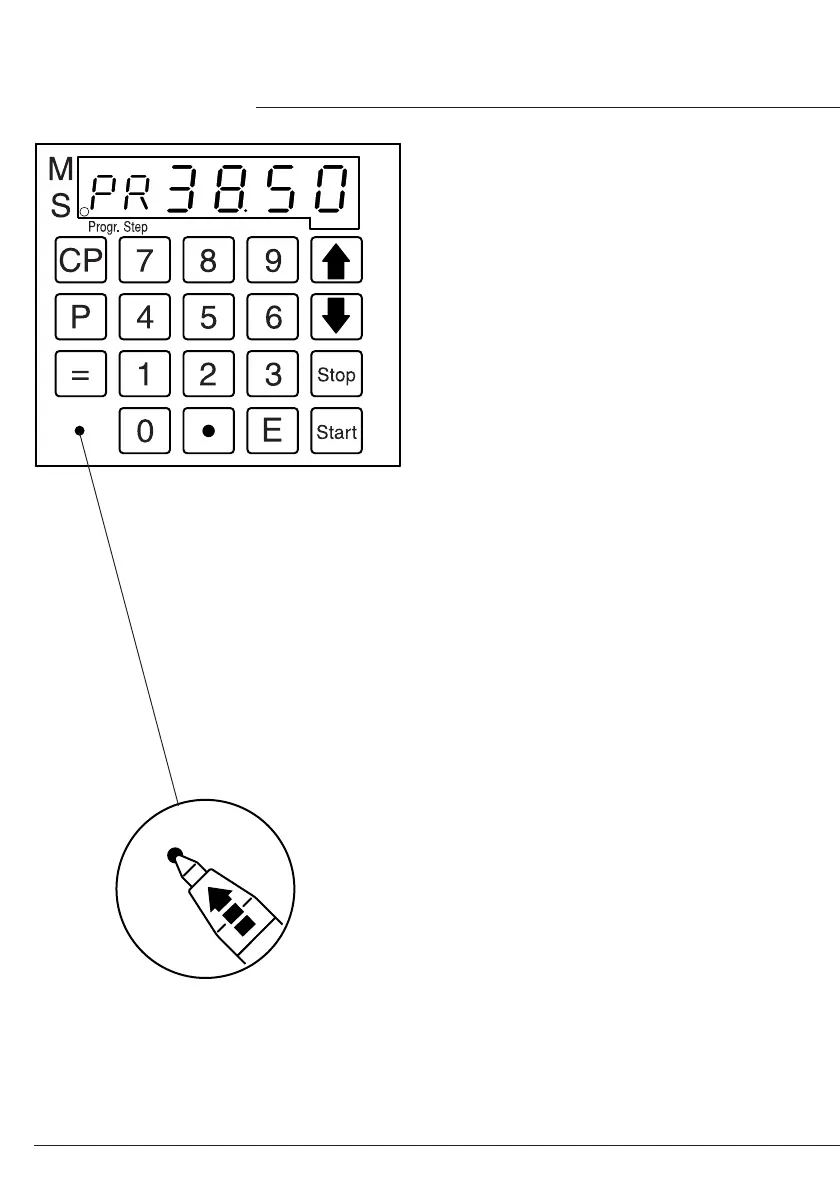
Display in cm or inch
• Press
i
Display changes between cm
and inch. (See picture left).
Adjust the eject-dimension
The eject dimension is programmed to
29,50 cm. It may be changed as follows:
•
Press
p
, Press
p
, Press
z
e
appears on the display.
•
Insert the desired dimension.
• g
Store dimension.
•
Operation
•


 To Next Page
 Loading...