- 25 -
PSF1
F2
F3ID
CP AM E
PROGRAMM STEP
2000
1750
1500
1250
1000
750
500
250
789
456
1
0
M
C
Stop
M
E
S
Start
23
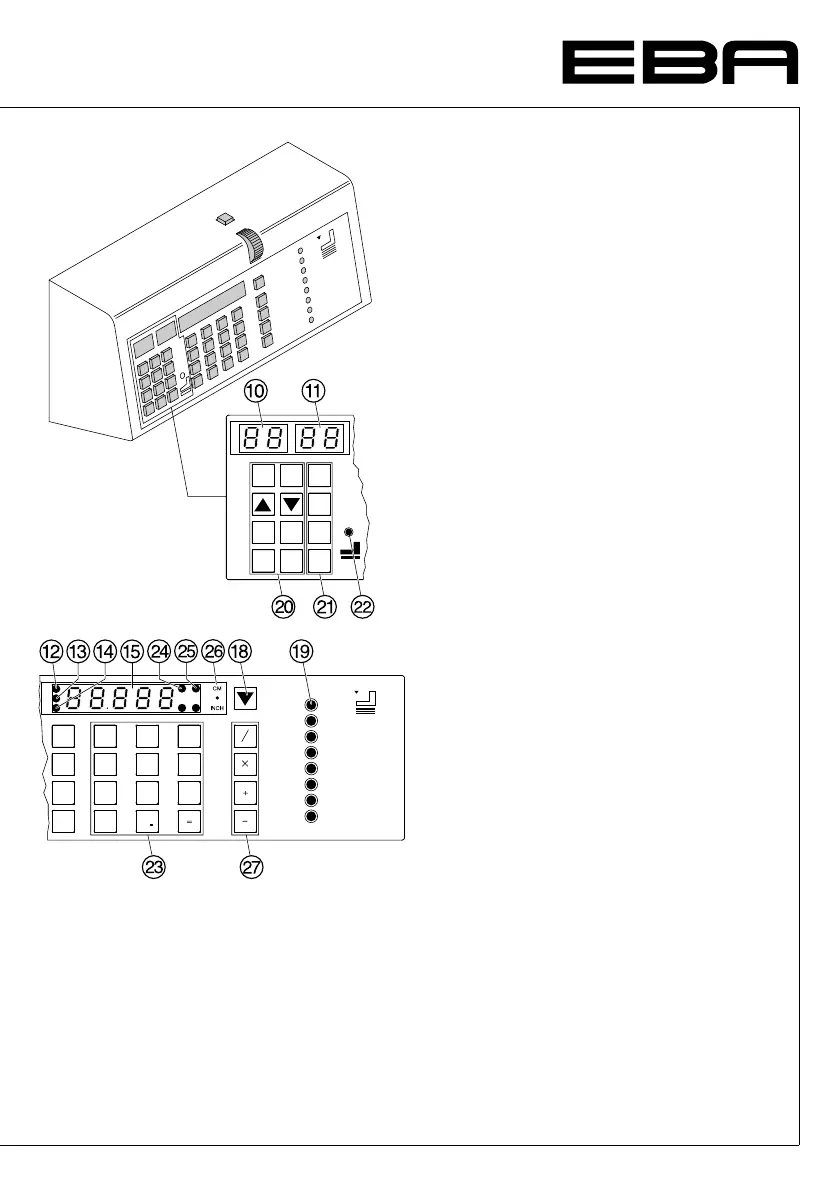
Working with programs
• Press
p
P appears on the display.
•
0 1
...
9 9
Enter program number.
• Press
S
button dimension is approached.
•
Insert paper and move by means of the paper
knock-up block
b
to the backgauge
I
and
side lay on the left
J
.
• Release the cut after every cut the
backgauge advances to the next position.
With the button
r
and
h
you are able to
change between several program steps.
With
S
the backgauge moves to the indicated
dimension.
With
s
the backgauge stops.
General
LED "S" on specified dimension not
achieved.
LED "S" is off specified dimension achieved.
Exiting program-mode
Press
p
P appears on the display.
Press
s
Escape the program mode.
•
Operation
•


 To Next Page
 Loading...