4.
4. Components and Mainboard Replacement
4.1. Components on the Lower Chassis
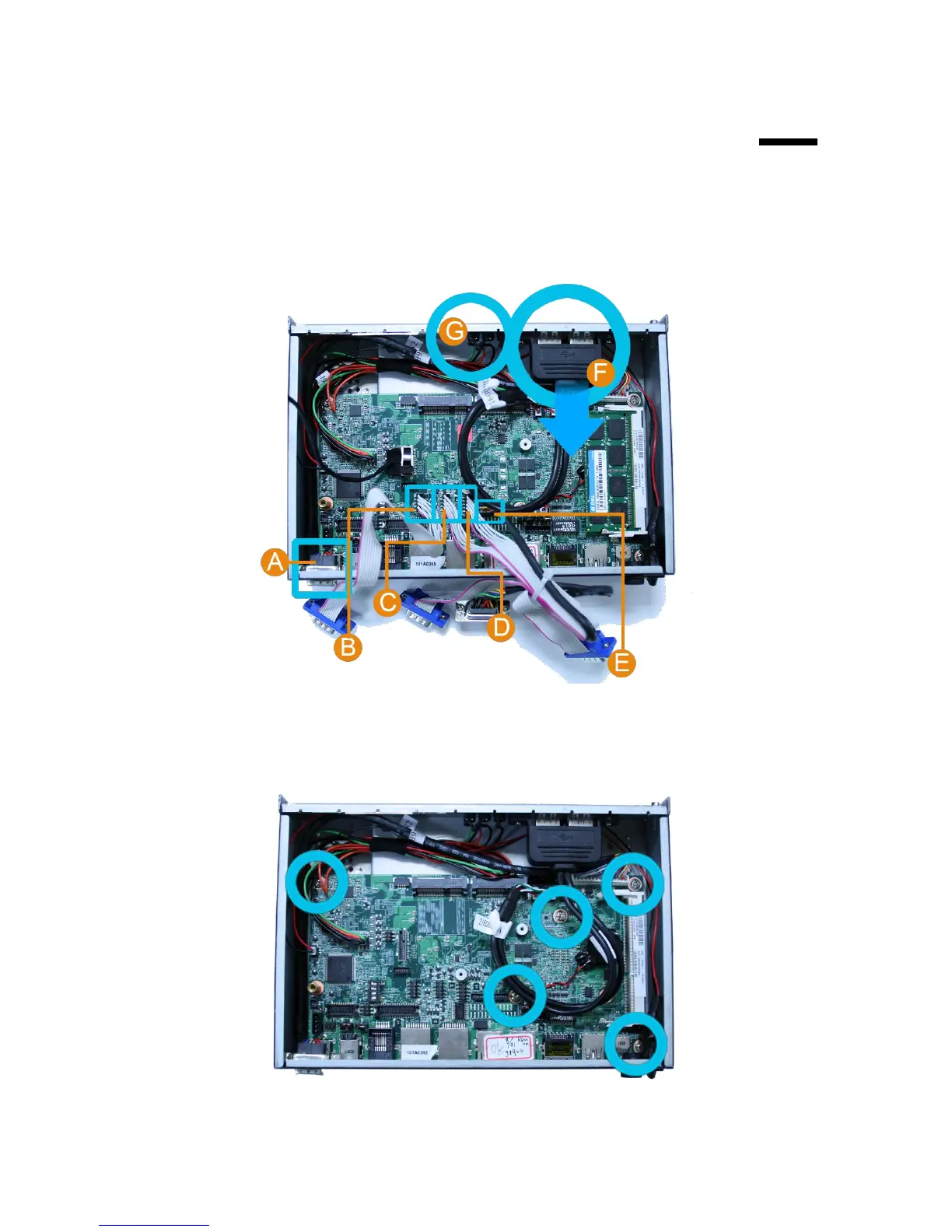
1. Unplug: A. VGA cable, B. COM3, C. COM 4, D. COM 5, E. COM 6, F. USB Cable, G.
LED.
2. Loosen and remove the four screws fixing the main board by #1 Phillips screwdriver
and then remove the main board.



 To Previous Page