6 / 20
Recording mode
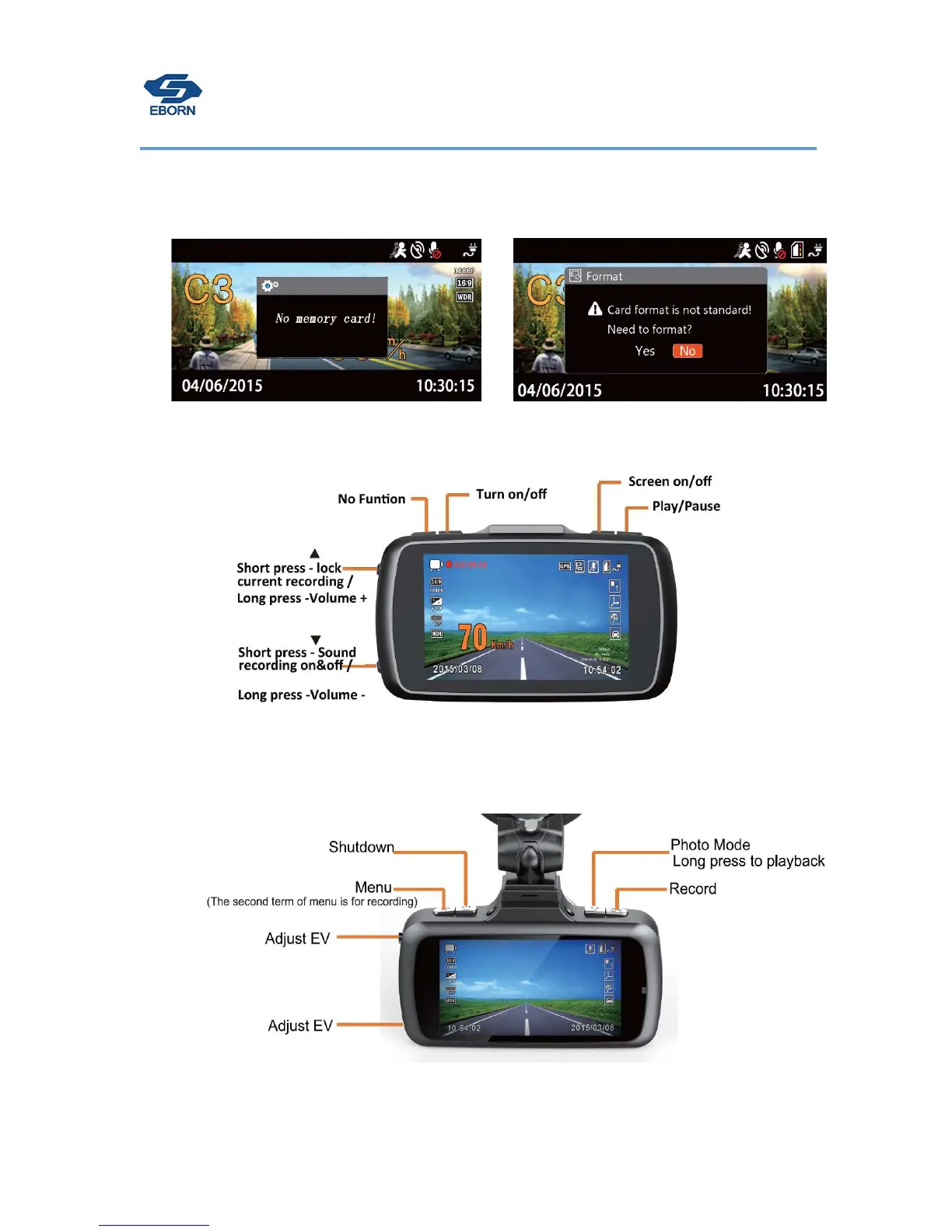
The camera will check if there has a memory card when boot up.
When first time use it will ask you format the memory card, please choose YES and format it.
.A
fter formatting ,EBORN dash cam will start recording.
Button functions in recording mode:
Preview mode
Press OK button to stop recording and switch to preview mode.
Button functions in preview mode:


 To Next Page