EasyManua.ls Logo

Ebro TLC 720 - User Manual

Ebro TLC 720
36 pages
Print Icon
To Next Page IconTo Next Page
Loading...
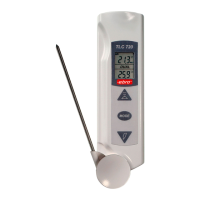
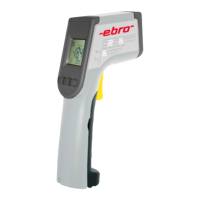
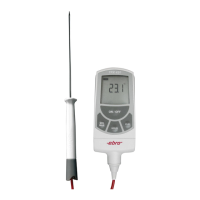
Dualthermometer
Dualthermometer
Thermomètre Dual
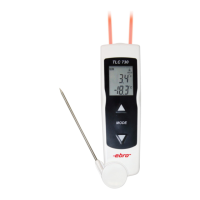
TLC 720
MODE
TLC720

Table of Contents

Question and Answer IconNeed help?

Do you have a question about the Ebro TLC 720 and is the answer not in the manual?

Summary

1 Description

2 Operation

2.1 Measuring with the plug-in type probe

Instructions for measuring temperature using the plug-in probe.

2.2 Measuring with Infrared

Instructions for performing measurements using the infrared mode.

2.2.1 Min or Max Mode

How to display minimum or maximum temperature readings.

2.2.2 Lock Mode

Using the Lock Mode for continuous temperature display.

2.2.3 °C or °F Mode

How to switch between Celsius and Fahrenheit temperature units.

2.3 Emissivity

Information on adjusting the emissivity setting for accurate measurements.

2.4 Measuring Distance and Spot Size

Understanding the relationship between distance and measured spot size.

2.5 Field of View

Ensuring the target is larger than the device's spot size for accuracy.

2.6 Important Reminders

Key considerations for accurate IR temperature measurement.

3 Accurate Measuring of Temperatures with infrared

3.1 Scanning Surfaces of non Packaged Food

How to scan surfaces of unpackaged food for temperature monitoring.

3.2 Measuring the Temperature of Liquids

Techniques for accurately measuring liquid temperatures.

3.3 Measuring Products in Cold-Storage Cases

Measuring products stored in refrigerated environments.

3.4 Measuring Food in Holding and Serving Areas

Measuring food temperatures in holding and serving areas.

3.5 Measuring Food at the Receiving Dock

Measuring perishable products upon delivery at the receiving dock.

4 Error messages

6 Maintenance

Cleaning the lens

Instructions for cleaning the optical lens of the thermometer.

Cleaning the units housing

Instructions for cleaning the exterior housing of the thermometer.

7 Calibration Service

8 Warranty

Appendix

I Emission table

A table listing emissivity values for various materials.

II Function problems

III Technical data

Summary

1 Description

2 Operation

2.1 Measuring with the plug-in type probe

Instructions for measuring temperature using the plug-in probe.

2.2 Measuring with Infrared

Instructions for performing measurements using the infrared mode.

2.2.1 Min or Max Mode

How to display minimum or maximum temperature readings.

2.2.2 Lock Mode

Using the Lock Mode for continuous temperature display.

2.2.3 °C or °F Mode

How to switch between Celsius and Fahrenheit temperature units.

2.3 Emissivity

Information on adjusting the emissivity setting for accurate measurements.

2.4 Measuring Distance and Spot Size

Understanding the relationship between distance and measured spot size.

2.5 Field of View

Ensuring the target is larger than the device's spot size for accuracy.

2.6 Important Reminders

Key considerations for accurate IR temperature measurement.

3 Accurate Measuring of Temperatures with infrared

3.1 Scanning Surfaces of non Packaged Food

How to scan surfaces of unpackaged food for temperature monitoring.

3.2 Measuring the Temperature of Liquids

Techniques for accurately measuring liquid temperatures.

3.3 Measuring Products in Cold-Storage Cases

Measuring products stored in refrigerated environments.

3.4 Measuring Food in Holding and Serving Areas

Measuring food temperatures in holding and serving areas.

3.5 Measuring Food at the Receiving Dock

Measuring perishable products upon delivery at the receiving dock.

4 Error messages

6 Maintenance

Cleaning the lens

Instructions for cleaning the optical lens of the thermometer.

Cleaning the units housing

Instructions for cleaning the exterior housing of the thermometer.

7 Calibration Service

8 Warranty

Appendix

I Emission table

A table listing emissivity values for various materials.

II Function problems

III Technical data

Ebro TLC 720 Specifications

General IconGeneral
BrandEbro
ModelTLC 720
CategoryThermometer
LanguageEnglish

Related product manuals