Page 9 of 10
Menu Operaons
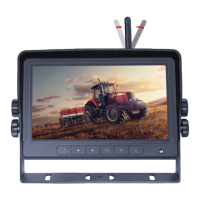
Press the Menu buon on the remote control or the Menu buon on the monitor screen.
Press the Menu buon several mes to go from one menu to another. Use the channel up/down on the remote control
or the down buon on the monitor screen highlight a menu.
To select the highlighted menu, either use the right brightness color on the remote control or the + buon on the
monitor screen. Press the less brightness buon on the remote control or the – buon on the monitor screen to go
back to the previous menu.
Main Menu Menu Options
Press Menu 1 time Picture Brightness Adjust brightness
Contrast Adjust contrast
Color Adjust color
Volume Adjust volume
Reset Reset all menu settings using left or right arrow
Software Version View Software Version
Press Menu 2 times Option Cam 1 Normal/Mirror
Cam 2 Normal/Mirror
Cam 3 Normal/Mirror
Press Menu 3 times Systems Language English
Deutsch
Français
Español
Portuguẻs
Italiano
Nederlands
Pyccкий
Resolution Auto
NTSC
PAL
720P25
720P30
1080P25
1080P30
Background Blue/Black
Rear-Trigger-Scale On/O
Auto-dim On/O
Day Adjust brightness
Night Adjust brightness
Press Menu 4 times Auto Scan Auto Scan On/O
Scan Time 1-100 seconds
Cam1 On/O
Cam 2 On/O
Cam 3 On/O
Press Menu 5 times Scale Cam 1 On/O
Cam 2 On/O
Cam 3 On/O
Cam 1-Scale ↑↓ ← →
Cam 2-Scale ↑↓ ← →
Cam 3-Scale ↑↓ ← →
Press menu 6 times Exit Menu


 To Next Page
 Loading...