30
EN
1
2
3
4
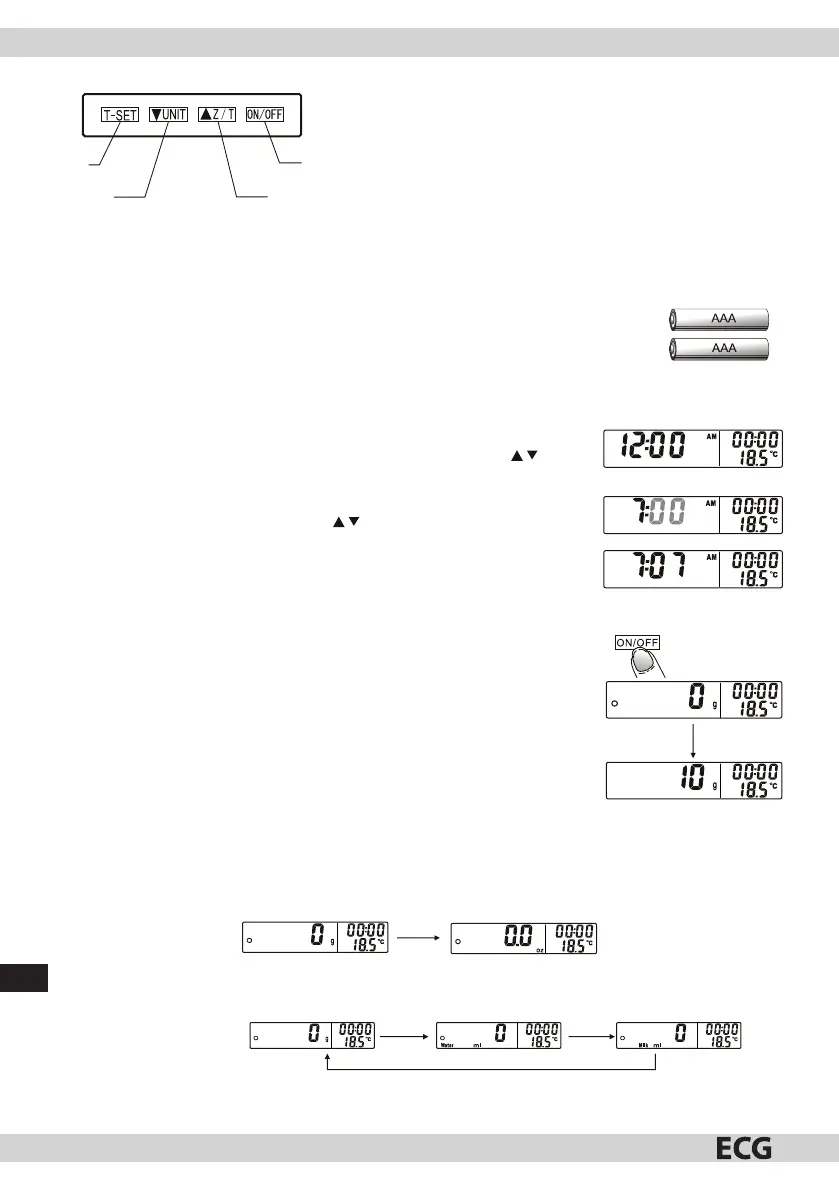
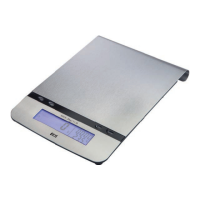
Buttons
1. Setting the clock and timer
2. Down/Unit conversion
3. Up/setting to zero or tare
4. Switch
OPERATING INSTRUCTIONS
Inserting or replacing batteries
The device is powered by two AAA batteries (not included). Remove the foil wrapping
before use.
1. Remove empty batteries from the device.
2. Insert new batteries. Observe polarity as marked.
Switching on and setting the time
1. The device will automatically go to time setting mode after the batteries
are inserted. When the hour is ashing, set the hour using . When
setting, remember the AM/PM indicator (morning/afternoon).
2. Con rm by pressing T-SET and continue to set the minutes. When the
minute is ashing, set minutes using .
3. Press T-SET to nish setting of the clock.
Note:
• Press ON/OFF to cancel the set time.
• After 60 seconds of inactivity, the display returns to current time.
Weighing mode
1. Place the scale on a rm, level surface.
2. If you will weigh ingredients in a bowl, place the bowl on the scale before
switching the scale on.
3. Press ON/OFF to enter the weighing mode.
4. Wait until the LCD display shows all informations.
5. Place the weighed object on the scale. The LCD display will show the weight.
Unit conversion
While weighing, you can press UNIT to switch between weight display in metric units (g, ml) or in imperial
units (oz, ).
1. To switch between the metric and imperial systems, press the UNIT button longer (3 seconds).
Long push UNIT
2. When pressing the button UNIT for shorter time, you will switch between weight and volume (water or
milk).
Metric system:
Short push UNIT
Short push UNIT
Short push UNIT


 To Next Page