32
EN
SNOOZE
When the set alarm time is reached the alarm clock starts ringing and the AL symbol is ashing.
1. Press the SNOOZE button once to switch the alarm clock o temporarily; the symbol AL1 or AL2
continues ashing. The alarm clock sounds again in 5 minutes.
2. If you want to switch o the alarm clock, press and hold the AL 1-2 ON-OFF button. The alarm clock
will be o , the symbol AL1 or AL2 will stop ashing and the alarm clock will sound again the next day
in the same time.
Alarm duration: 2 minutes
DISPLAY BRIGHTNESS SETUP
Press the DIMMER button to set high or low brightness of the display.
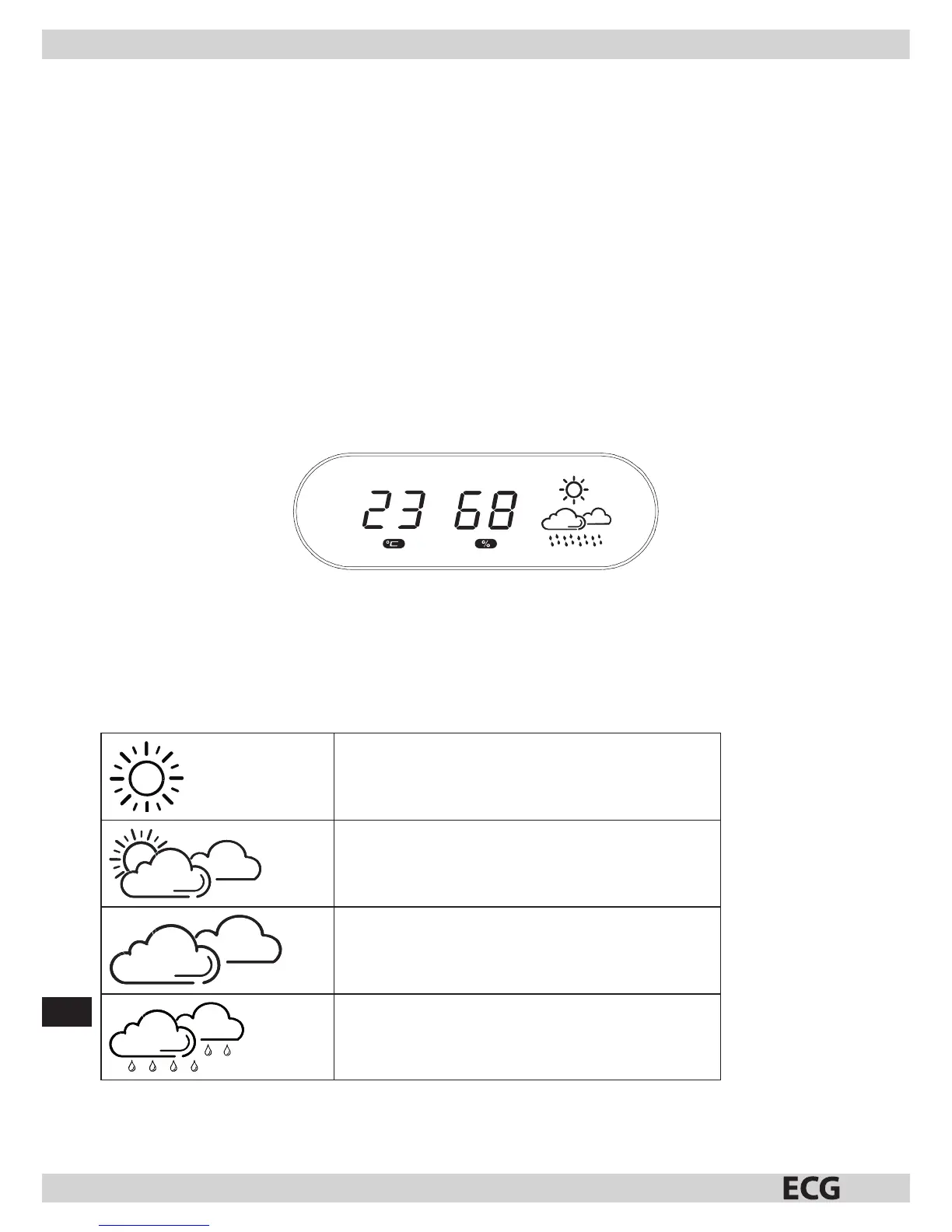
TEMPERATURE AND HUMIDITY DISPLAY
Press brie y SNOOZE to switch the display from showing time to showing temperature and relative humidity.
Press again SNOOZE to return to time display.
If you hold SNOOZE for two seconds, the device beeps brie y, and the display will alternate between
showing the time (for 10 seconds) with showing the temperature and relative humidity (5 seconds). Press
again SNOOZE for longer time to return to regular time display.
USING THE WEATHER FORECAST
The weather station uses four weather symbols:
SUNNY
PARTLY CLOUDY
OVERCAST
RAIN
Note: It takes about 24 hours for the weather station to stabilize. The weather symbols on the display provide
indication of weather in the next 6 to 12 hours and may not correspond to current weather outside.



 To Next Page