11
Installation Guide
11
tel - 1-866-766-2267
email - gmsupport@echomaster.com
Illustrations are typical and may not match exact vehicle detail
Step 13
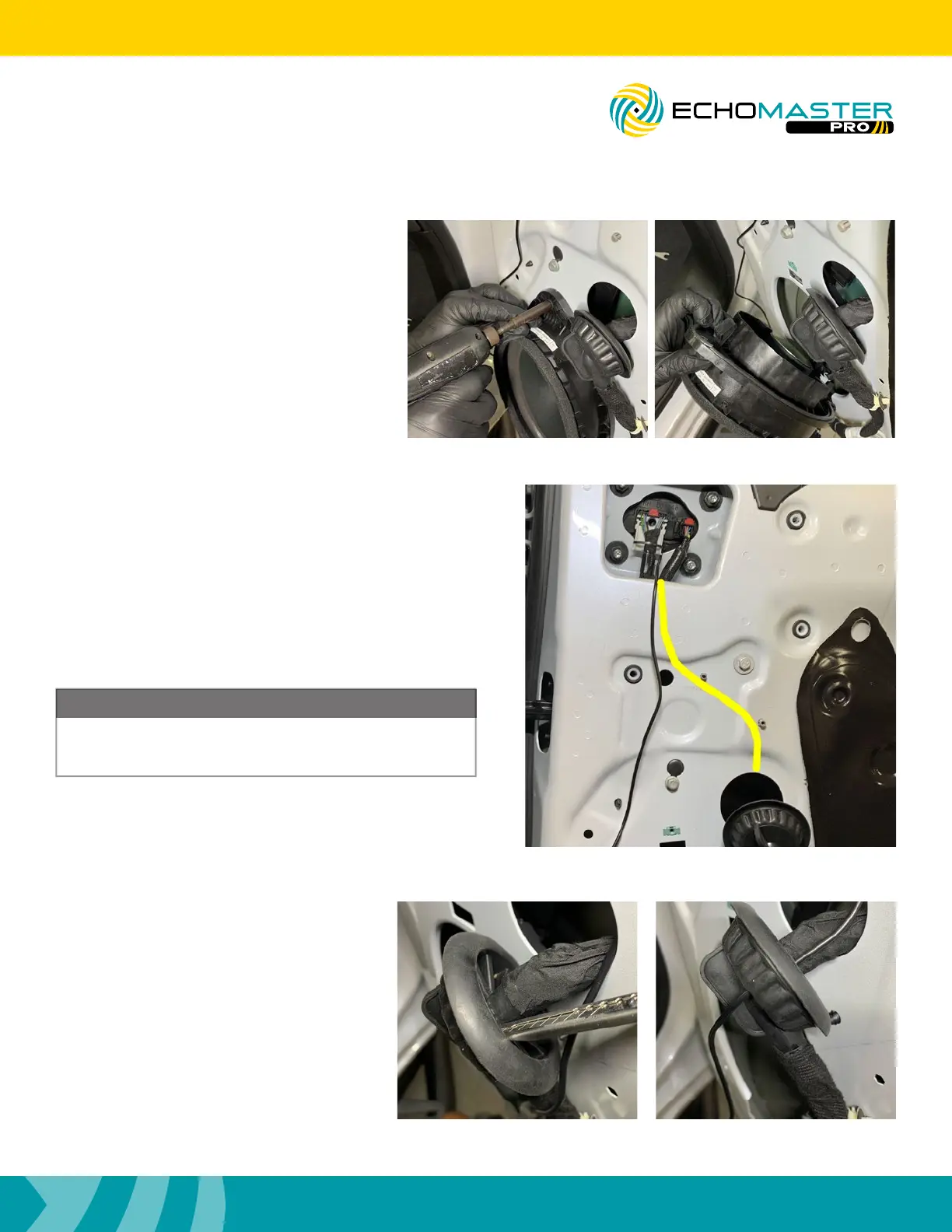
Using a razor knife, make a small slit in
the grommet just large enough for the
camera cable to pass through. Route the
cable through the grommet starting from
the back side of the grommet.
FCTP-GM2003
Trailering Camera System
The camera cable must be run with and secured to the
factory wiring in the door. Failure to do this WILL result in
damage to the camera extension cable.
NOTE
Step 11
Remove the 7mm bolt securing the speaker,
unplug the speaker and set aside. This will
aide in routing the camera cable in the door.
Step 12
Route the camera cable down to the grommet removed
in step 9 making certain that it is run along side and
secured to the factory wiring. Please reference the
photo for proper routing of the cable.



 To Next Page