11
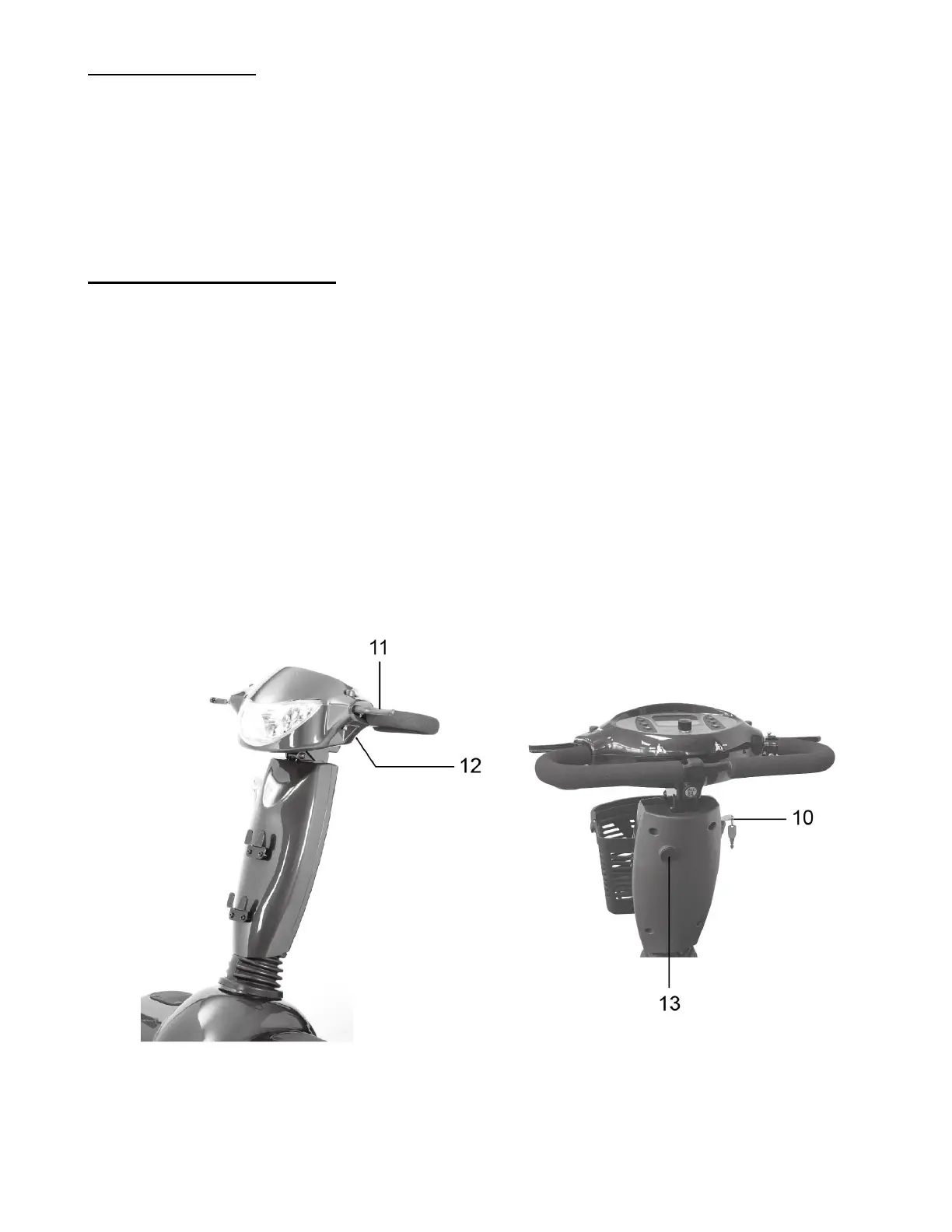
Turn Signals (6 & 7)
Right turn signal button (6):
• Pressing the button will activate the right turn signal lights. Pressing a second time will
turn them off.
Left turn signal button (7):
• Pressing the button will activate the left turn signal lights. Pressing a second time will
turn them off.
Throttle Control Lever (8 & 9)
This lever allows you to control the forward speed and the reverse speed of your scooter up to the
maximum speed you pre-set with the speed adjustment dial.
To Move Forward (8):
• Use your right-hand fingers to pull back on the right side of the throttle control lever.
To Move Backwards (9):
• Use your left-hand fingers to pull back on the left side of the throttle control lever.
Release the throttle control lever and allow your scooter to come to a complete stop before
engaging the other side of the lever. When the throttle control lever is completely released, it
automatically returns to the center "stop" position and engages your scooter's brakes.


 To Next Page