Safety Recommendations:
• Always connect the Solar700 to a mains wall outlet or an earthed mains lead.
• Do not obstruct the openings on the housing in order to ensure a proper cooling.
• Do not aim directly into an audience
• Do not place any objects on the Laser projector.
• Do not look directly into the Laser projector
Installation and use:
1. Unpack the unit. Ensuring all packaging is removed from the machine
2. Connect to mains power and turn power on.
3. Set the fixture to the desired mode / program via the control panel or included IR remote control.
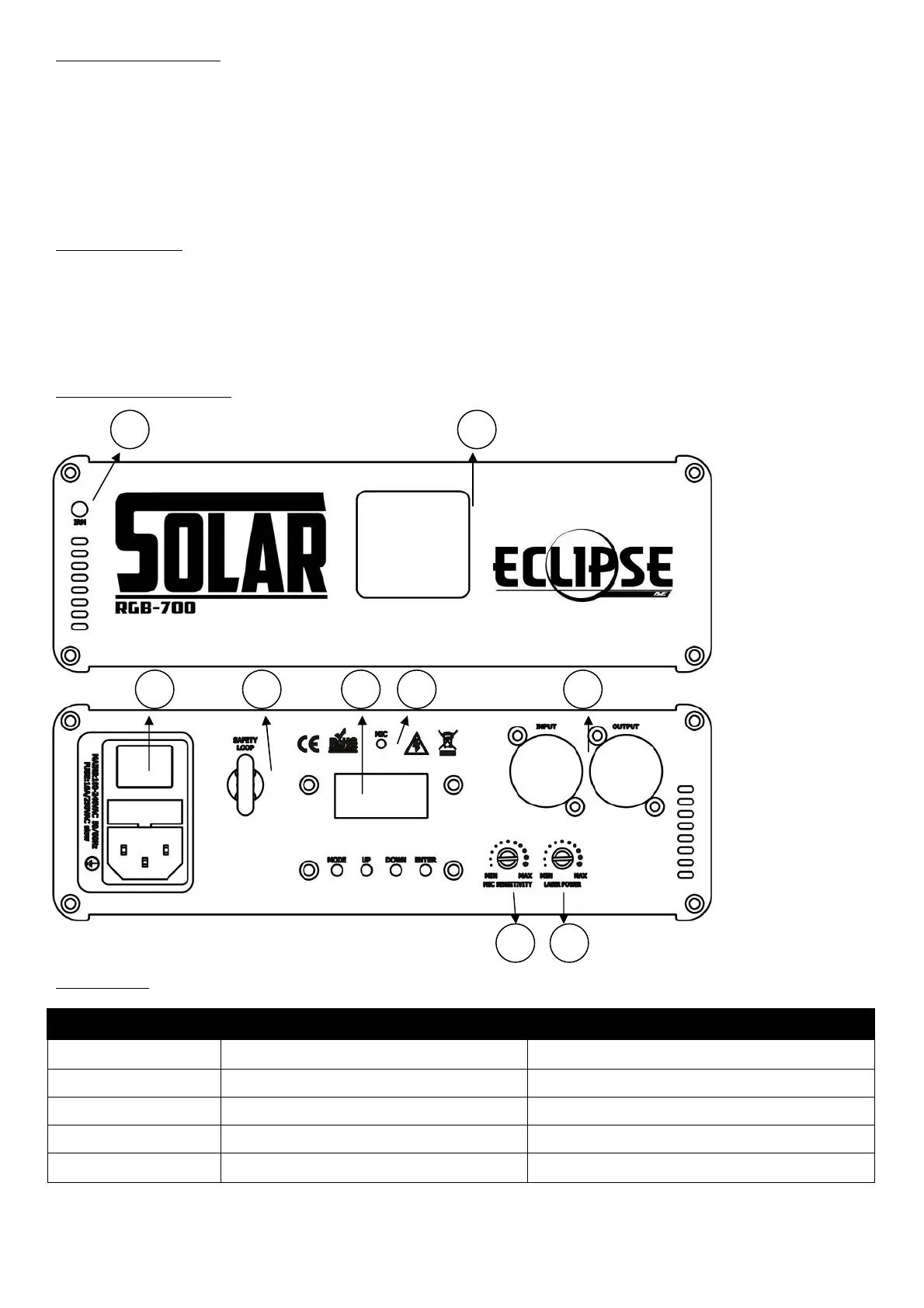
Front and Rear Panel View:
Menu Display:
'Up' or 'Down' to select the pattern
1. Remote Signal Receiver
2. Laser Aperture
3. Power On/Off
4. Safety Loop
5. Display Screen
6. Microphone
7. DMX Connectors
8. Sound Sensitivity
9. Laser Power


 To Next Page