| 49 |
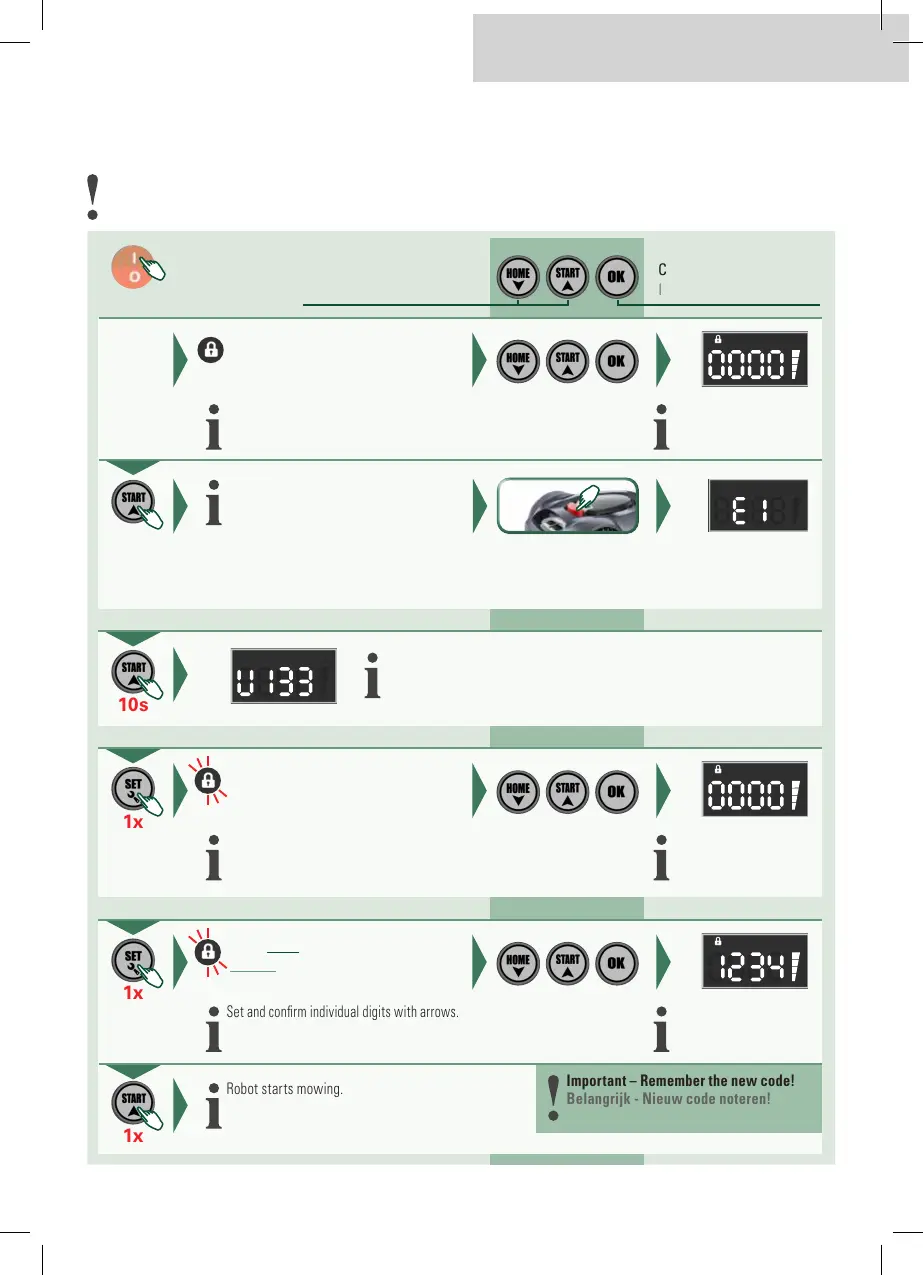
Initial position: The robot is in the charging station.
Uitgangspositie: De robot bevindt zich in het laadstation.
Changing the security code
Veiligheidscode wijzigen
Robot omkeren, eventueel vastgeklemde voorwerpen verwijderen
Activate
Inschakelen
Confirm input
Invoer bevestigen
Increase/decrease value
Waarde verhogen/verlagen
Set and confirm individual digits with arrows.
Afzonderlijke cijfers met pijltoetsen instellen en bevestigen.
Enter the safety code
Veiligheidscode invoeren
Initial password: 0000
Initiaal wachtwoord: 0000
Robot starts mowing.
Robot start het maaiproces.
1x
Error message in the display
Foutmelding in het display
After a few metres: Press the stop button
Na enkele meters: Stopknop indrukken
1x
Set and confirm individual digits with arrows.
Afzonderlijke cijfers met pijltoetsen instellen en bevestigen.
Enter the safety code
Veiligheidscode invoeren
Initial password: 0000
Initiaal wachtwoord: 0000
10s
Display shows «Uxxx» and «Cxxx».
Display toont «Uxxx» en «Cxxx».
1x
Set and confirm individual digits with arrows.
Afzonderlijke cijfers met pijltoetsen instellen en bevestigen.
Enter NEW security code
NIEUW veiligheidscode invoeren
New code: XXXX
Nieuw code: XXXX
1x
Robot starts mowing.
Robot start het maaiproces.
Important – Remember the new code!
Belangrijk - Nieuw code noteren!
EN | NL


 To Next Page