|17
En
A3
C3
Adjust the Wi-Fi antenna, then refer to the System Commissioning section in this guide to connect to a wireless network.
3
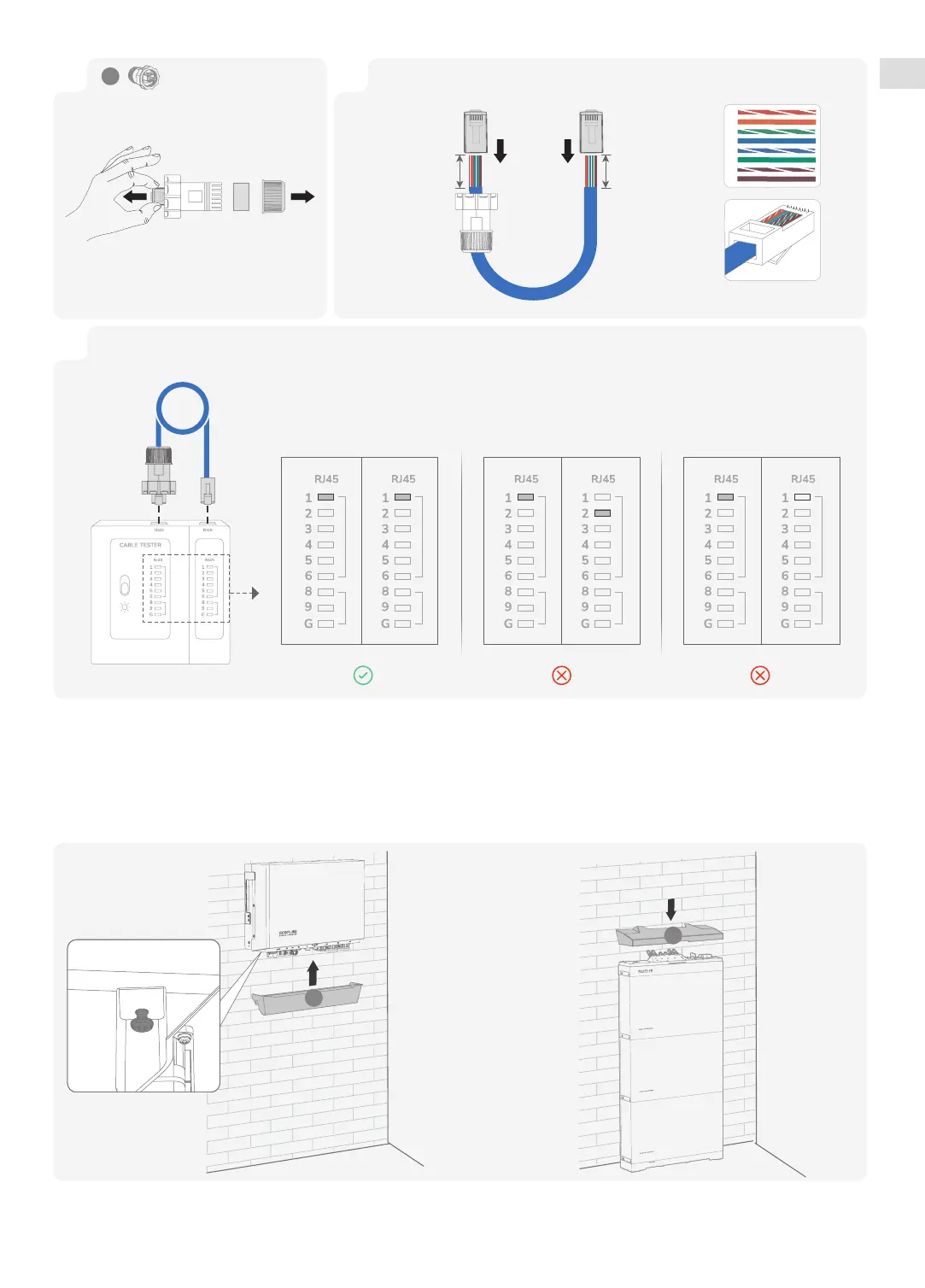
Test network cable connection. If the LEDs of the two RJ45 ports light up in sequence, it indicates that the network cable is
correctly wired and should be fully operational.
Ethernet Cable Tester
Ideal connection
Incorrect wiring standard Poor connection
2
Both ends of the network cable use the T568B wiring standard.
1
1
2
3
4
5
6
7
8
A6
10-20 mm 10-20 mm
T568B T568B
×1


 To Next Page