7
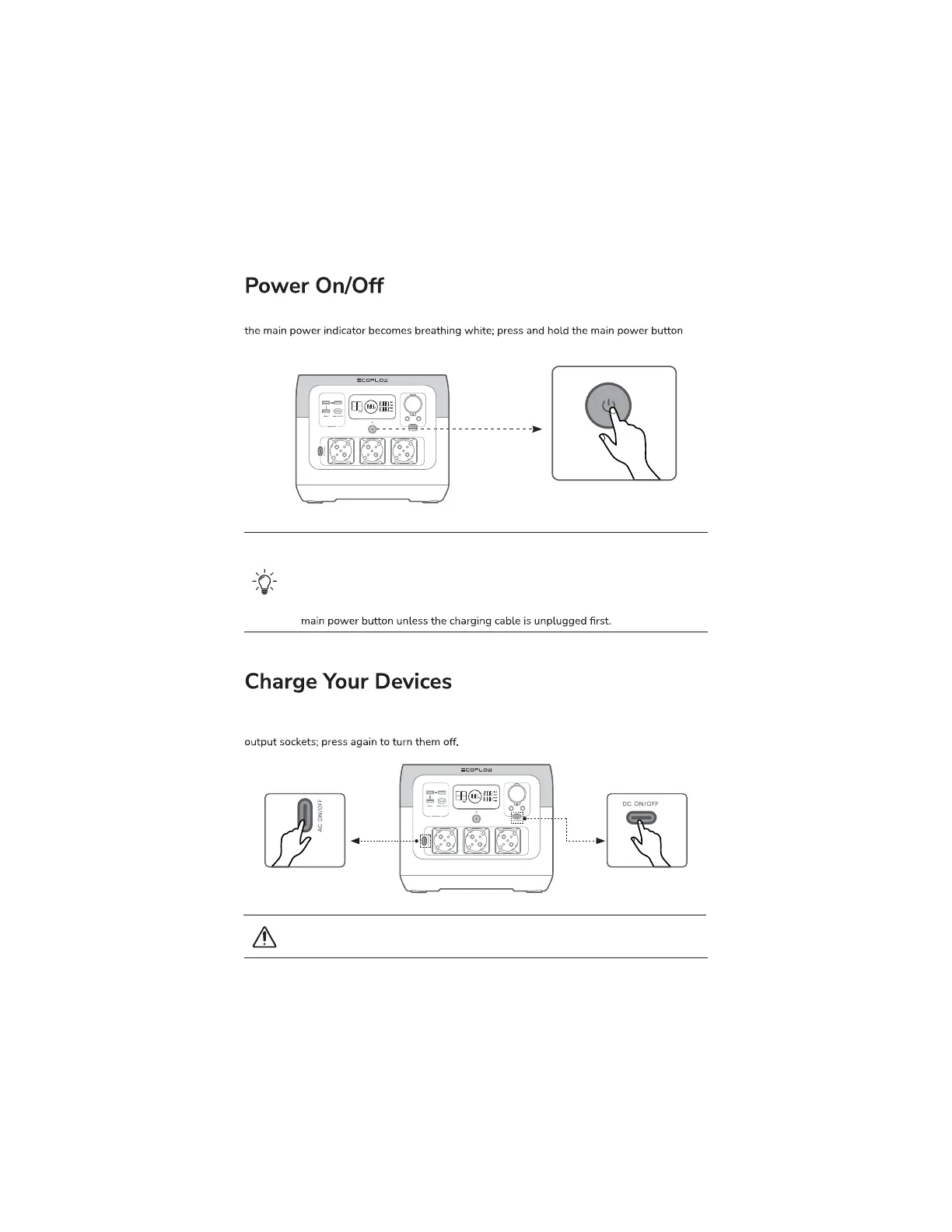
Press the main power button once to turn on the product, then the LCD screen lights up and
(for about 3 seconds) to turn off the product, meanwhile, the LCD screen also goes off.
The USB-A and USB-C output ports are automatically turned on once the product is turned on.
Press the "DC output switch" or "AC output switch" once to turn on their corresponding DC/AC
When using the AC output socket, make sure that the sum power of all loaded devices
is less than the rated power.
1. After the product is turned on, press the main power button once to turn off the
LCD screen.
2. If the product is not used for 5 minutes, it will enter hibernation state with the LCD
screen gone off.
3. When RIVER 2 Pro is charging, it can't be turned off by pressing and holding the
Short press the
power switch
Short press the
power switch
Short press for power-on/
Long press for power-off


 To Next Page