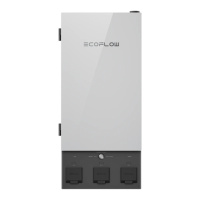
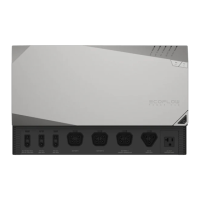
The EcoFlow Smart Home Panel (SHP) is an advanced load-side transfer switch designed to integrate seamlessly with your home's electrical system, providing intelligent energy management and automatic power backup capabilities. It serves as a central hub for controlling and monitoring up to 10 essential home circuits, allowing users to switch between grid power and a connected EcoFlow DELTA Pro home backup system.
Function Description
The primary function of the SHP is to act as a smart load-side transfer switch, enabling automatic and manual switching of selected home circuits between the utility grid and the EcoFlow DELTA Pro power station(s). This ensures an uninterrupted power supply (UPS) to critical loads during grid outages, with a transfer time of less than 20 milliseconds when a DELTA Pro and Extra Battery are connected.
Beyond basic power transfer, the SHP offers comprehensive energy management features. It allows users to monitor the energy consumption of connected circuits in real-time via the EcoFlow app. This monitoring capability empowers users to make informed decisions about energy usage, helping to reduce electricity bills and extend the usable backup time during blackouts. The SHP can be configured to manage up to 10 single-phase circuits or 5 split-phase circuits, providing flexibility for various home setups.
The SHP also functions as a fast-charging station for the DELTA Pro units. When connected to the SHP, DELTA Pros can be charged at a maximum of 3400W, provided a 30A circuit breaker is used for charging. This ensures that your backup power sources are always ready when needed.
An integrated system control feature allows the EcoFlow app to monitor and control all connected EcoFlow appliances, working together to optimize power delivery and management. This creates a cohesive ecosystem for home energy, enhancing efficiency and convenience.
Usage Features
The SHP is designed for ease of use and intelligent control, primarily through the EcoFlow app, but also with essential hardware controls.
- Automatic Power Backup: In the event of a grid outage, the SHP automatically switches selected circuits to the DELTA Pro backup system within milliseconds, ensuring that essential appliances continue to run without interruption.
- Energy Scheduling Function: Through the EcoFlow app, users can schedule the charging and discharging of connected DELTA Pros. This feature allows for strategic energy use, such as charging during off-peak hours or utilizing solar power when available, to maximize return on investment for both solar and battery systems.
- Energy Management: The EcoFlow app provides detailed insights into the energy consumption of each connected circuit. Users can monitor usage patterns, identify energy-intensive appliances, and apply strategies to reduce overall energy consumption, leading to lower utility bills and extended backup duration during outages.
- Fast Charging for DELTA Pro: The SHP facilitates rapid charging of DELTA Pro units, ensuring they are quickly replenished and ready for use.
- Integrated System Control: The EcoFlow app serves as a central control panel for all EcoFlow devices connected to the SHP, offering a unified interface for monitoring and managing your entire home energy system.
- Manual Switching: Users can manually switch between grid and backup power for individual circuits or the entire system via the EcoFlow app, providing granular control over energy sources.
- Circuit Control Board: The SHP features a physical load circuit control board with buttons for manually resetting circuit relays in case of an overcurrent event. An indicator lamp on each button turns red to signal a fault in that circuit. A lightning bolt indicator illuminates to show if a load circuit is energized by the grid or the power station.
- Infinity Port and Enable Button: Two Infinity Ports connect DELTA Pros to the SHP via Infinity Cables. An enable button near each port (labeled "AC1" or "AC2") prepares the DELTA Pro for output. Pressing it again puts the DELTA Pro into sleep mode, while holding it for 3 seconds initiates charging.
- Power Station Pause/Resume Button: This button provides a "quick disconnect" in emergencies. Holding it down electrically isolates the 10 load circuits and locks out both connected DELTA Pros, signaling them to stop outputting power. It's important to note that this does not substitute for a service disconnect or the full de-energization procedure.
- IOT Reset Button and Indicator: This button activates the Bluetooth hotspot for 5 minutes, allowing users to connect to the SHP for initial setup or troubleshooting via the app. The light flashes green during pairing and stays green upon successful connection.
- Power Indicators: Visual indicators on the SHP display the status of power sources. A lit grid power light indicates grid power reception. A slowly flashing green DELTA Pro light signifies connection but not readiness for output, while a static green light means the DELTA Pro is ready for power output.
- Error Indicator: A normally off error indicator turns red if a fault is present within the SHP. Users can consult the EcoFlow app for a diagnostic report and contact customer support if needed.
Maintenance Features
The SHP is designed with safety and durability in mind, incorporating features that facilitate maintenance and ensure long-term reliable operation.
- Fault Indication and Diagnostics: The error indicator light and the EcoFlow app provide immediate feedback on system faults. The app offers diagnostic reports, helping users or technicians quickly identify and address issues. For instance, a loud noise in a relay module might indicate a ground fault downstream, requiring fault clearance and module replacement.
- Relay Module Replacement: In the event of an overcurrent fault (tripped breaker), the corresponding relay module must be replaced to ensure safe future operation. This modular design simplifies maintenance by allowing individual components to be serviced rather than requiring a full unit replacement.
- Panel Open Alarm System: For safety, an alarm sounds if the front panel cover is opened while DELTA Pro load circuits are energized. This serves as a critical reminder to fully de-energize the unit before any servicing.
- De-energization Procedure: The manual explicitly outlines a three-step procedure to completely de-energize the SHP before servicing: opening all upstream circuit breakers, turning off DELTA Pro(s) from the SHP, and ensuring all power indicators are off and the alarm has stopped. This emphasizes safety during maintenance.
- Professional Installation and Servicing: The product requires installation by a licensed electrician and verification by the local Authority Having Jurisdiction (AHJ). Electrical equipment servicing should only be performed by authorized personnel, ensuring that all work adheres to safety standards and regulations.
- Compliance with Electrical Codes: The SHP meets National Electrical Code Article 702.6 standards for Optional Standby Systems. Users are advised to follow NEC or local electrical codes for AFCI or GFCI installation, with an accessory panel potentially available from EcoFlow for AFCI circuits.
- Durability and Environmental Considerations: The SHP is designed for indoor residential use and should not be installed or operated outdoors or in damp/wet conditions, nor in extreme temperatures, to ensure optimal performance and longevity.
- Warranty: The product comes with a 5-year warranty, reflecting EcoFlow's confidence in its durability and providing peace of mind for users.

 Need help?
 General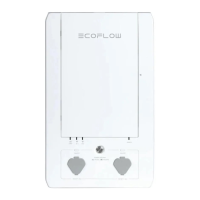

 To Next Page