32
The microphone at the top of the device is active only when you use the spea
-
kerphone or take videos.
•
Do not cover the antenna area with your hands or other objects.
This may cause connectivity problems or drain the battery.
•
Using a Ecom-approved screen protector is recommended.
Unapproved screen protectors may cause the sensors to malfunction.
Maintaining water and dust resistance
This device is resistant to water and dust when all compartments are closed
tightly. Follow these tips carefully to prevent damage to the device.
• Do not immerse the device in water for extended periods or use it in the rain.
• Do not expose the device to salt water or ionised water, or to high water
pressures.
• If the device gets wet, dry it thoroughly with a clean, soft cloth.
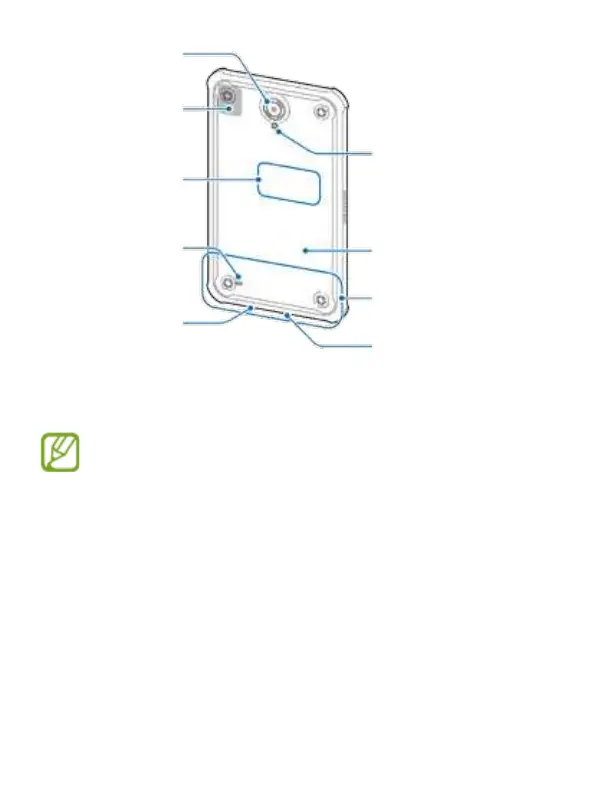
Rear camera
Flash
Back cover
Main antenna (LTE Version)
Microphone
GPS antenna
NFC antenna
Speaker
Headset jack



 To Next Page