B. OPERATION GUIDANCE
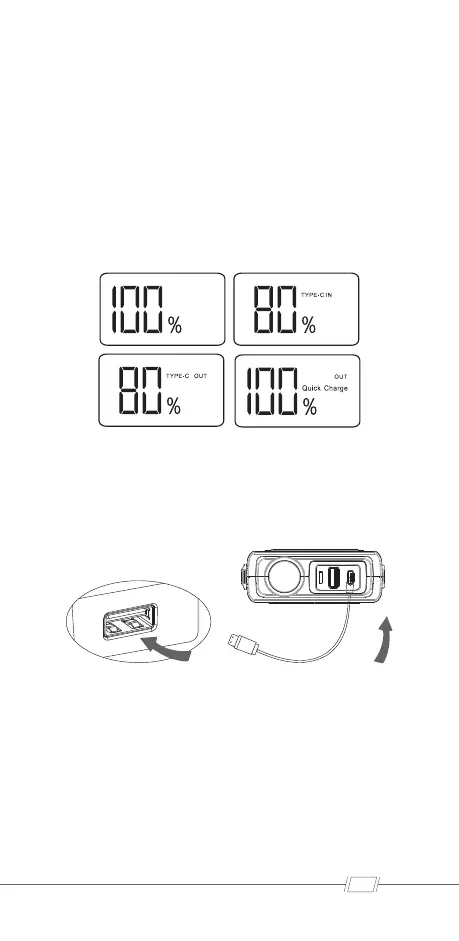
Digital display:
Power display: 100%, indicating that the battery has 100% power;
when the product is low, it needs to be delivered in time. Charge
the product. When"IN"is displayed, it indicates that the PD30W
charging function is being used. When “OUT” is displayed, it
means that the PD30W output function is being used. When
“OUT Quick Charge” is displayed, it means that the 5V2.4A/fast
charge output function is being used.
Epower Charging Instruction:
1. Plug the USB charger cable to any working USB output port.
2. Connect the PD30W connector to the EPOWER host.
Jump start 12V vehicle Instruction:
1. Connect the blue plug fully seated into the host, and make
sure the Cable Indicator is off.
2. Connect Red Clamp to the positive (+) battery terminal, Black
Clamp to the negative (-) battery terminal.
3. Operate following the instruction of the Cable Indicator:
02



 To Next Page