CONTROL SYSTEM
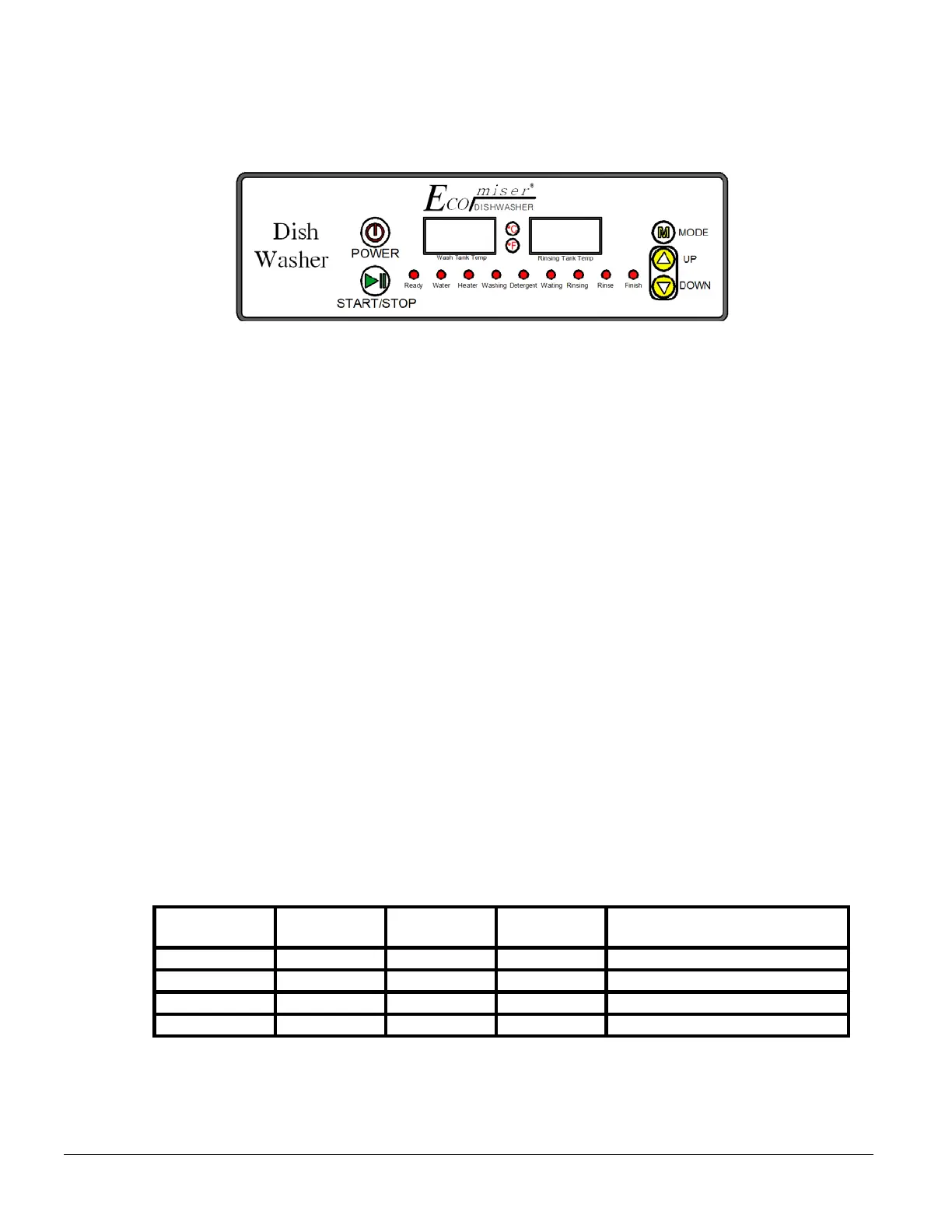
1. Configuration of Display
2. Windows
2-1 Wash Tank Temperature
1) Displays the temperature of the wash tank, and RUN message.
2) Displays SETTING when MODE button is pressed.
2-2 Rinse Tank Temperature
1) Displays the temperature of the rinse tank, and NUMBER message.
2) Displays the temperature of the rinse tank during wash cycle.
3) Displays the menu for SETTING when MODE button is pressed.
4) Displays ERROR message.
5) Displays END message for 30 seconds after the cycle is completed. Message is cleared
as soon as the door is opened.
3. LED
3-1 Ready
Indicates that the cycle is fully ready. If the temperature requirement (Rinse Tank: 82
or 180
, Wash Tank 50
or 122
) is met, the message will be shown. When the READY LED is
not turned on, none of the buttons will work.
3-2 Tank Fill
1) Water will be supplied until both of the FLOAT switches are turned on in the rinse and
wash tank.
2) LED will be turned on while the water is being supplied.
3) During the wash cycle, even if the FLOAT switch is turned off, water will not be
replenished.
3-3 Heater
1) Will depend on the temperature settings.
2) When heater is working (FLOAT SWITCH ON/OFF status)
Process
Wash Tank Heater Operation
3) Depending on the temperature inside the lower and upper rinse tank, the switch will go
ON/OFF.
Ecomiser SU-01 / SU-02 Manual – Rev. 06 Page 13 of 23


 To Next Page