2
Now, it is time to set up the DATE and TIME of your box. Press
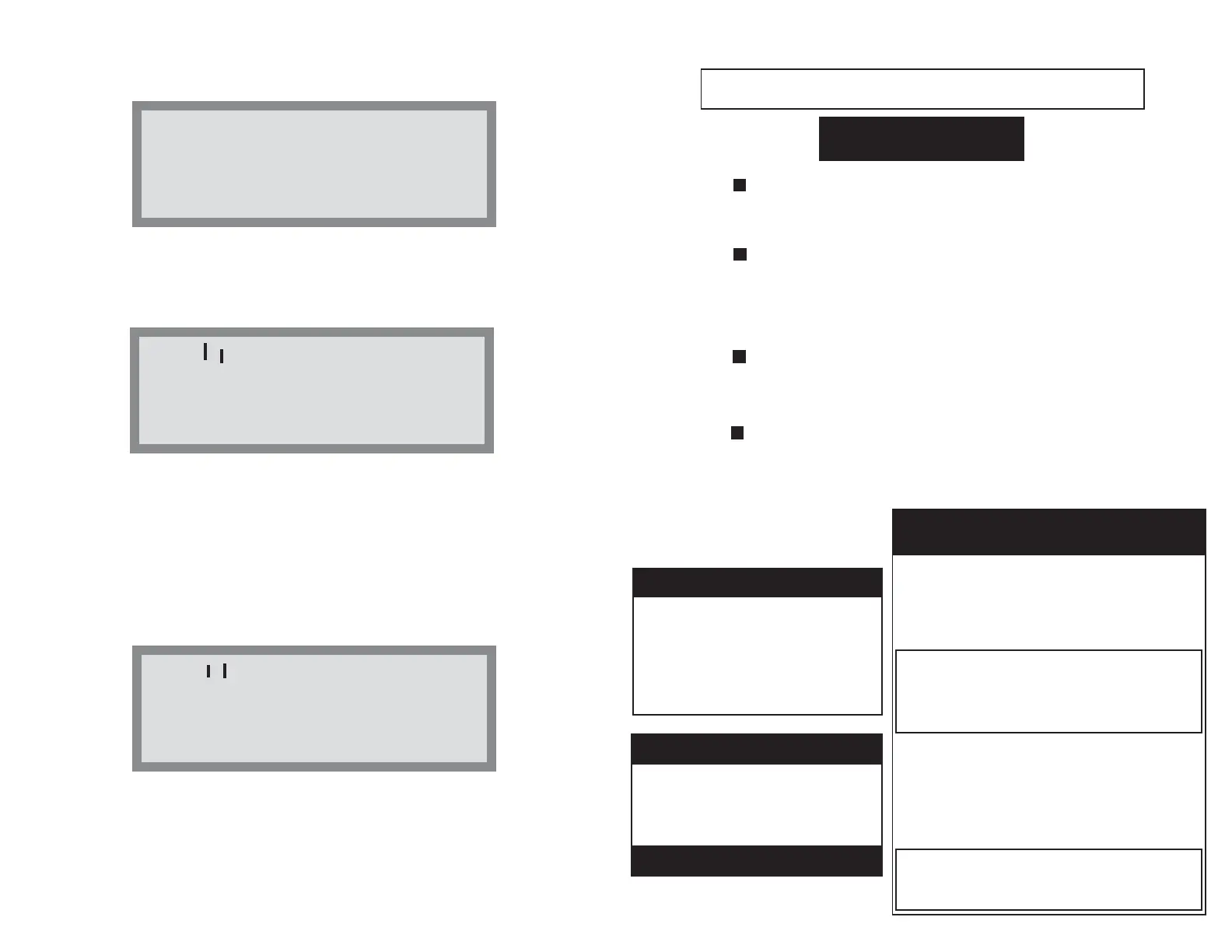
"CLOCK" or "DATE" to setup either or both values. You will get the following
screen:
Press "CLOCK" or "DATE" a second time to continue setting up the
DATE and TIME of your box. The "Right" arrow key will return you to the
"home screen." Upon pressing "CLOCK" or "DATE" the display will read as
follows:
The cursor automatically starts on the day of the week. Press the
"UP" or "DOWN" arrows until the correct day of week is displayed. Then
press the "RIGHT" arrow key to move the cursor across the LCD to the
month. Continue this process until the correct year, day, month and day of the
week is displayed. At any time, use either the "LEFT" or "RIGHT" arrow keys
to move within the LCD. Use "UP" and "DOWN" to change any values.
When all values are correct, press the "NEXT WEEK" key to move onto the
next screen where you can setup the correct time. The screen is displayed as
follows:
The cursor automatically starts under the "hour" clock. Use the "UP"
or "DOWN" keys to set the correct hour. Then press the "RIGHT" arrow key
to switch to minutes. Repeat
process until the correct time is displayed. Then
press the "NEXT WEEK" key to complete the setup. The display will then
return to the "Home Screen." The correct TIME and DATE should be dis-
played across the top (Shown top of Page 4).
10:18:07A 1/04/2014
Press CLOCK to set
the DATE and TIME
or NEXT to continue
Use
^
>< Keys to set
Day and Date
TU 1/04/2014
Press NEXT when done
^
Use
^
>< Keys to set
Time
10:18:27A
Press NEXT when done
^
15
PROGRAMMABLE TIPS
The MAN or manual override will put cop-
per constantly to your pool limit until the initial
residual reaches .5 ppm.
PH is controlled in minutes
per day AND
YOU CANNOT over adjust it usi
ng carbonic
acid. You can lower your time in
minutes the
third week to save CO2 gas.
A 20lb cylinder weighs 35lbs FULL, 15lbs
EMPTY. Gauges are not accurate and a $5.00
Bathroom scale can be put under your tank.
AT START-UP
1. PROGRAMMABLE BOX CHATTERS
A) Metal remover is in the water
B) Salt level is over 600
C) Phosphates are over 1000ppb
TURN OFF BOX IMMEDIATELY.
CALL TECH SUPPORT AT 1-800-ION-SWIM
FOR DIRECTIONS.
2. “LOW VOLTAGE” PLATE ALARM
IONIZE / OXIDIZE MODES
A) Chamber leads hooked up wrong
B) Metal remover, salt, or phosphate
levels are too high
C) The entire chamber needs cleaning.
Continued operation will crash the software
in the INTEL chip requiring factory reinstall.
PROBLEM SOLVES
20 LB 20 min. per day 8 weeks
35 LB 40 min. per day 6 weeks
60 min. per day 4 weeks
50 LB 20 min. per day 20 weeks
40 min. per day 10 weeks
60 min. per day 6 weeks
TYPICAL CO2 TANK LIVES
CO2 SOLENOID $85.00
(4YR - 5YR)
INJECTOR CELL $297.00
(4YR - 5YR)
REPLACEMENT PARTS
WARRANTY IS THREE YEARS
Profile your pool on the ECOsmarte Cloud.
Go to www.ecosmartecloud.com/register and use
your email address for your user name & water1 for
the initial password.


 To Next Page