5
Setting Multiple Days of Ionization
Manual Function
The Manual feature is used to set the Ionization time to be equal to the POOL
run time. This feature is usually used at start-up when you fill your pool or
need to make a gross adjustment in the copper level in your water.
Actual ION hours required to get your first residual will be a function of total
gallons, TDS (total dissolved solids) and pH below 7.2 of your pool. A water
test seeking 0.5ppm copper should be taken before 10 hours of POOL and
ION running time have passed. pH will rise during initial ionization, therefore,
daily adjustments may be necessary at first.
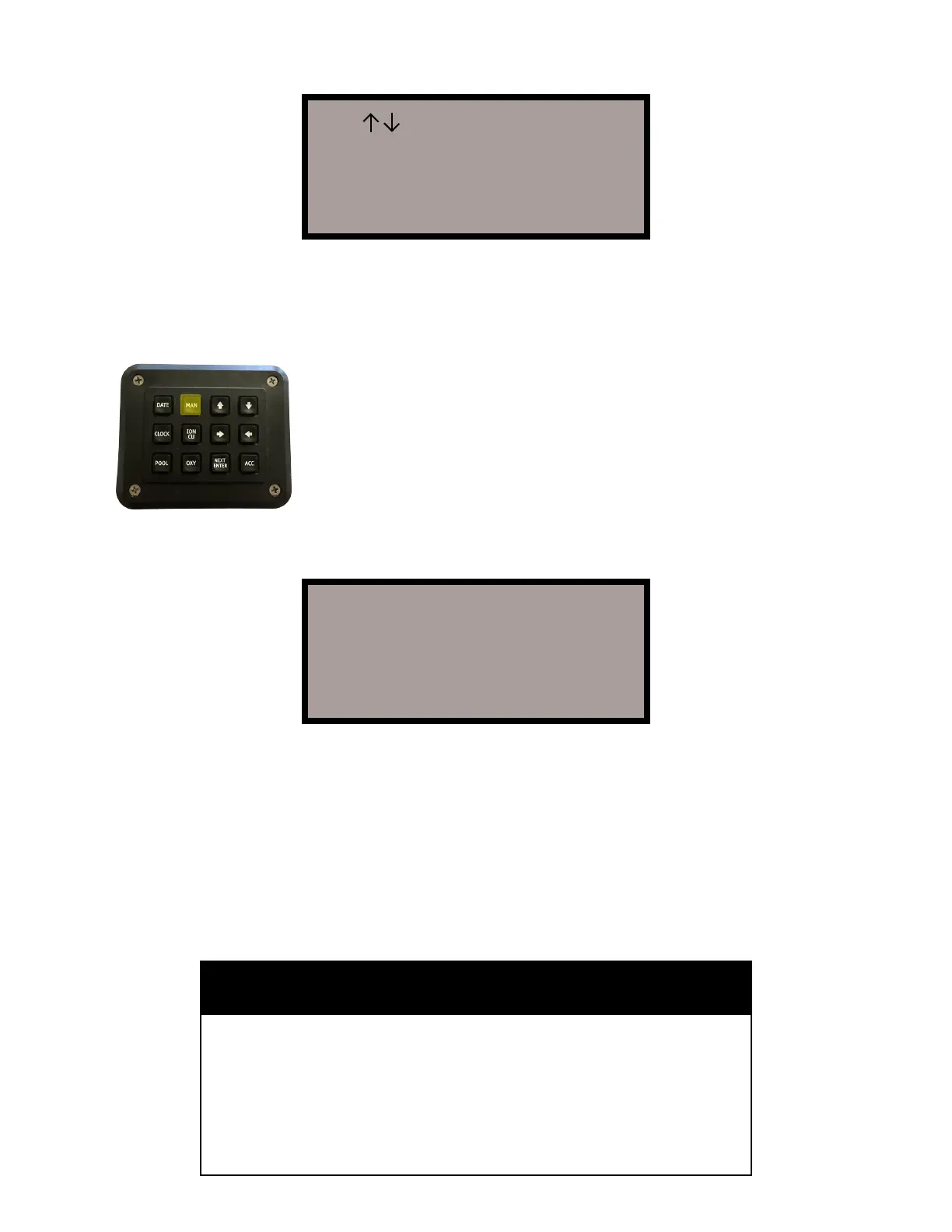
The manual override key “MAN” is the most convenient method to put copper
constantly to your pool. Select the “OXY” key to switch the unit back to oxygen
equal to your programmed POOL run time.
Your water will become predictable after three weeks and
the ION and CO2 values can auto repeat for weeks after
dialing them in with water tests. Set “ION” to come on the
day before you or your service tests the copper each week.
To activate this, simply push the “MAN” key once. This will
set your ION time to be equal with your POOL run time,
and your OXY time will read NONE. Your pool will now
Ionize when your pump is running. If you need to man-
ually Ionize longer, simply go into your POOL setup, and
change the start and stop times of your pump. Then return
to the “Home Screen” and press the “MAN” key to change
the ION start and stop times. Your screen will now look as
shown:
Use >< Keys to set
Day Run Start Stop
SU OFE 10:00A- 4:00P-
Press NEXT when done
10:09:51P 5/22/2007
Pool 10:00A- 4:00P+
Oxy None
Ion 10:30A- 3:30P+
AUTOMATION


 To Next Page