4
OXY Function
Next Week Function
The next step is to setup the “OXY” mode. Typically residential pools should
run 6-10 hours per day, commercial pools 18-24 hours per day. This is how
long you are going to want to set the “OXY” mode. It is strongly recommend-
ed that the running time of the oxygen should be done during day-light hours.
The parameters for “OXY” mode must also be set within the “POOL” parame-
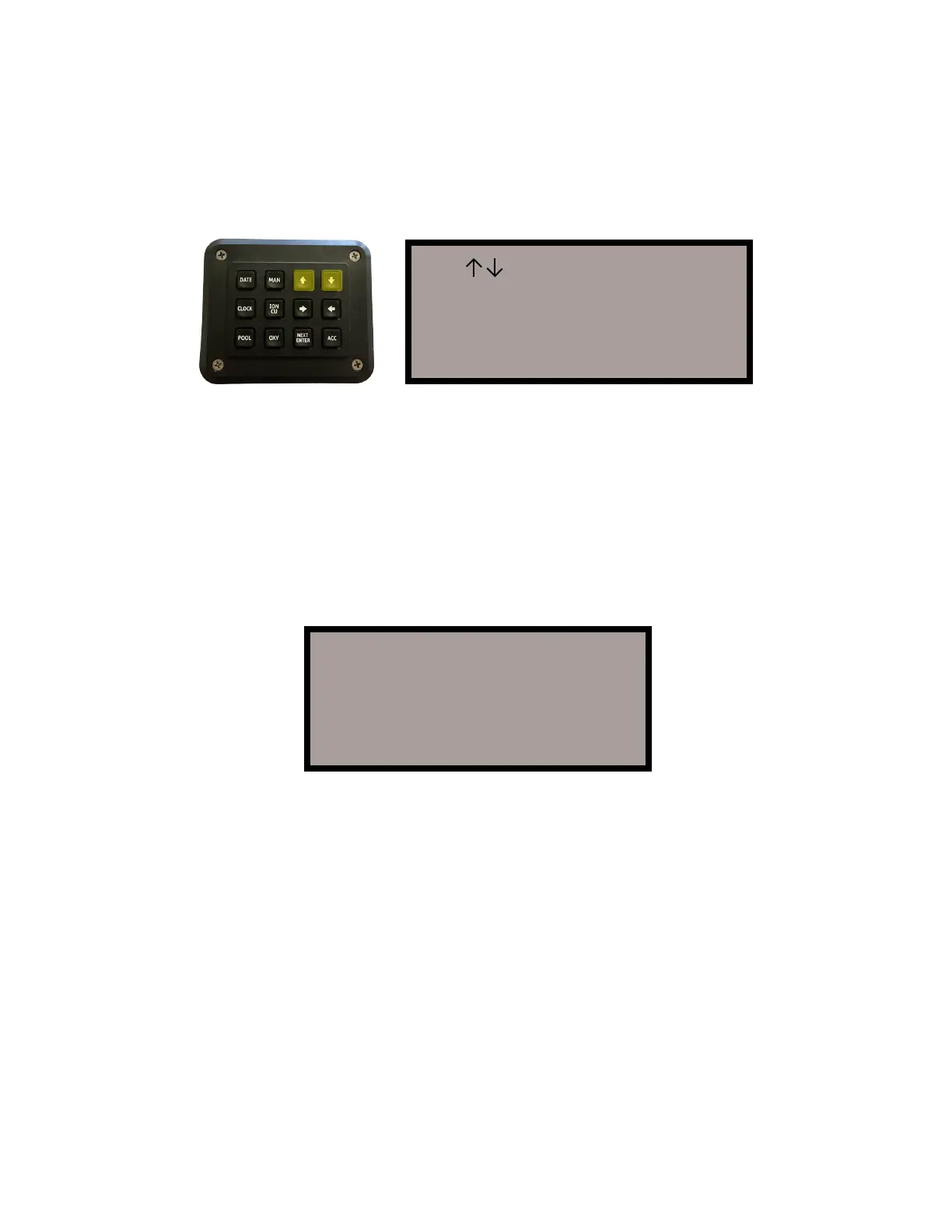
ters. Now press the “OXY” key and the screen will display as shown:
The next step is to setup your ION mode. The NEXT WEEK feature allows you
to set a DAY and a TIME period for Copper Ionization to occur. The ionization
will occur once per week on the day and the time selected with this feature. It
is NOT recommended that future ION settings be programmed without an op-
erating history. Actual Ion time needed is often less than one full Oxy cycle.
Special Note
If you select manual or ION, which will turn ION on for the POOL run time, or
OXY run time, the setting for NEXT WEEK will need to be reset. In addition, no
OXY or ION will actually occur outside the time parameters entered for pool.
Warning
Never set OXY or ION to start and stop during times when your pool pump is
not running.
The curser automatically starts on the hour hand of the start time. Use the
“UP” and “DOWN” arrow keys to set the hour hand. Then press the “RIGHT”
arrow key to move to the minute hand. Repeat the same process until the start
time (hours/minutes) and the stop time (hours/minutes) are set to run “OXY” for
the appropriate length of time, and within the pool pump parameters. Press
“NEXT WEEK” when all values are correct.
The screen should now display the correct TIME, DATE, POOL “On” and “Off”
and OXY “On” and “Off.” The “Home Screen” will look as follows:
Use >< Keys to set
Start Stop
Oxy 8:00A- 4:00P-
Press NEXT when done
8:51:04A 5/22/2007
Pool 8:00A- 4:00P+
Oxy 8:00A- 4:00P+
Ion None


 To Next Page