3
Home Screen
Pool Function
+ Plus sign indicates output is occurring
2:22:20P 1/01/2007
Pool 10:00A- 4:00P+
Oxy 10:00A- 4:00P+
Ion None
10:42:09P 5/22/2007
Pool 8:00A- 5:00P+
Oxy 10:00A- 4:00P+
Ion None
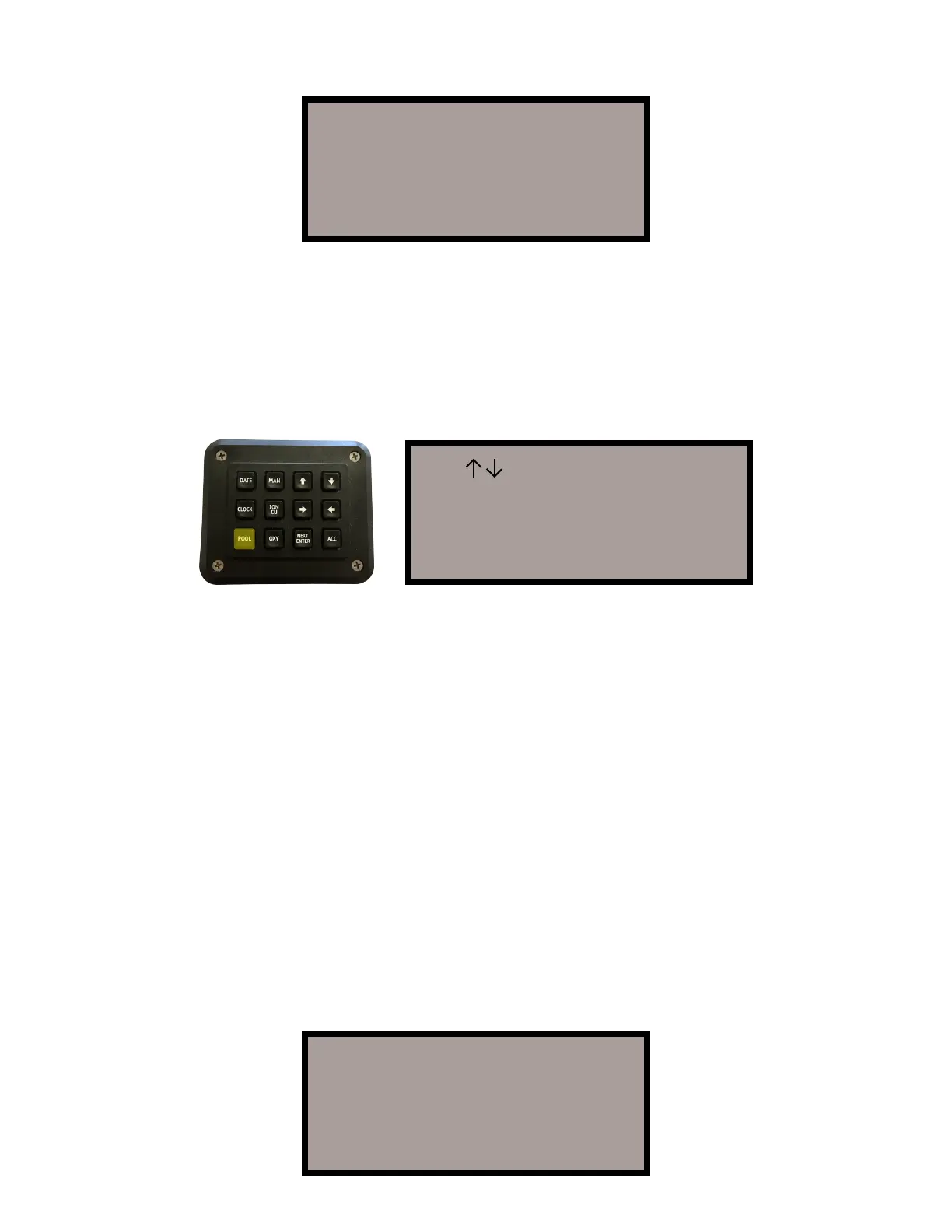
The next step is to setup the parameters for your pool pump. The “POOL”
key allows you to set the pool Start and Stop times. If you received an
Ecosmarte controller with the Pool Pump Relay Option, your pool pump will
be turned ON and OFF at the Start and Stop times set with this function.
Press the “POOL” key to display the following screen:
The cursor automatically starts below the hour hand of the start time. Use
the “UP” and “DOWN” arrow keys to set the appropriate hour. Then press
the “RIGHT” arrow key to move to the minute hand. At any time, use either
the “LEFT” or “RIGHT” arrow keys to move within the LCD. Use “UP” and
“DOWN” to change any values. When all values are correct, press the “NEXT
WEEK” key to return to the “Home Screen.”
Special Notes
“OXY” and “ION” start and end times MUST be set within the “POOL” start
and end times or no power will be delivered, although the LCD will display
your selected values (this is a safety feature). In addition, even if you do not
own a pump timer, you must set the “POOL” start and end times according to
when you manually turn your pump on and off. Therefore we assure that we
are never ionizing or oxidising when the water is not flowing. Those without a
firemans switch on their timer must turn the pool heater off 15 minutes before
the “POOL” is turned off.
Upon completing the setup for the “POOL” time, the “Home Screen” will
display the new settings.
Use >< Keys to set
Start Stop
Pool 8:00A- 4:00P-
Press NEXT when done


 To Next Page