EasyManua.ls Logo

ECOSTAR ECO 250 - User Manual

Default Icon
78 pages
Print Icon
To Next Page IconTo Next Page
Loading...
08.03.2024 Rev. 00
www.ecostar.com.tr
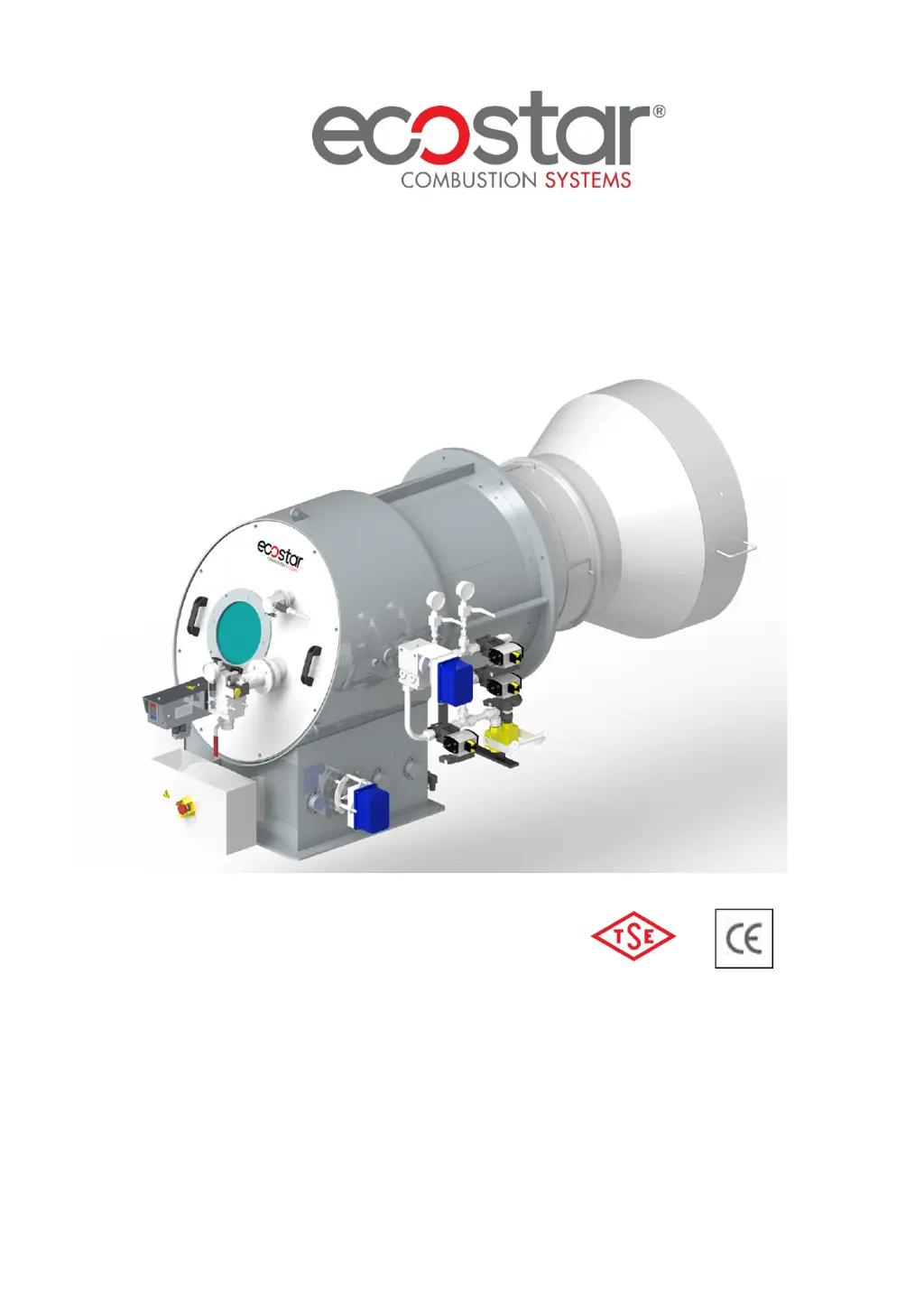
DUOBLOCK HEAVY OIL BURNERS INSTALLATION,
OPERATING AND MAINTENANCE MANUAL
MODULATING OPERATION (ELECTRONIC)
ECO 250
ECO 300
ECO 350
ECO 400
ECO 450
ECO 500
ECO 600
ECO 700
ECO 800
ECO 900

Other manuals for ECOSTAR ECO 250

Questions and Answers

  • J
    Jennifer PhillipsAug 19, 2025
    What to do if ECOSTAR ECO 250 cannot be commissioned?
    • J
      joshua72Aug 19, 2025
      If your ECOSTAR Burner cannot be commissioned, there are several potential causes and solutions: * **Fuel Issue:** The fuel valve might be closed, preventing fuel from reaching the burner. Open the valve to resolve this. * **Fuse Problem:** Check the burner power supply for a tripped fuse, either on the main panel or the burner itself. * **Relay Problem:** Reset the thermal relay and check its adjustment according to the current indicated on the motor label. If the problem persists, the thermal relay may need replacement. * **Thermostat/Switch Issue:** A faulty boiler thermostat, pressure switch, or steam tank issue related to an unadjusted or broken water level device may be the cause. Adjust the water level device, and replace it if necessary.
  • M
    Melissa EdwardsAug 21, 2025
    What to do if ECOSTAR ECO 250 starts up, but fails after 30 seconds?
    • M
      Mary RussellAug 21, 2025
      If your ECOSTAR Burner starts up but fails after 30 seconds, consider these potential issues: * **Fuel Valve/Pressure:** The fuel valve may be closed, or the fuel supply pressure might be too low. Check the fuel inlet manometer. * **Ignition Electrodes:** The ignition electrodes may be misadjusted, or the ignition cables might have detached from their terminals. Adjust the ignition electrodes to maintain a distance of 3-5 mm between them.
  • J
    Javier ReyesAug 23, 2025
    Why does ECOSTAR Burner flame appear and go into failure mode?
    • V
      Veronica RogersAug 23, 2025
      If the ECOSTAR Burner flame appears and then goes into failure mode, it could be due to: * **Fuel Pressure Error:** The fuel pressure in the circuit might have dropped. * **Photocell Failure:** The photocell may be faulty or contaminated. Try removing and cleaning it. * **Program Relay Failure:** The program relay may have failed and needs replacing with a new one.
  • J
    Jack GonzalezAug 26, 2025
    What to do if ECOSTAR ECO 250 Burner starts up, but fails after 10 seconds?
    • D
      dmartinezAug 26, 2025
      If your ECOSTAR Burner starts up but fails after 10 seconds, the following could be the reason: * **Program Relay Failure:** Replace the program relay with a new one. * **Fan Motor Failure:** Check the fan motor coils, motor contactor, and the outlet from the program relay.
  • W
    wfranklinAug 27, 2025
    How to fix ECOSTAR ECO 250 boiler cover overheating?
    • E
      Erin GreenAug 27, 2025
      If the boiler cover is overheating, ensure proper sealing between the boiler cover and the burner. If necessary, use insulating material between the boiler connecting flange and the boiler cover.
  • J
    Jane PittsAug 29, 2025
    What to do if ECOSTAR Indoor Fireplace burner starts up, but fails after 30 seconds?
    • K
      Kenneth EvansAug 29, 2025
      If the ECOSTAR Indoor Fireplace burner starts but fails after 30 seconds, it could be due to a drop in heavy oil or gas pressure. Inspect the heavy oil or gas inlet manometer. Another cause could be the ignition electrode failure. In that case, adjust the ignition electrodes to maintain a distance of 3-5 mm between them.
  • L
    Luis CostaAug 31, 2025
    Why does my ECOSTAR Indoor Fireplace burner start up, but fail after 10 seconds?
    • C
      Crystal SharpAug 31, 2025
      If the ECOSTAR Indoor Fireplace burner starts up but fails after 10 seconds, it could be due to a program relay failure; replace it with a new one. Another potential cause is a fan motor failure. Check the fan motor coils, motor contactor, and outlet from the program relay.
  • A
    Amy NewmanSep 2, 2025
    How to troubleshoot ECOSTAR Indoor Fireplace burner that cannot be commissioned?
    • S
      Sophia JohnsonSep 2, 2025
      If the ECOSTAR Indoor Fireplace burner cannot be commissioned, it might be due to several reasons. * First, check if the heavy oil or gas is cut or does not come; if so, open the valve. * Second, a fuse failure may occur; check the burner power supply, as the fuse on the main panel or the burner might be tripped. * Third, a relay failure may occur; reset the thermal relay and check its adjustment according to the current in the motor label. If the failure persists, replace the thermal relay. * Fourth, boiler thermostat or pressure switch failure may occur. If there is a problem with the burner thermostats, pressure switches, and steam tank, it may be due to an unadjusted or faulty water level device; adjust it, and if broken, replace it.
  • R
    Robert SnowSep 4, 2025
    What to do if ECOSTAR Indoor Fireplace flame appears and goes into failure mode?
    • B
      Brittney MontgomerySep 4, 2025
      If the ECOSTAR Indoor Fireplace flame appears and goes into failure mode, it could be due to heavy oil or gas pressure error. Another possible cause is photocell failure; remove and clean it. Also, the program relay might have failed; if so, replace it with a new one.
  • D
    dylanleeSep 7, 2025
    How to fix ECOSTAR Indoor Fireplace boiler cover overheating?
    • J
      Jacob BrooksSep 7, 2025
      If the ECOSTAR Indoor Fireplace boiler cover is overheating, it is likely due to a sealing problem. Ensure proper sealing between the boiler cover and the burner. If necessary, use insulating material between the boiler connecting flange and the boiler cover.

Summary

1. WARNINGS

1.1. Warning Symbols and Descriptions

Explains the meaning of various warning symbols used in the manual.

1.2. General Safety Rules

Outlines essential safety precautions for installation, operation, and maintenance.

2. TERMS OF WARRANTY

2.1. Out of Warranty Conditions

Lists conditions under which the product warranty is invalidated.

3. BURNERS GENERAL FEATURES

3.1. Purpose of Use and Work Limits of Burners

Specifies the intended applications and operational boundaries of the burners.

3.2. Code Key

Provides a breakdown of the model code to understand burner specifications.

4. TECHNICAL DATA

4.1. Capacity Table

Details the capacity (MW, kcal/h, kg/h) for different burner models.

4.2. Burner Dimensions

Provides physical dimensions and mounting information for various burner models.

5. INSTALLATION

5.1. Burner Installation Picture

Illustrates the correct method for installing the burner onto a boiler or application.

6. COMMISSIONING

6.1. General Controls

Lists necessary checks and procedures before initiating burner operation.

6.2. Combustion Adjustment

Details the process for adjusting combustion settings for optimal performance.

6.3. Photocell

Information on the photocell, its function, and maintenance.

6.4. Nozzle

Describes the fuel nozzle, its types, and installation.

6.5. Curves According To Fuel Consumption (Fuel Nozzles)

Graphical representation of fuel consumption based on nozzle type and output.

6.6. Oil Adjustment Regulator

Explains the function and adjustment procedure for the oil regulator.

6.7. Oil Burner Ring Line

Presents the P&ID diagram for the heavy oil burner ring line.

6.8. Servomotor Adjustment

Details the adjustment and types of servomotors used for burner control.

6.9. Emission Measurement

Outlines procedures and reference values for measuring emissions.

6.10. Program Relay

Describes the program relay and its role in the control system.

Operating Control and Displays

Display Overview

Explains the display interface elements and information shown.

Control Key Functions

Details the operation of navigation keys for menus and settings.

Menu Functions

INFO Path

Accesses information about the burner, errors, software version, and device status.

MANUAL Path

Allows manual control of the burner's start/stop and firing rate.

SETTINGS Path

Enables configuration of parameters like password, burner settings, and air/fuel control.

BT300 Connecting Diagram

Terminal Designation and Function

Explains the purpose and electrical ratings of BT300 connection terminals.

Leakage Test for Main Gas Valves

Gas Valve Leakage Test Procedure

Illustrates the step-by-step process for performing a leakage test on main gas valves.

ETAMATIC OEM System

Etamatic OEM Digital Inputs

Lists and explains the meaning of the digital inputs for the ETAMATIC OEM system.

ETAMATIC Connection Diagram

Shows the wiring diagram for the ETAMATIC system, including power and signal connections.

Fault Codes

Fault Codes and Descriptions

Comprehensive list of fault codes, restart methods, and descriptions for burner operation issues.

7. MAINTENANCE

7.1. Weekly Maintenance

Outlines the routine cleaning and adjustment procedures performed weekly.

7.2. Monthly Maintenance

Describes comprehensive monthly checks for burner and peripheral components.

7.3. Seasonal Maintenance

Details maintenance tasks performed when restarting after long periods of shutdown.

8. TROUBLESHOOTING

Troubleshooting Guide

Provides a table of common problems, their causes, and suggested solutions for troubleshooting.

9. PERIODICAL FLUE GAS MEASUREMENT REPORT

Flue Gas Measurement Log

A log sheet template for recording fuel consumption, CO, O2, CO2, NOx, Yield, and Flue Temp.

10. AFTER SALES SERVICES

Customer Support and Recommendations

Provides contact information for service requests and recommendations for product use.

11. NOTES

User Observations Log

A space for users to record measurements and observations.

ECOSTAR ECO 250 Specifications

General IconGeneral
BrandECOSTAR
ModelECO 250
CategoryBurner
LanguageEnglish

Related product manuals