KEY OPERATION AND DISPLAY SYMBOLS
Touch “ “, the machine power on, “ “ light turn white, “ “ key + last action key are all lit,
and other keys are half lit.
Touch “ “ again, the machine power o, “ “ light turn red, “ ” is half lit, enter standby mode.
Touch ” “ in working state, enter manual mode, the “ “ light is on, and the display displays
current air speed gear. The air speed gear changes 1 gear per touch, circularly between gears 1-2-
3-4-5-1.
Stop touch, the machine operate with current air speed gear, the display restores PM2.5 value
display.
Touch “ ” in working state, enter sleep mode, “ ” light is on, other icon and display are o, the
machine operate with sleep gear. “ ” light is o after none touch keys 10 seconds.
Wake up “ “ key when touching any other key, touch “ “ key in 10 seconds to exit sleep mode.
Display and key indicators return to the state before entering sleep mode.
TIMED SHUTDOWN: touch “ “ in the working state, the “ “ light is on, enter the timed
shutdown setting state, the display displays the timed setting time. The timed time is increased by
1 per touch “ “, and the timed time circularly change between 0~1~12h. Stop touch “ “ for
more than 3 seconds, the timed shutdown setting is completed, and the set shutdown time begins
to count down. When the timed time is 0, the timed shutdown is automatically cancelled and the
machine enter standby mode.
TIMED STARTUP:touch “ “ in standby mode, the “ “ light is on, enter the timed startup
setting state, the display displays the timed setting time. The timed time is increased by 1 per
touch “ “, and the timed time circularly change between 0~1~12h. Stop touch “ “ for more
than 3 seconds, the timed startup setting is completed, and the set startup time begins to count
down. When the timed time is 0, the timed startup is automatically cancelled, the machine power
on and run normally.
Touch “ “ for more than 3 seconds in working state to enter the child lock mode. The “ “ light
is on and other keys cannot be activated.
Touch “ ” for more than 3 seconds in child lock mode to exit the child lock mode. The “ “ light
is half lit, all keys can be activated.
ON / OFF KEY
AIR SPEED KEY
SLEEP KEY
TIMER KEY
CHILD LOCK KEY
5.
1.
2.
3.
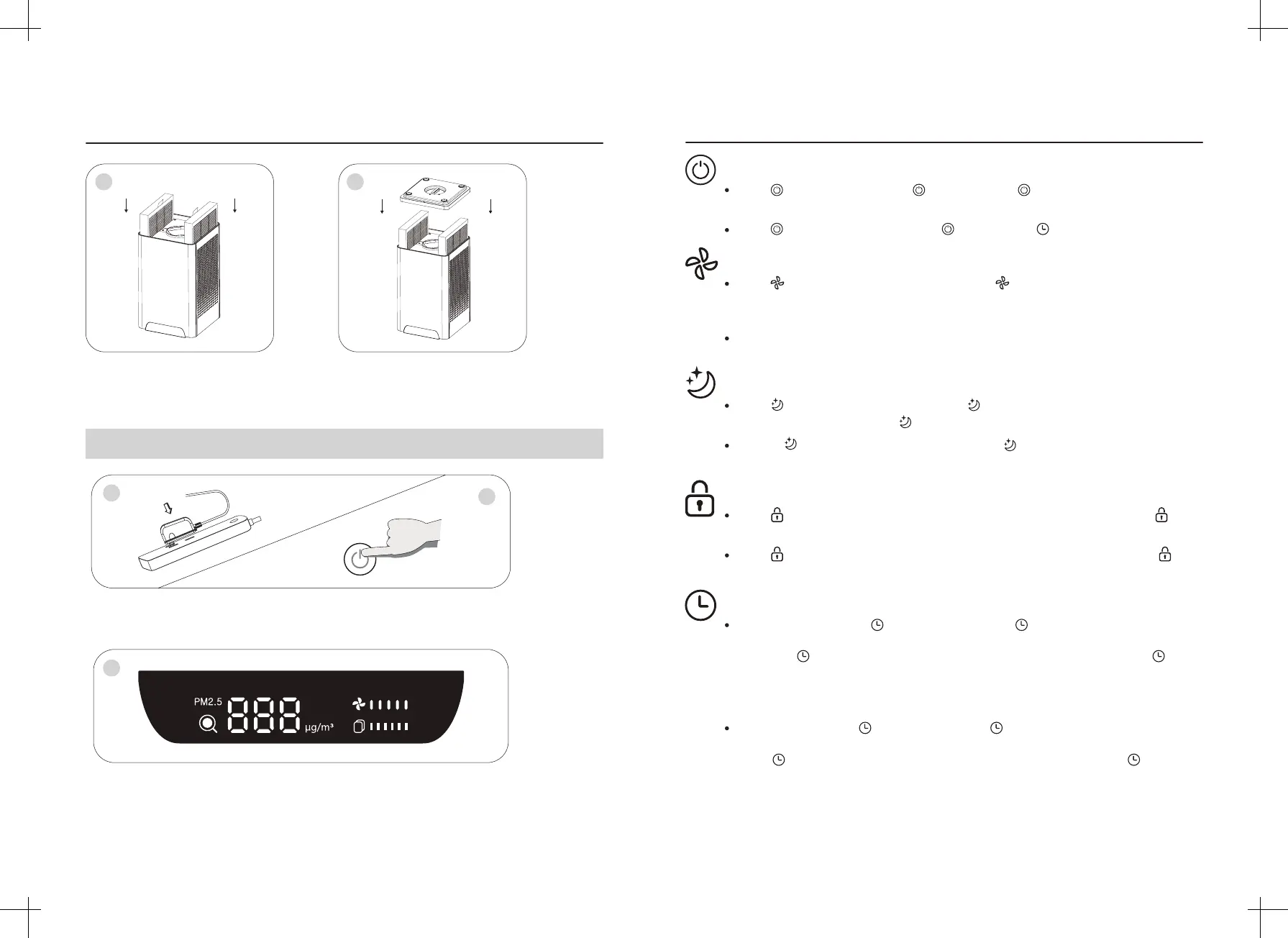
6.Reload the lter screen that removes
the packing bag into the machine.
Plug in the adapter power supply, the machine is powered on and with a “Ding” sound.
Press “ON/OFF”key to power on the machine.
When the display is open, touch the relevant function key to run the machine.
Cover the base and tighten the knob to the
locking position according to the marked
direction.
Begin to use
1
3
5
2
6
INSTRUCTIONS
-07- -08-



 To Next Page
 Loading...