0504
https://www.altonindustries.com
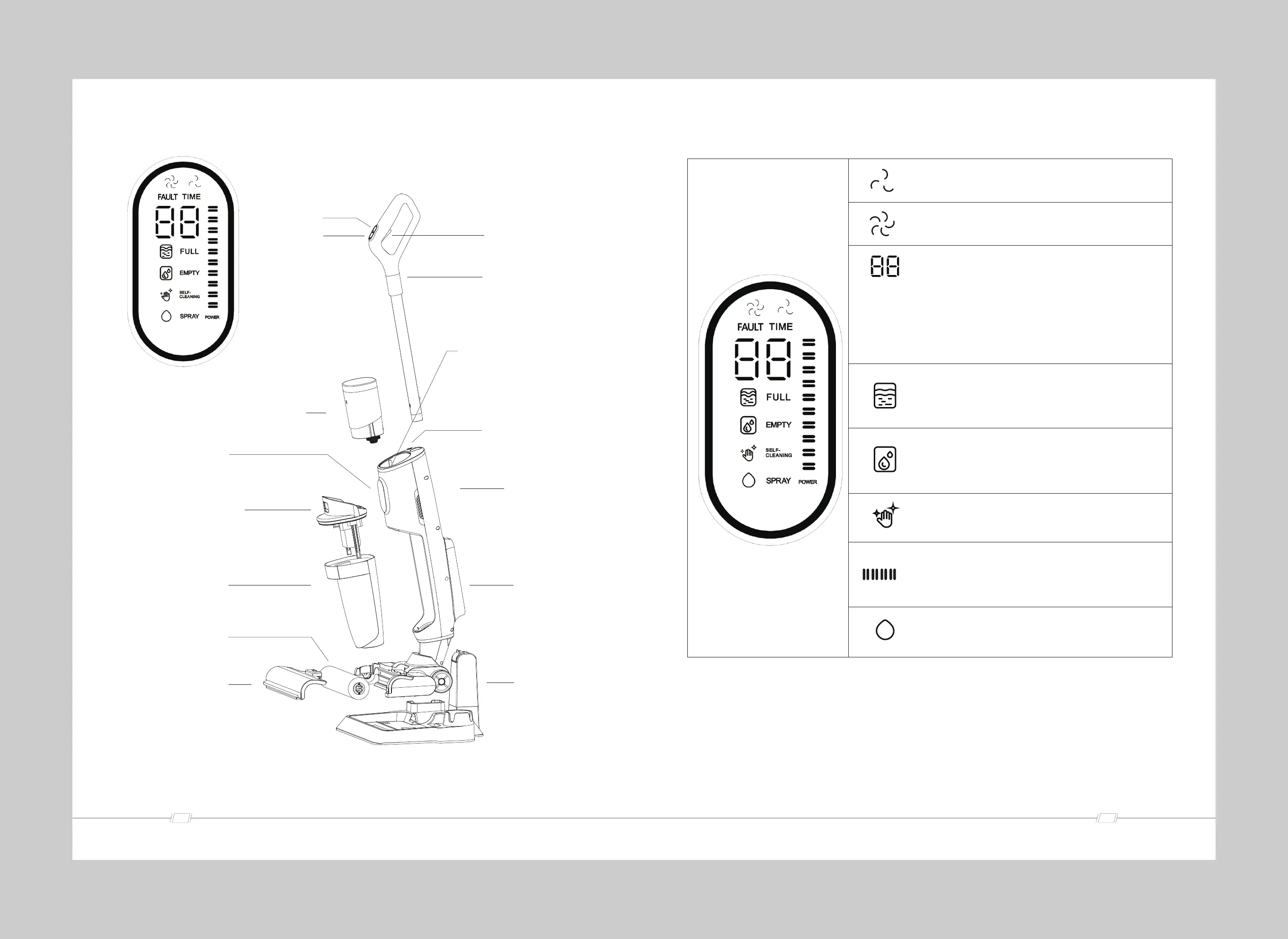
Product View
Power button
ECO/MAX mode
Spray button
Handle
Clean water tank status light:
Red light: water shortage
White light: ECO mode
Blue light: MAX mode
Clean water tank
LED display
Dirty water tank cover
Dirty water tank
Roller brush
Transparent window cover
Self-cleaning button
Voice switch
Battery pack
Charging station
Digital Display
The indicator will light up white when the cleaner is in
Eco Mode
The indicator will light up white when the cleaner is in
Max Mode.
When the cleaner is doing normal cleaning, it shows
the working time from"switching on"to" now " .
When the cleaner is in self-cleaning mode, it shows the
self-cleaning countdown from"59" to"o"
When the cleaner runs faulty, it shows the faulty code
to help identify the problem.
The indicator will flash RED slowly when Dirty Water
Tank is full, please empty the Dirty Water Tank in time.
The indicator will flash RED slowly when Clean Water
Tank is short of water, please fill up with clean water.
The indicator will light up WHITE when the cleaner is in
Self-cleaning Mode.
Battery Indicator, the indicator will flash white slowly when
charging, it will stop flashing after fully charged
The indicator will light up WHITE when user is manually
spraying water.
The indicators and the display may be slightly different with the final product,
please subject to the actual product.
info@altonindustries.com


 To Next Page