EasyManua.ls Logo

ECOWITT GW1200 - User Manual

ECOWITT GW1200
57 pages
Print Icon
To Next Page IconTo Next Page
Loading...
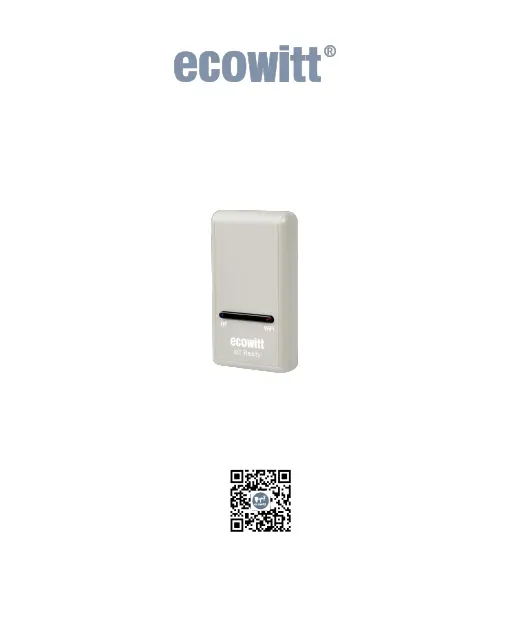
Wi-Fi Weather Station Gateway
With built-in Temperature, Humidity and
Barometric Sensor
Manual
Model: GW1200
https://s.ecowitt.com/YVWM3V

Questions and Answers

  • T
    Tracy JohnsonAug 6, 2025
    What to do if ECOWITT GW1200 Gateway Wi-Fi connection failed?
    • C
      Connie WernerAug 6, 2025
      If your ECOWITT Gateway fails to connect to Wi-Fi, there are several things to try. First, check the Wi-Fi light on the gateway to ensure wireless connectivity is operational. Note that the gateway doesn't support "captive Wi-Fi" networks (guest networks requiring agreement to terms). Ensure your Wi-Fi supports 2.4 GHz signals. Also, try turning off your mobile data, ensuring DHCP mode is open, and power cycling the gateway. You can also try connecting to the hotspot of GW1200 -WIFIXXXX via your phone or computer's Wi-Fi, then navigating to 192.168.4.1 in your browser to enter your Router SSID and Password. Other troubleshooting steps include resetting your router or the gateway, trying the configuration with no router password, or using a different mobile device for configuration.
  • G
    Gabriella HowardAug 20, 2025
    Why does ECOWITT GW1200 Gateway relative pressure not agree with the official reporting station?
    • C
      Catherine ScottAug 20, 2025
      If the relative pressure on your ECOWITT Gateway doesn't match the official reporting station, you can redo the pressure calibration. Ensure you're not viewing absolute pressure, especially if your station isn't near sea level. Check readings at different times due to potential delays in official station updates. Note that the barometer's accuracy is ±0.09 inHg (3hPa) within a relative pressure range of 8.86 to 32.48 inHg (300-1,100 hPa), corresponding to altitudes from 29,527 ft (9,000m) down to 2,500 ft (750m) below sea level. Expect reduced accuracy and non-linearity effects at higher altitudes.

Summary

Introduction

Installation

Package List

Details the items included in the product package.

Wi-Fi Configuration

Steps to connect the gateway to your Wi-Fi network.

Device Location, Timezone, DST, and Data Public

Configure location, time, daylight saving, and data visibility settings.

Manage Sensors

Instructions for adding, disabling, or re-registering sensors.

Add a Subdevice

Connect additional smart control devices like WFC01 or AC1100.

Upload Data to Server

Configure data upload to various weather station servers.

Instructions for Use

View and Size

Identifies the physical elements and dimensions of the Wi-Fi gateway.

Features

Lists the key capabilities and supported sensors of the GW1200 gateway.

Elements Explanation

Explains the function of each numbered component on the gateway.

LED Indicators

Describes the status indicated by the RF and Wi-Fi LED lights.

Button Function

Details the function of the reset button on the gateway.

Historical Data Export and Clear

Export History Data

How to download historical weather data in CSV format from Ecowitt.net.

Clear History Data

Procedure to erase historical weather data stored on the device or server.

Optional Sensors

Sensors

Lists compatible optional sensors that can be purchased separately.

IoT Device

Details supported IoT devices like smart water timers and plugs.

Calibration

Rain Settings

Rainfall Data Priority Setting

Choose which rain gauge data to prioritize for display.

Rain Totals Initial Value

Set starting values for rain totals (daily, weekly, monthly, yearly).

Unit and other Settings

Firmware Upgrade

Via Web Page

Instructions for upgrading firmware using the device's web interface.

Via Ecowitt App

How to update the gateway's firmware using the Ecowitt mobile application.

Troubleshooting Guide

Specifications

Warranty

Contact Us

After-sales Service

Information on handling order issues and usage inquiries.

Stay in Touch

Links to social media and support channels for further assistance.

ECOWITT GW1200 Specifications

General IconGeneral
ModelGW1200
CategoryGateway
ConnectivityWi-Fi
Wi-Fi Frequency2.4 GHz
Wi-Fi Standard802.11 b/g/n
Power Supply5V DC via USB
USB PortMicro USB
TypeWeather Station Gateway
Communication ProtocolProprietary RF
Frequency915 MHz
CompatibilityECOWITT sensors
Wireless Range100 meters (open area)
Supported SensorsWH32, WH40, WH51, WH57
Power ConsumptionLess than 1W
Operating Temperature-10°C to 60°C
Operating Humidity10% to 90% RH

Related product manuals