8
HINTS FOR ECONOMICAL OPERATION
MAINTENANCE
4.
6.
The following should be noticed to ensure an economical
operation. (Refer to corresponding chapter for details)
Adjust the air ow direction to avoid direct ow towards people.
Adjust the room temperature properly for a pleasurable
environment. Avoid excessive heating or cooling.
Avoid direct sunlight during cooling operations by using curtains
or blinds
Keep doors and windows closed. If the doors and windows remain
open, air will ow out of your room causing a decrease in the
cooling or heating eect.
Set the timer for the desired operating time.
Never place objects near the air inlet or the air outlet of the unit. It
may cause deterioration or stop the operation of the unit.
If you don't plan to use the unit for a long time, please disconnect
power and remove the batteries from the remote control. When
the power switch is connected, some energy will be consumed,
even if the air conditioner isn't in operation. So please disconnect
the power to save energy. switch the power on 12 hours before
you restart the unit to ensure a smooth operation.
Keep the indoor unit and remote control at least 1m away from
televisions, radios, stereos and other similar equipment. Failing to
do so may cause static or distorted pictures.
A dirty air lter will reduce cooling or heating eciency, please
clean it once every two weeks.
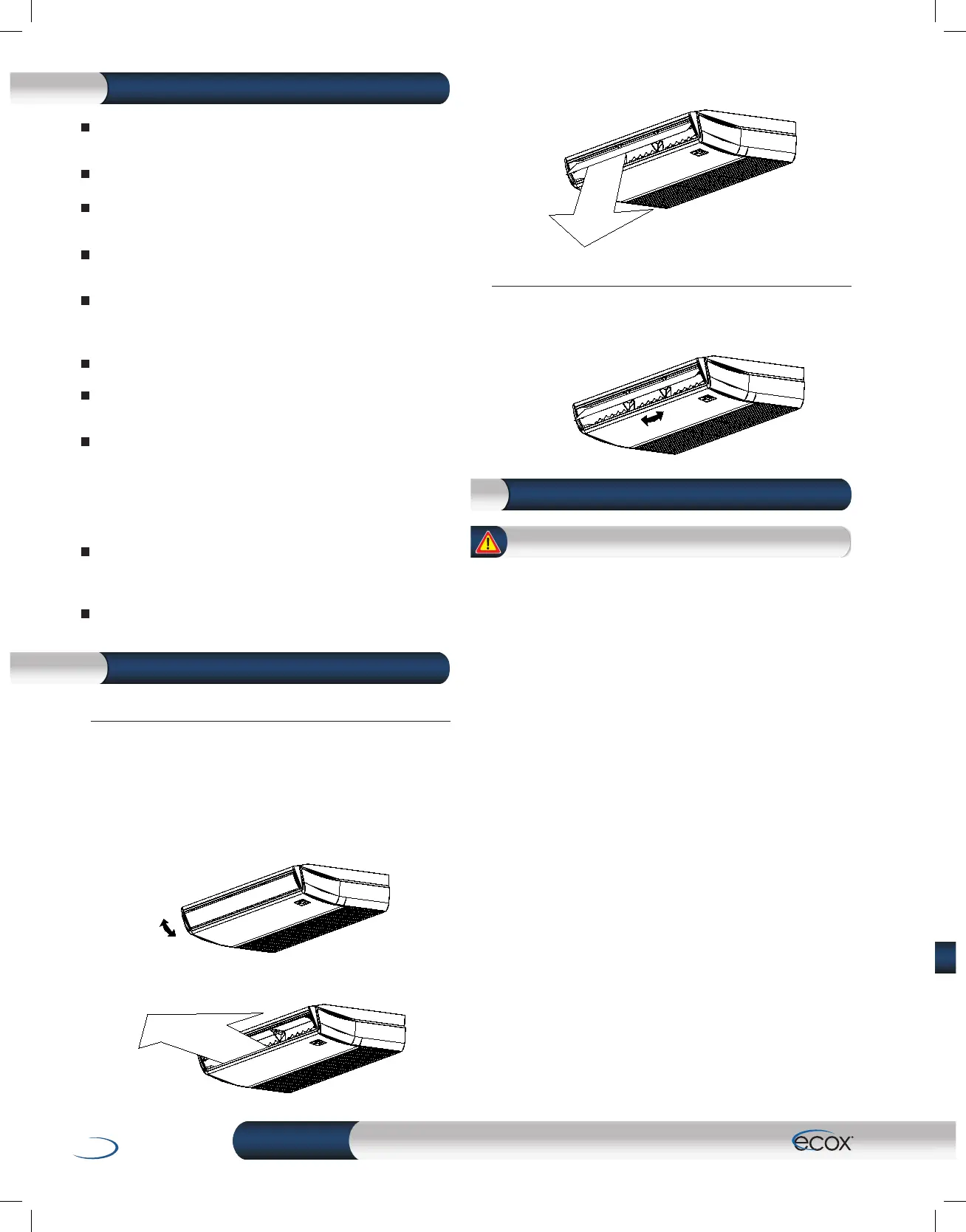
5.2 ADJUST THE VERTICAL LOUVER
When heating
Adjust the louver downwards. (vertically)
Auto-swing
Press SWING H button, the louver will swing left and right
automatically.
HINTS FOR ECONOMICAL OPERATION5.
5.1 ADJUST THE HORIZONTAL LOUVER
Auto-swing
Press SWING V button, the louver will swing up and down
automatically.
Manual Swing
Adjust the louver to achieve better cooling/heating eects
when cooling /heating.
When cooling
Adjust the louver horizontally.
FIG. 5-1
FIG. 5-2
FIG. 5-3
FIG. 5-4
CAUTION
Before you clean the air conditioner, be sure the power supply
is o.
Check if the wiring is not broken o or disconnected.
Use a dry cloth to wipe the indoor unit and remote controller.
A wet cloth may be used to clean the indoor unit if it is
very dirty.
Never use a damp cloth on the remote controller.
Do not use a chemically-treted duster for wiping or leave such
material on the unit for long.
It may damage or fade the surface of the unit.
Do not use benzine, thinner, polishing powder, or similar solvents
for cleaning.
These may cause the plastic surface to crack or deform.


 To Next Page