Need help?
Do you have a question about the ECTIVE RC 4 and is the answer not in the manual?
Describes the remote's ability to switch inverters on/off remotely and its connection method.
Specifies users needing supervision and the importance of designated use.
Covers device storage, child safety, and qualified maintenance.
Details requirements for trained personnel and compliance with safety regulations.
Provides critical advice on cable routing, environmental factors, and physical handling.
Explains the warranty period, complaint process, and necessary documents.
Lists conditions under which the manufacturer is not liable for device damage.
Guides on recycling packaging and proper disposal of the device per regulations.
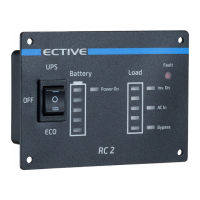
Explains the function of ON/OFF and ECO/OFF/UPS switches for different models.
Describes the battery level indicator and the Power On LED.
Details the Load consumption indicator and Inverter On LED.
Explains the Fault and AC IN LEDs for specific models.
Covers Bypass, AC Charge, and Solar Charge LEDs for various models.
 General
| Brand | ECTIVE |
|---|---|
| Model | RC 4 |
| Category | Remote Control |
| Language | English |


 To Next Page