EDAC 222-02 AUTO ALARM DIALLER - 6 -
4. Telephone Line
The EDAC 222-02 does not require a separate line and can be inserted as a master upstream
device in an existing telephone connection (see Secure Installation on next page). An RJ11 plug
and socket system is used. You must use the cord-set provided to connect the EDAC 222-02 to
the Telecom wall socket or the EDAC 222-02 may not work and no alarm notification calls will be
made. Extra cords are available upon request for a small charge. The EDAC 222-02 may be used
with a PABX (Private exchange) but it must be connected to an analog line.
WARNING: If the existing phone system has lights on the phone it is probably a
digital PABX system. Do not plug the EDAC 222-02 into a digital phone system
unless you are sure that it supports standard analog phone equipment. Plugging
the unit into an incorrect phone system will cause severe damage to the
equipment and void the warranty. If there are any uncertainties please contact
the supplier from whom you purchased your PABX for more information.
Points To Note:
The EDAC 222-02 can be connected between the telephone line (trunk) and the PABX
or it can be used on an extension.
When connected to a PABX and an extension, ensure that the extension socket the
EDAC 222-02 is plugged into remains active during a power failure. Refer to your PABX
instructions or contact your supplier.
When programming phone numbers for your call list, remember to add the outside line
number to the beginning of each programmed telephone number (this is usually 1 or 9).
Most PABX systems require a pause between the number you dial to get an outside
line and the actual telephone number. Refer to F11 Programming Your
Telephone/Pager Numbers, for details of how to do this.
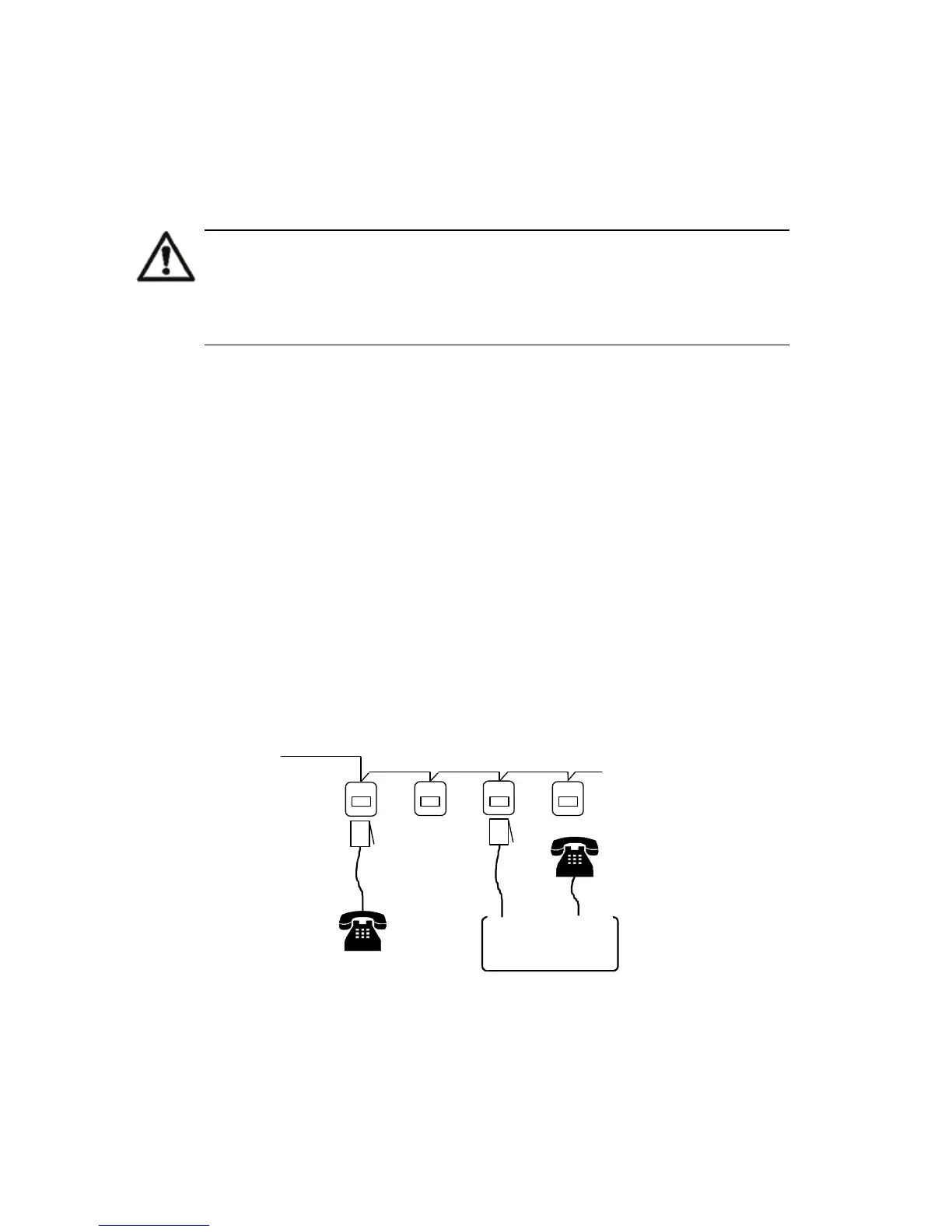
The following schematic diagrams show typical EDAC 222-02 phone line installations:
Wall Socket Installation
Figure 2 shows a typical single wall socket installation and requires two telephone-related
connections. Other telephones left off-hook may prevent the EDAC 222-02 from making calls. For
this reason, we do not recommend this type of installation.
Figure 2: Wall Socket Installation
Telecom Line
(Trunk)
Line in
Line out
EDAC 222-02



 To Next Page