17:Short press to play/pause under USB/TF/BT, and press once to scan all stations
and store automatically in FM mode.
18: Short press to get next song, long press to fast forward
19:Main Volume.
Remote control
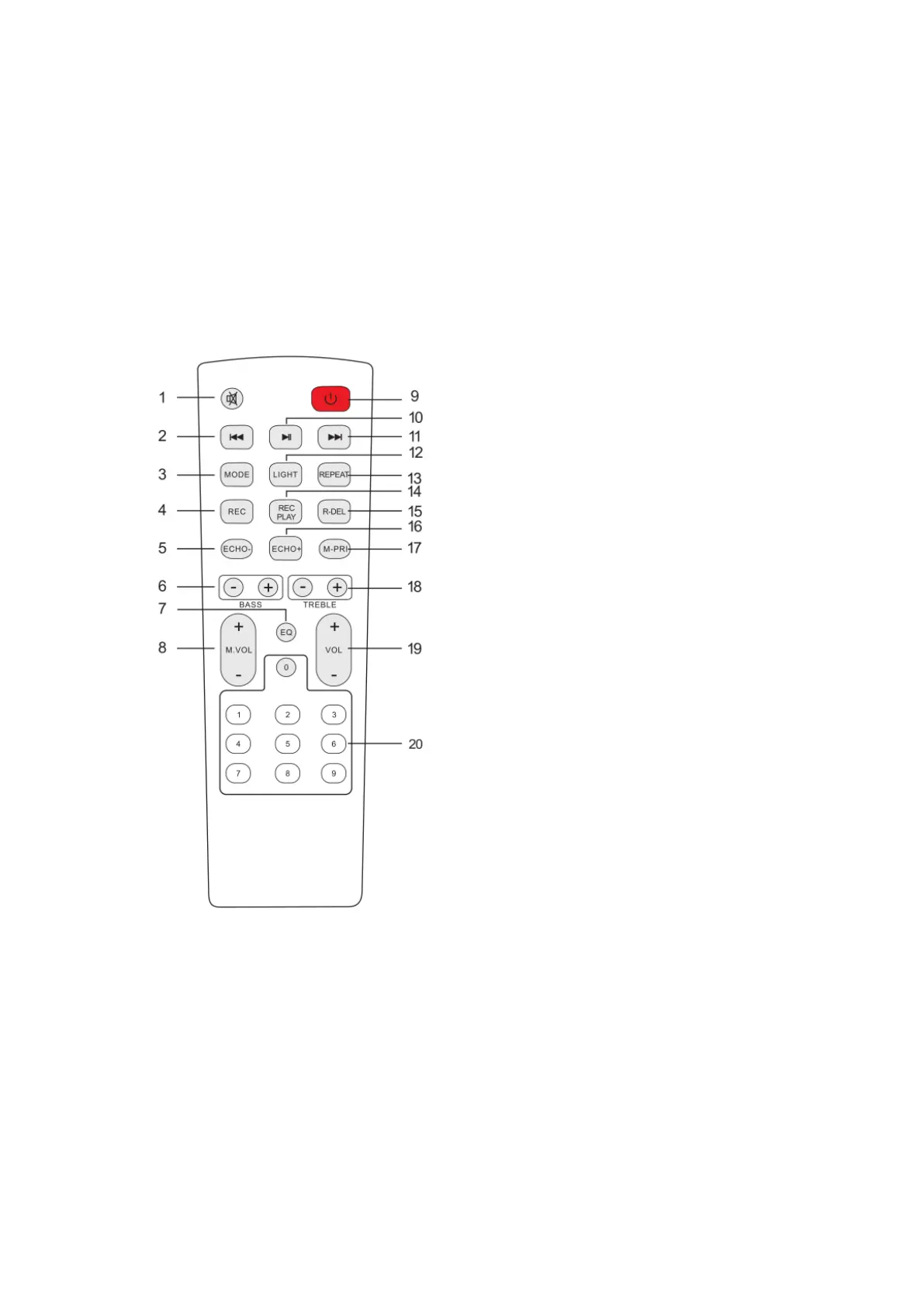
1.Mute
Available to be mute at any mode.
2.Previous Song
Under USB/TF card mode - previous song.
Under BT connection mode- previous song.
3.Mode
Press shortly to skip to Wireless BT/LINE IN/USB/TF /FM mode.
4.Record function
Under USB mode, press the “REC” button to record
5. Echo-
Press to decrease the volume in any mode.
6.BASS+/-


 To Next Page