Instruction manual
8
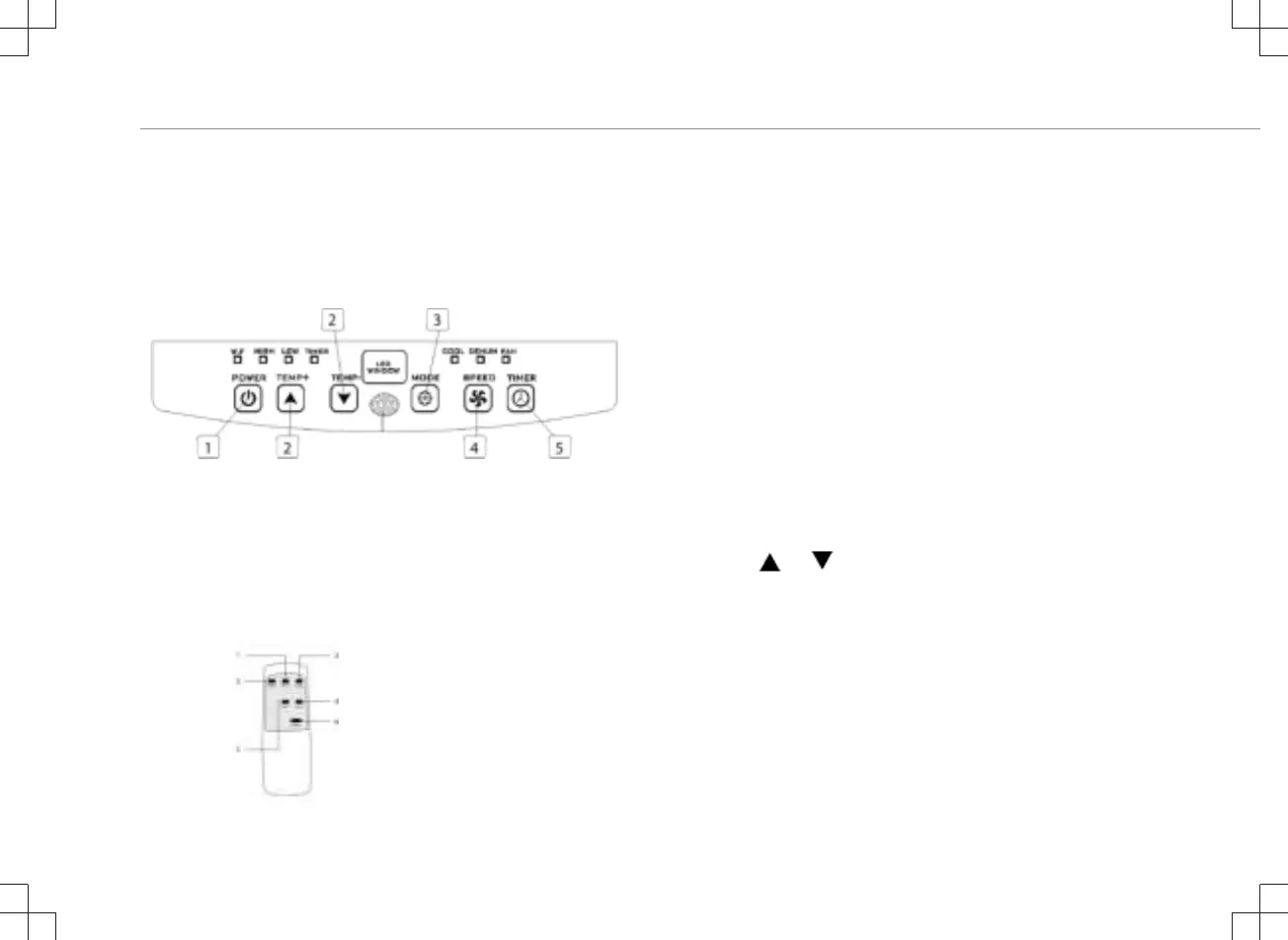
FUNCTION OF CONTROL PANEL
1. Power (on/off) button
2. Temperature buttons
3. Mode button
4. Fan speed adjustment button
5. Timer (on/off) button
REMOTE CONTROL
1. Temperature up button
2. Mode button
3. Fan speed adjustment button
4. Timer (on/off) button
5. Temperature down button
6. Power (on/off) button
BEFORE THE FIRST USE
Before starting operations in this section:
• Find a place where there is power supply nearby.
• Install the exhaust hose and adjust the window position well.
• The supplied small white clips must be mounted on the window
kit.
• Insert the power cord into a grounded AC220-240V~/50Hz
socket.
• Press the power button to turn on the air-conditioner.
• Set the temperature range: 16°C-31°C.
• Check whether the exhaust hose has been mounted properly.
• When using functions on cooling and dehumidifying, allow at least
3 minutes between powering off and powering on.
USE
Cooling operation
• Press the “Mode“ button till the “Cool“ icon appears.
• Press the
or button to select a desired room
temperature.
• Allow around 5 minutes for the cooling to start.
• Press the “fan speed” button to adjust airflow.
Dehumidifying operation
• Press the “Mode“ button until the “dehumidify indicator lamp“
blinks.
• The temperature will automatically be selected.
• The fan speed will automatically be selected.
Timer operation
Timer ON setting


 To Next Page