EDGETEC SYSTEMS PTY LTD Part # 9-2100 SEP2015 www.edgetec.net
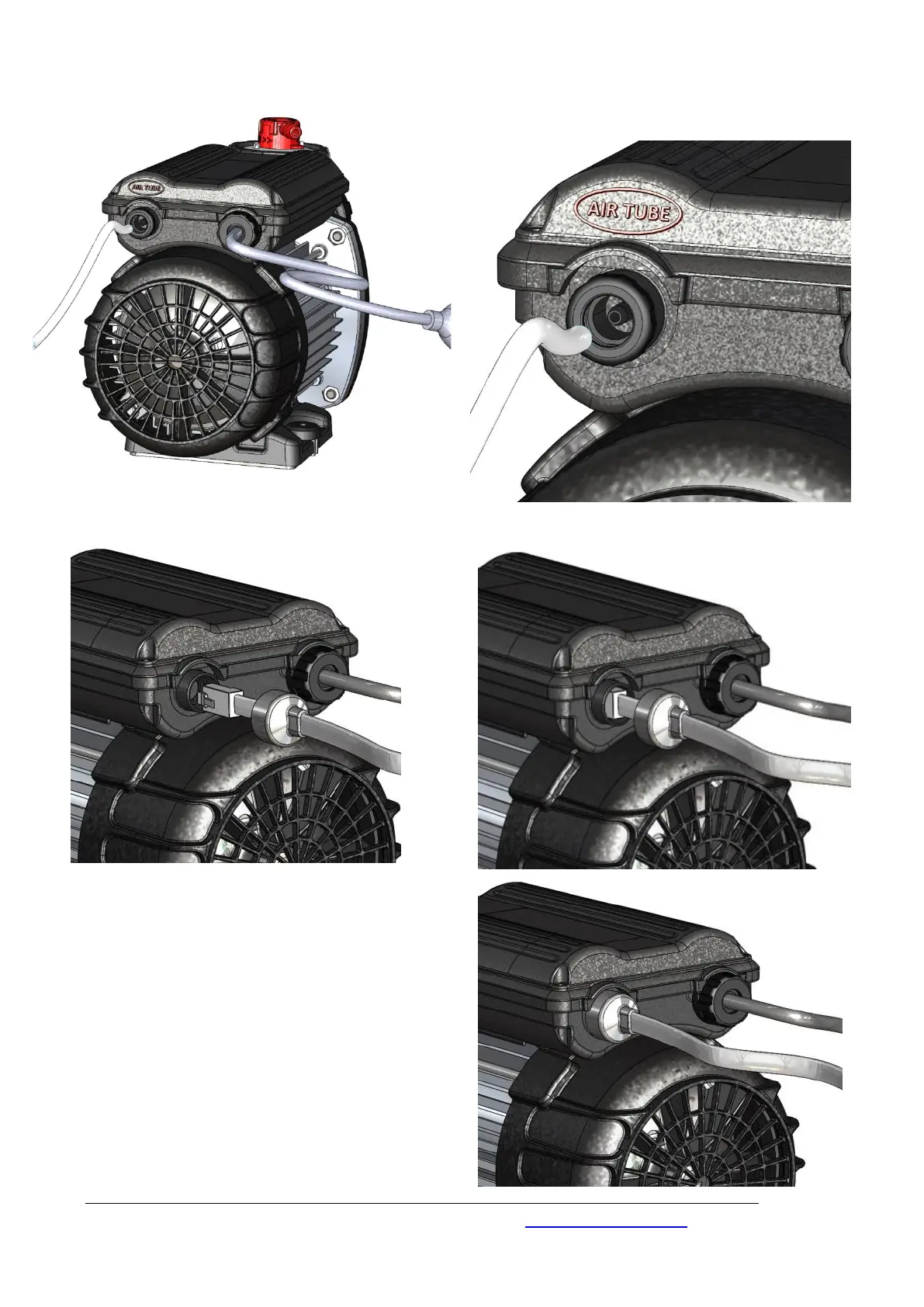
Diagram 3 Air Tube Connections
Diagram 4 Touch Pad Connections
1. Connect the touch pad cable into
the housing, the alignment is shown
above.
2. Push the connector into the housing
until it “clicks” into the fixed position.
3. Push the protective rubber cap on
the touch pad cable over the
circular housing (failure to do this will
void the warranty).
Attach 3mm flexible air tube
(supplied with the pump)
onto the air switch nipple.


 To Next Page